Inference Overlay: Difference between revisions
No edit summary Tag: Reverted |
No edit summary |
||
| (7 intermediate revisions by 2 users not shown) | |||
| Line 1: | Line 1: | ||
[[File:Treesmask.jpg|thumb|right|Trees detected with Inference Overlay.]] | [[File:Treesmask.jpg|thumb|right|Trees detected with Inference Overlay.]] | ||
The AI Inference Overlay is a [[Grid Overlay]] which can spatially identify features using one or more Prequel Grids. Features are identified using a | The AI Inference Overlay is a [[Grid Overlay]] which can spatially identify features using one or more Prequel Grids. Features are identified using a [[Region-based Convolutional Neural Network (Inference Overlay)|Region-based Convolutional Neural Network (RCNN)]] that used a limited amount of proposal regions. This Neural Network takes a subsection (window) of the input grid and either; | ||
* [[Neural Network (Inference Overlay)#Supported Convolution Types|classifies]] the image as a whole | * [[Region-based Convolutional Neural Network (Inference Overlay)#Supported Convolution Types|classifies]] the image as a whole | ||
* [[Neural Network (Inference Overlay)#Supported Convolution Types|detect one or more features]] in that image. | * [[Region-based Convolutional Neural Network (Inference Overlay)#Supported Convolution Types|detect one or more features]] in that image. | ||
It is not possible to run the convolution network on the grid as a whole. Therefore, a marching window strategy is applied instead, where the window is moved over the input grid with a [[Stride fraction (Inference Overlay)|configurable stride]]. This window takes the input values of one or more grids and puts these into tensors representing either floating point values or color channels (red, green and blue). Depending on the dataset used to train the neural network, the tensor values are normalized based on a particular value range. For example, a relative height input tensor for a foliage neural network trained on height data can be normalized using a range of 0 to 40 meters, when 40 meters is considered the largest tree height in the Netherlands. | It is not possible to run the convolution network on the grid as a whole. Therefore, a marching window strategy is applied instead, where the window is moved over the input grid with a [[Stride fraction (Inference Overlay)|configurable stride]]. This window takes the input values of one or more grids and puts these into tensors representing either floating point values or color channels (red, green and blue). Depending on the dataset used to train the neural network, the tensor values are normalized based on a particular value range. For example, a relative height input tensor for a foliage neural network trained on height data can be normalized using a range of 0 to 40 meters, when 40 meters is considered the largest tree height in the Netherlands. | ||
==Foliage Example== | ==Foliage Example== | ||
[[File:inference_foliage_animated.gif|frame|right|Animation of inference with a moving window and Bounding Box detection and a [[Stride fraction (Inference Overlay)|stride fraction]] of 0.5.]] | [[File:inference_foliage_animated.gif|frame|right|Animation of inference with a moving window and Bounding Box detection and a [[Stride fraction (Inference Overlay)|stride fraction]] of 0.5.]] | ||
Using a [[Satellite Overlay]] of 0.25m detail, foliage features can be identified using an [[Inference Overlay]] and enhanced with a [[Digital Terrain Model Overlay]] (DTM), a [[WCS Overlay|WCS Overlay]] representing the [[DSM]], [[Combo Overlay]] to combine these and an optionally an iterative [[ | Using a [[Satellite Overlay]] of 0.25m detail, foliage features can be identified using an [[Inference Overlay]] and enhanced with a [[Digital Terrain Model Overlay]] (DTM), a [[WCS Overlay|WCS Overlay]] representing the [[DSM]], [[Combo Overlay]] to combine these and an optionally an iterative [[Average Overlay|Max Overlay]] to enhance the foliage height. For more information, see this [[How to detect foliage using an Inference Overlay|how-to]]. | ||
<gallery widths="200"> | <gallery widths="200"> | ||
foliage_inference_labels.jpg|[[Labels result type (Inference Overlay)|Labeled features]] on 0.25m satellite image | foliage_inference_labels.jpg|[[Labels result type (Inference Overlay)|Labeled features]] on 0.25m satellite image | ||
| Line 22: | Line 20: | ||
{{article end | {{article end | ||
|seealso= | |seealso= | ||
* [[Model attributes (Inference Overlay)]] | * [[Model attributes (Inference Overlay)]] | ||
* [[Neural Network]] | * [[Neural Network]] | ||
| Line 33: | Line 30: | ||
* [[How to import trees based on an Inference Overlay]] | * [[How to import trees based on an Inference Overlay]] | ||
* [[How to detect solar panels using an Inference Overlay]] | * [[How to detect solar panels using an Inference Overlay]] | ||
* [[How to | * [[How to create the input overlay for leafless trees detection using the Inference Overlay]] | ||
* [[How to train your own AI model for an Inference Overlay]] | |||
* [[How to select specific input data for AI Inference]] | * [[How to select specific input data for AI Inference]] | ||
* [[How to | * [[How to create AI training data with QGIS]] | ||
}} | }} | ||
{{InferenceOverlay nav}} | {{InferenceOverlay nav}} | ||
{{Overlay nav}} | {{Overlay nav}} | ||
Latest revision as of 15:51, 29 June 2026

The AI Inference Overlay is a Grid Overlay which can spatially identify features using one or more Prequel Grids. Features are identified using a Region-based Convolutional Neural Network (RCNN) that used a limited amount of proposal regions. This Neural Network takes a subsection (window) of the input grid and either;
- classifies the image as a whole
- detect one or more features in that image.
It is not possible to run the convolution network on the grid as a whole. Therefore, a marching window strategy is applied instead, where the window is moved over the input grid with a configurable stride. This window takes the input values of one or more grids and puts these into tensors representing either floating point values or color channels (red, green and blue). Depending on the dataset used to train the neural network, the tensor values are normalized based on a particular value range. For example, a relative height input tensor for a foliage neural network trained on height data can be normalized using a range of 0 to 40 meters, when 40 meters is considered the largest tree height in the Netherlands.
Foliage Example

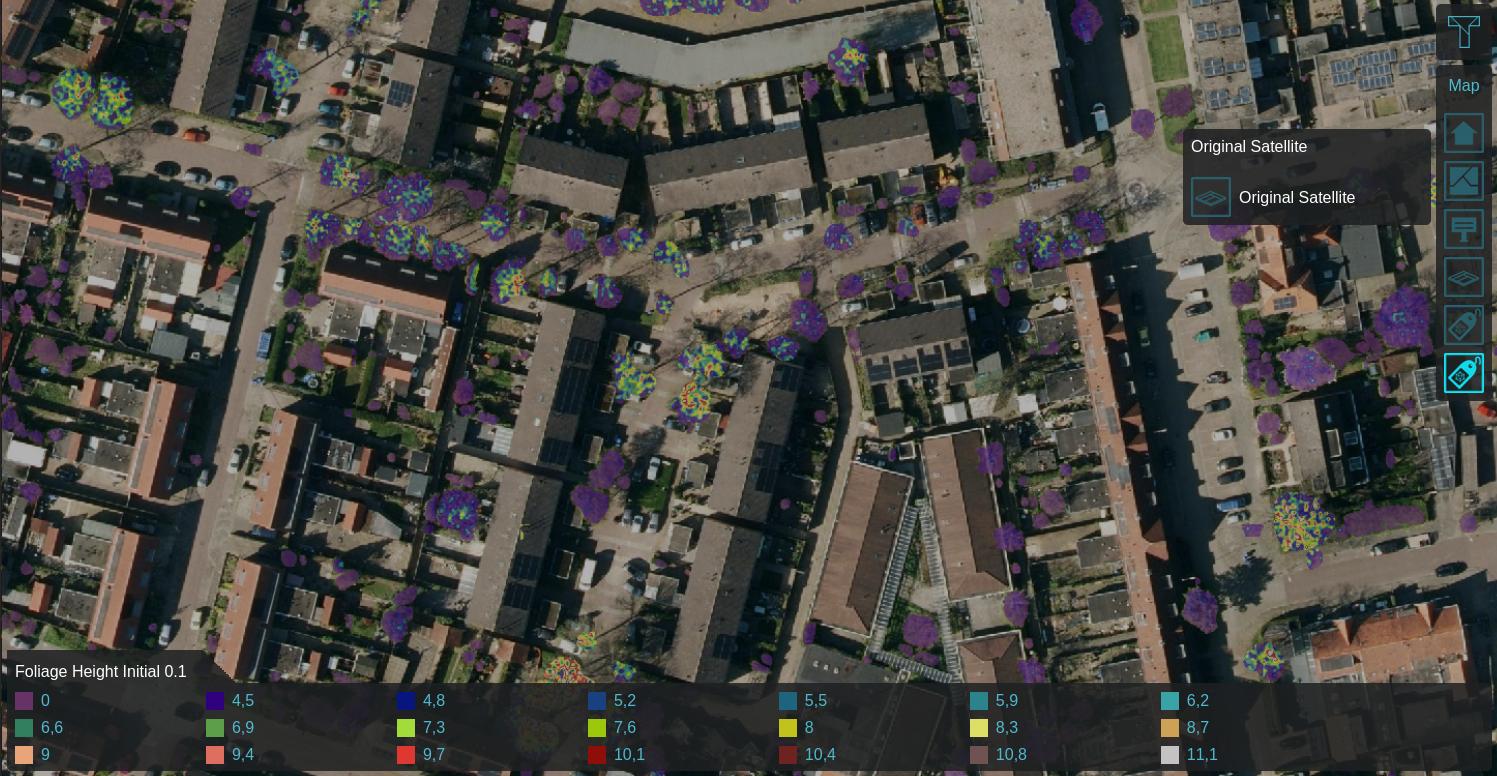
Using a Satellite Overlay of 0.25m detail, foliage features can be identified using an Inference Overlay and enhanced with a Digital Terrain Model Overlay (DTM), a WCS Overlay representing the DSM, Combo Overlay to combine these and an optionally an iterative Max Overlay to enhance the foliage height. For more information, see this how-to.
-
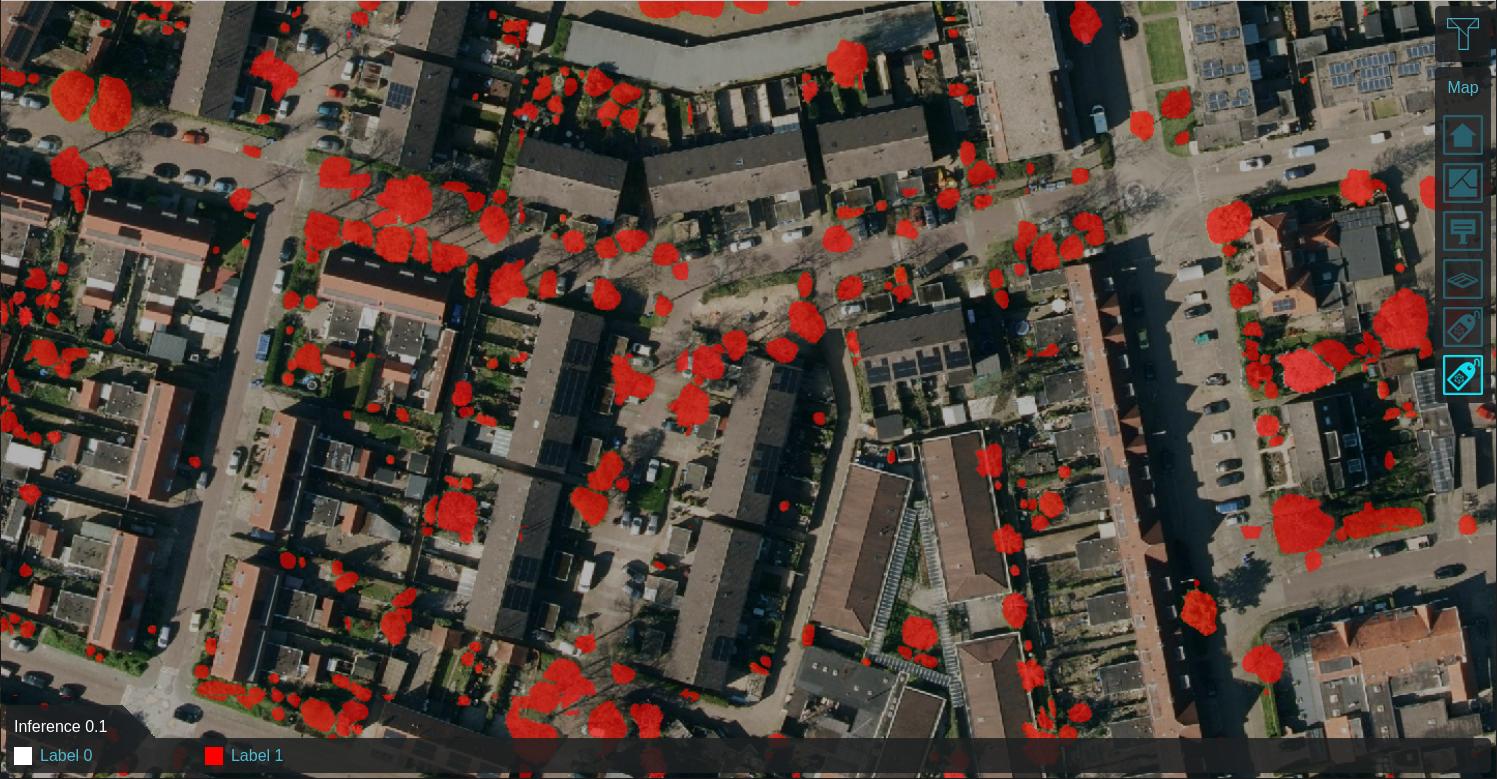 Labeled features on 0.25m satellite image
 -
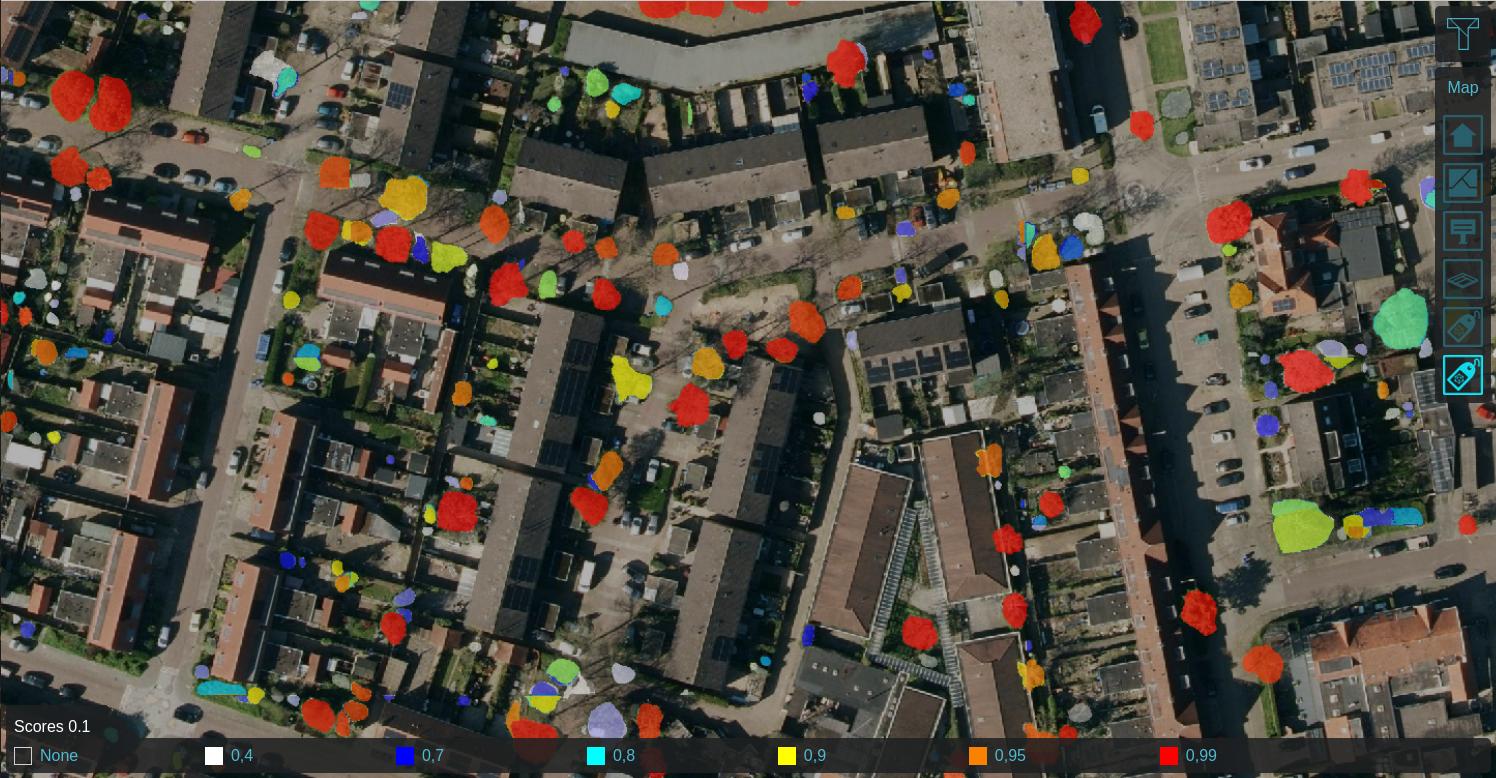
-
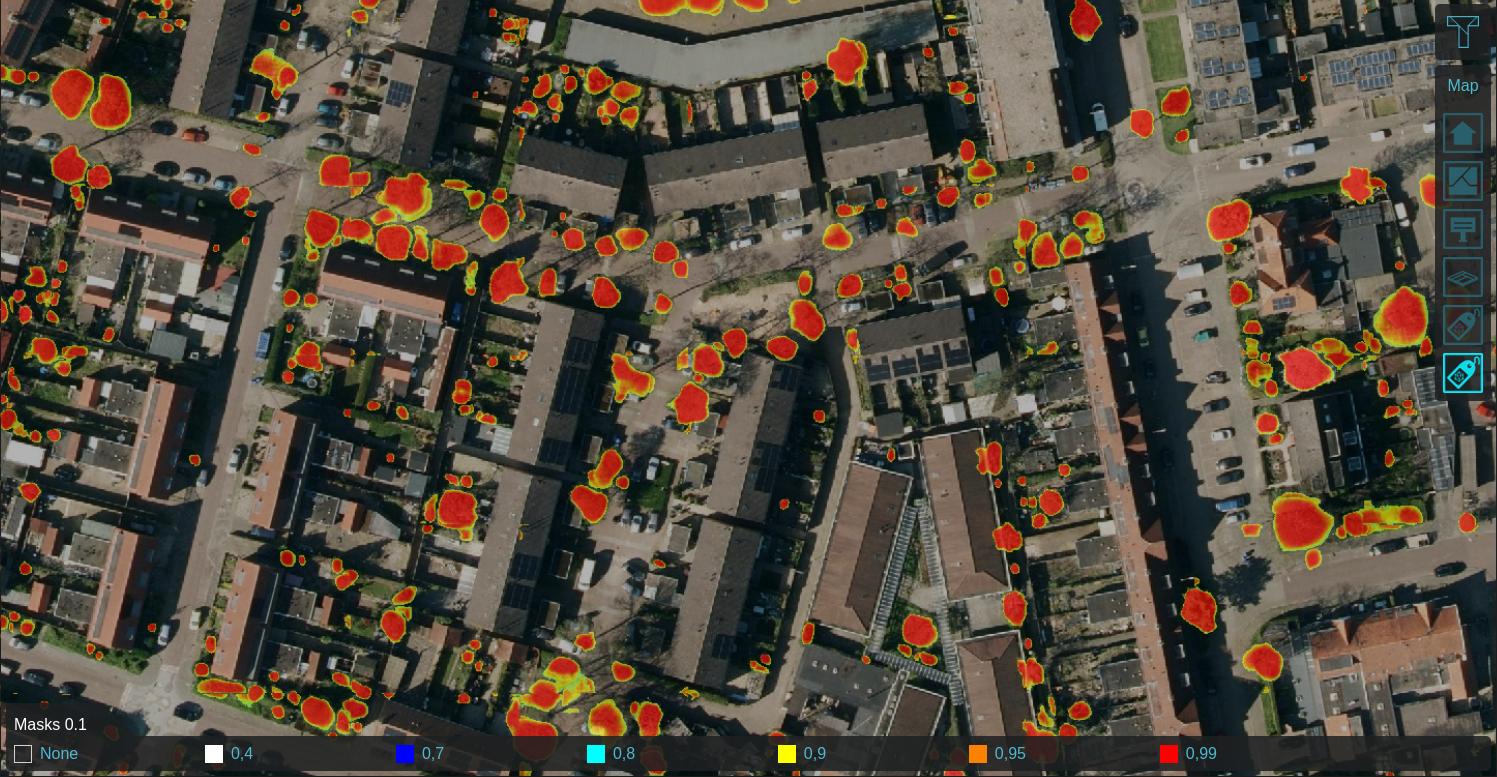
-
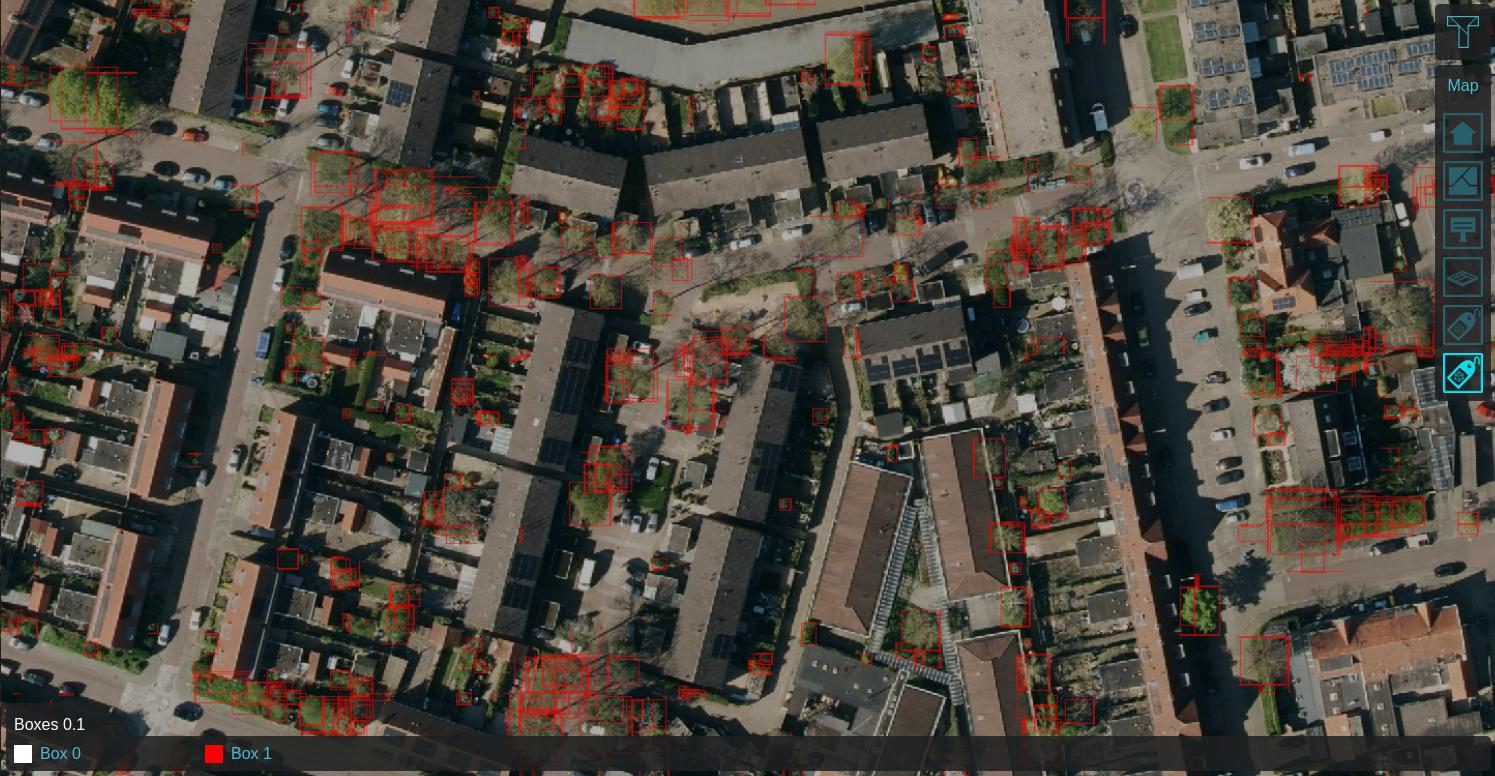
-
-
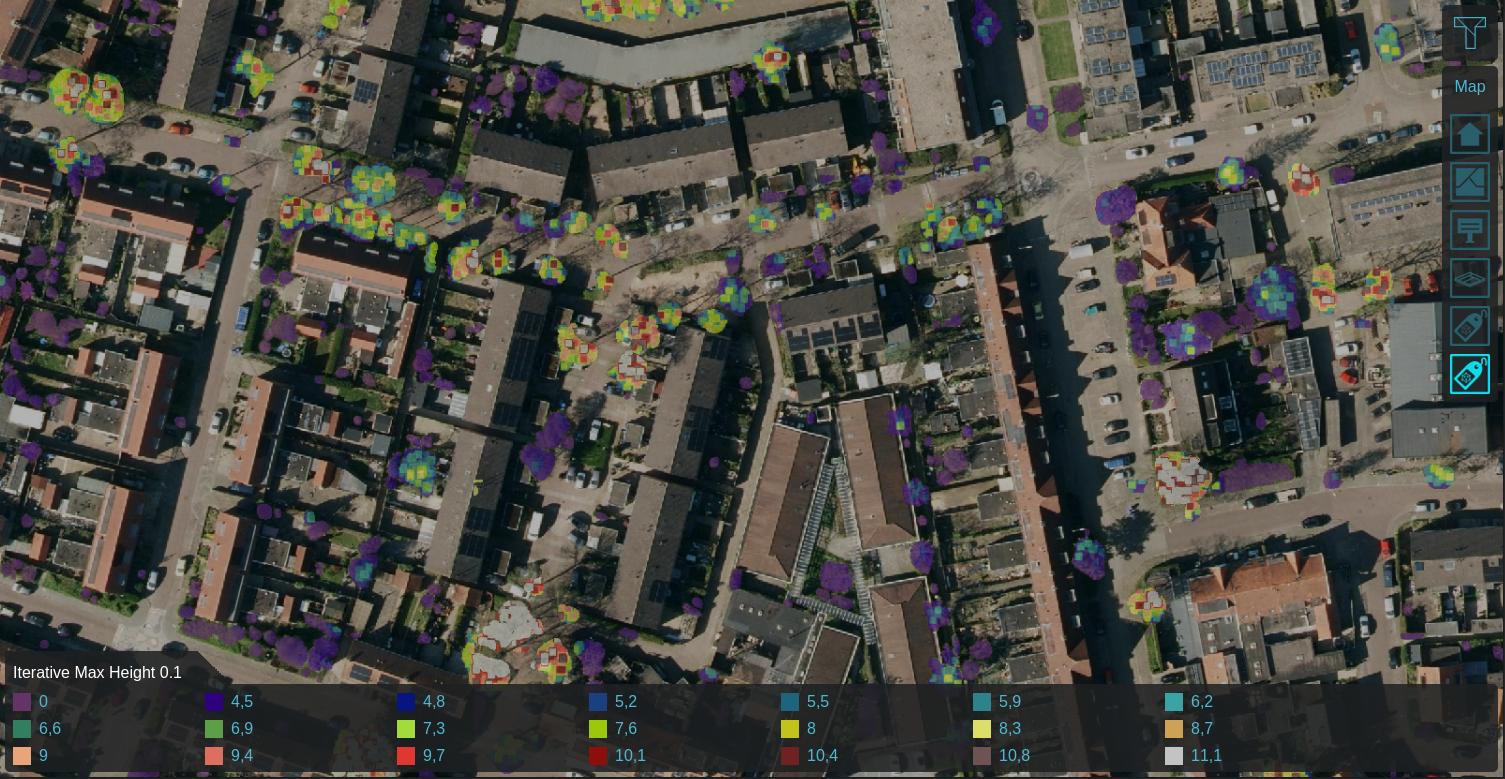 Max neighboring height within 0.25m, iterated 5 times


How-to's
- How to detect foliage using an Inference Overlay
- How to create foliage height based on an Inference Overlay
- How to import trees based on an Inference Overlay
- How to detect solar panels using an Inference Overlay
- How to create the input overlay for leafless trees detection using the Inference Overlay
- How to train your own AI model for an Inference Overlay
- How to select specific input data for AI Inference
- How to create AI training data with QGIS
See also