How to create foliage height based on an Inference Overlay
Jump to navigation
Jump to search
First follow the how to: How to detect foliage using an Inference Overlay.
The following how to explains how to create foliage height areas using:
- an Inference Overlay that identifies foliage.
- a Combo overlay that calculates tree heights by subtracting DTM from DSM,
- and an iterated rasterization overlay that takes the max of its direct neighbors, if and only if it is part of an identified foliage.
The foliage height areas can be used as input for the Heat Overlay Foliage.
Foliage Height Overlay
How to foliage height overlay:
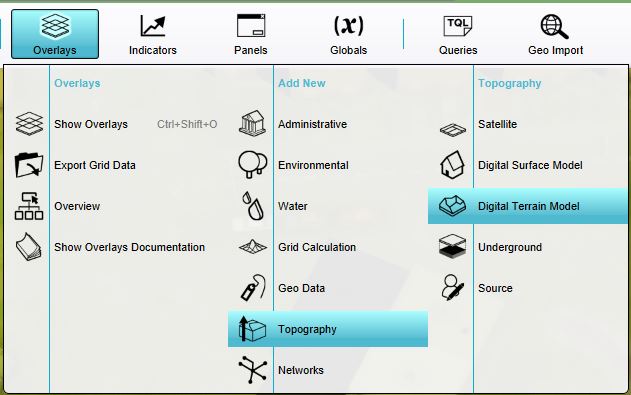
- Add a Digital Terrain Model Overlay named Heightmap (DTM). In current situation, hover over Overlays, and under Topography, select Digital Terrain Model
- Add a WCS Overlay named Heightmap (DSM), based on the AHN4 or a similar DSM service; one that includes the height of objects on the surface.
- Add a Foliage Inference Overlay by following the wizard How to detect foliage using an Inference Overlay.
- Calculate these overlays, and then de-activate them.
- Add a Combo Overlay, named Foliage Height with the following prequels:
- A: Heightmap (DSM)
- B: Heightmap (DTM)
- C: Inference Foliage
- Select the general tab in the detail panel, and provide the following formula using the formula field: IF(C, SUB(A, B), NO_DATA)
- Hover over the calculation cloud again, and now click update.
-
-
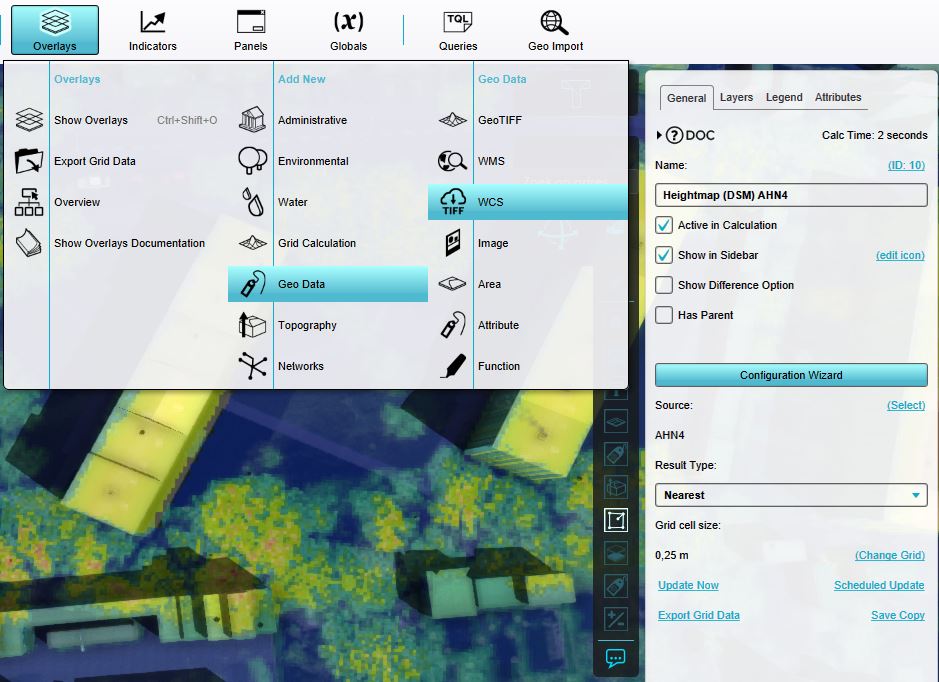 Add a WCS Overlay using the AHN4 source
 -
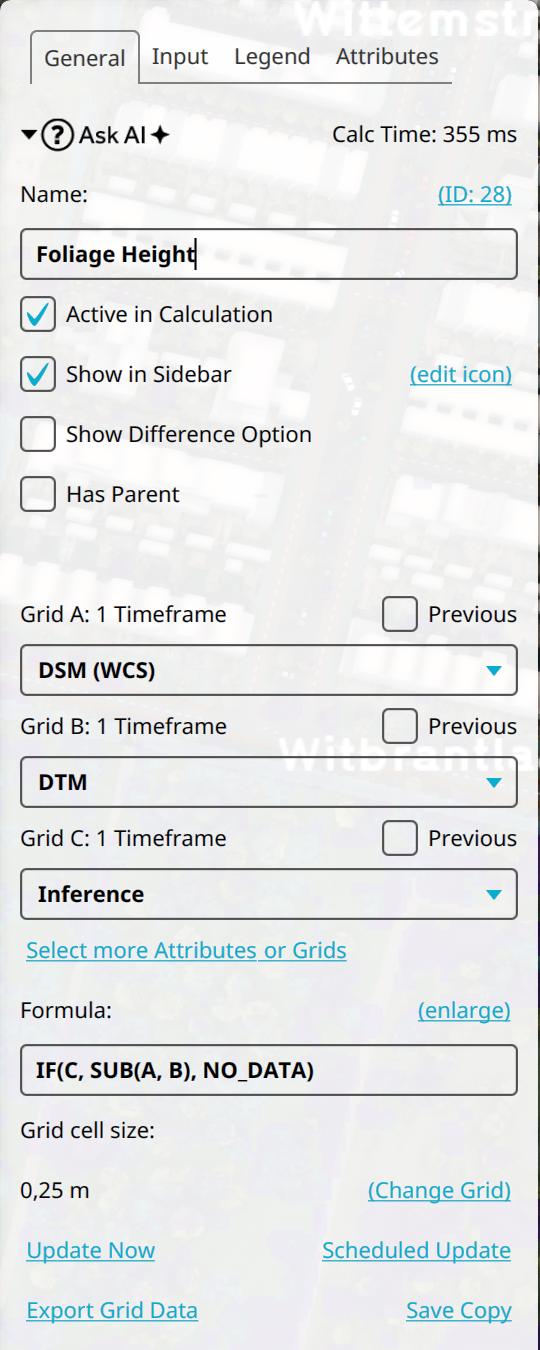 The Combo Overlay's formula


Enhanced Foliage Height Overlay
In the how-to above, the result mainly contains the branch heights. You can enhance this result by spreading the max height values to its neighboring cells. With the iteration functionality, you can repeat this spreading multiple times within a single calculation.
How to foliage height overlay:
- Follow the steps of the how-to above.
- Add an Average Overlay, named Iterative Max Height, with configured input Grid: Input Overlay and Result Type set to Max. Select the Foliage Height overlay for the Overlay and set the cell averaging distance to 2 times the grid cell size
- Select the Foliage Height Combo Overlay again, and select the Input Tab in its detail panel.
- For Grid D, check the Previous box, and select the Iterative Max Height overlay.
- Select the general tab in the detail panel, and provide the following formula using the formula field: IF(C, MAX(D, SUB(A, B)), NO_DATA)
- Ensure that the Foliage Inference, Heightmap DTM and Heightmap DSM are deactivated.
- Hover over the calculation cloud in the upper left of the ribbon bar, and click on the hyperlink Iteration.
- In the input window that pops up, type 50 for iterations.
- Hover over the calculation cloud again, and now click update.
- Once ready, change back the iterations to 1.
-
-
Add a WCS Overlay using the AHN4 source
-
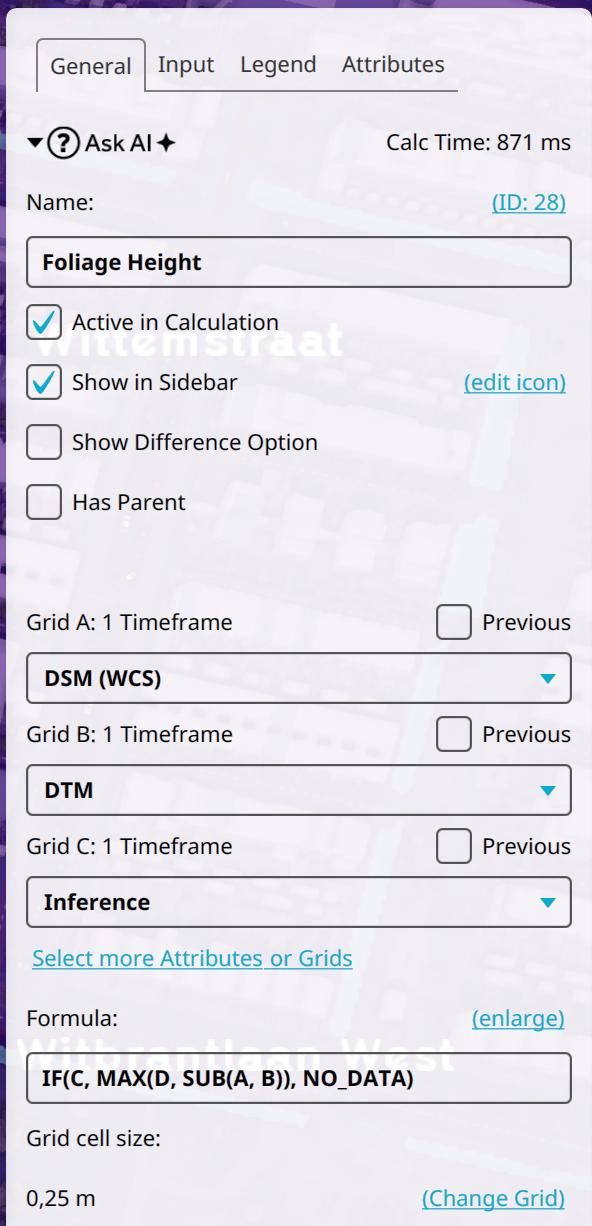 The Combo Overlay's formula
 -
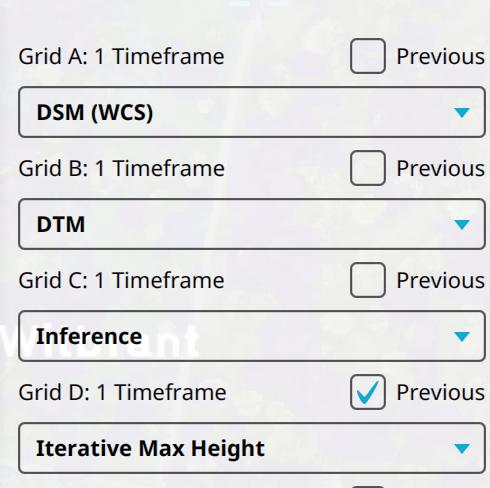 The Combo Overlay's prequel. Notice the Previous option is selected for the Max Iterative Height overlay.
 -
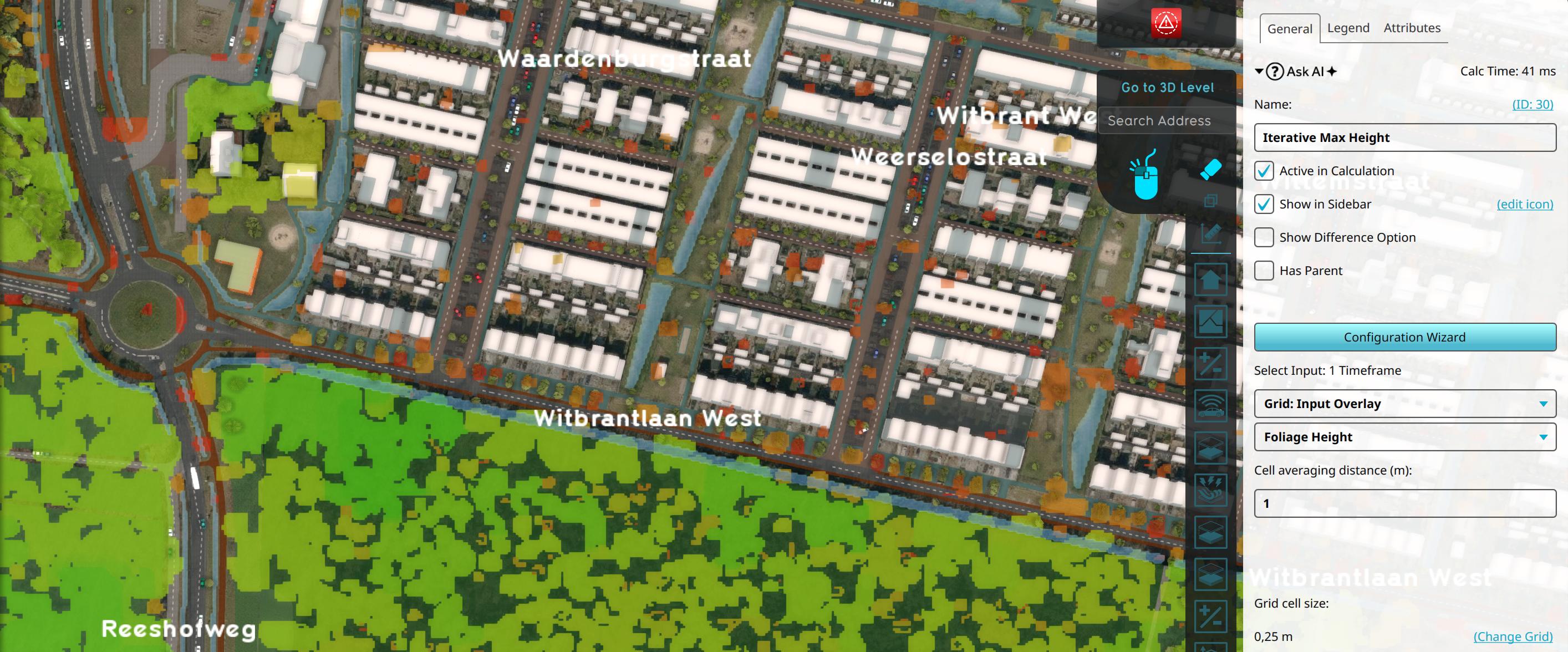 The Iterative Max Height overlay, which serves as an input for the Combo Overlay.


The Combo Overlay Formula
On the Foliage Height Combo Overlay formula:
IF(C, MAX(D, SUB(A, B)), NO_DATA)- If the Foliage Inference Overlay has a value, take the maximum of D (Iterative Max Overlay) and the relative height (DSM minus DTM).
- Otherwise, set it to NO_DATA.
The DSM and DTM subtraction can be replaced by a more complex Combo overlay.
Notes
- For a grid cell size of 0.25m , the average overlay named Iterative Max Height should have a cell averaging distance of 0.5m.