Zone: Difference between revisions
No edit summary |
No edit summary |
||
| (3 intermediate revisions by the same user not shown) | |||
| Line 16: | Line 16: | ||
* Actions will not be restricted by the zoning plan. | * Actions will not be restricted by the zoning plan. | ||
* Potential conflicts with the zoning plan(s) are no longer calculated and reported to the stakeholders. | * Potential conflicts with the zoning plan(s) are no longer calculated and reported to the stakeholders. | ||
However, zones can still be used in other | However, zones can still be used in other calculations if needed, with feedback shown in custom-made [[panel]]s. | ||
An example of a Stakeholder placing a new Sports Center in a Zone that does not allow it: | An example of a Stakeholder placing a new Sports Center in a Zone that does not allow it: | ||
| Line 28: | Line 28: | ||
{{article end | {{article end | ||
|notes=*{{SourcedItem}} | |||
|howtos= | |howtos= | ||
* [[How to add and remove a Zone]] | * [[How to add and remove a Zone]] | ||
| Line 34: | Line 35: | ||
* [[Zoning permit panel]] | * [[Zoning permit panel]] | ||
|api=*[[Api session items zones]] | |api=*[[Api session items zones]] | ||
*[[Api session event editor zoning]] | |||
}} | }} | ||
{{Template:Editor current situation nav}} | {{Template:Editor current situation nav}} | ||
Latest revision as of 08:55, 14 October 2026

Zones in the Tygron Platform are spatial areas that can restrict, and provide feedback on, actions performed by stakeholders. Each zone is assigned to a stakeholder; that stakeholder is the permitter.
Zones can be grouped together to form a hierarchical zoning plan, each with specific requirements to which a new action must conform.
If, during a session, an action does not conform to the zoning plan, a permission popup will appear, indicating a conflict with the zoning plan. In order to resolve the conflict with the zoning plan, either:
- the action has to be adjusted.
- the zoning plan is changed by the permitter.
- the action has to be reverted.
Zones can determine if an action create a conflict with the current zoning plan in two ways:
- A set of allowed Function Categories, used to verify planned Buildings.
- An excel file. The excel file can request TQL statements to calculate a permittance score, determining whether a certain action can be permitted or not. Additionally, it can provide information on why that action was not permitted.
The project can also be configured to disable the permission popup, which will result in the following:
- Actions will not be restricted by the zoning plan.
- Potential conflicts with the zoning plan(s) are no longer calculated and reported to the stakeholders.
However, zones can still be used in other calculations if needed, with feedback shown in custom-made panels.
An example of a Stakeholder placing a new Sports Center in a Zone that does not allow it:
-
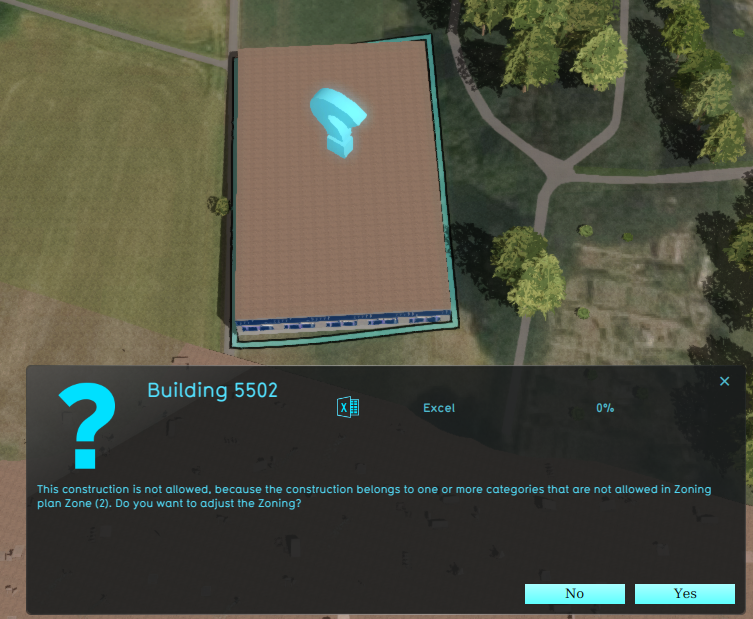 A zone reports a conflict with the planned building, because its Function Category is not allowed.
 -
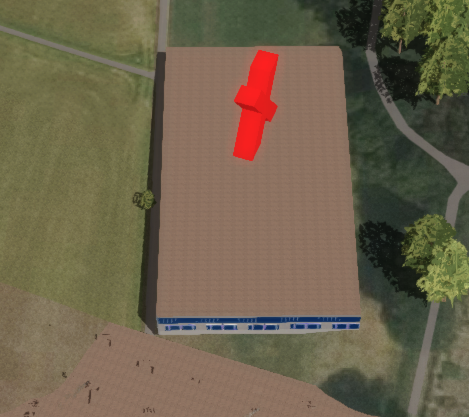 Denying the action results in a message to revert the action.
 -
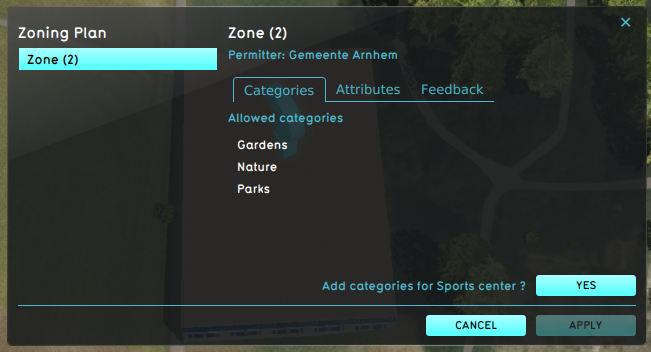 The permitter decides to adjust the zoning plan, using the Zoning permit panel.
 -
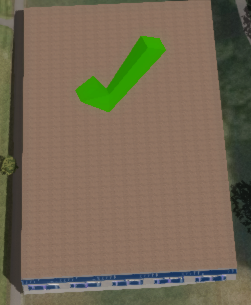 The action now is in accordance with the zoning plan.


Notes
- Zone is a Sourced Item, which means it records which Sources created it and which Sources changed any of its properties.
How-to's
See also
API Endpoints
 Current Situation
- Buildings • Terrains • Administrative • Areas • Networks • Overlays • Indicators • Panels • Globals • Queries • Geo Import
- Buildings
- Function • Function Override • Section • Category • Custom Geometry • Category Value • Function Value • Function Values Table • List of Functions
- Traffic
- Unit Type • Unit Data • Unit Data Override
- Terrain
- Height sector • Elevation model • Elevation GeoTIFF • Elevation Grid Overlay • Ground Price • Terrain Type • Terrain Type Override • List of Terrain Types
- Administrative
- Neighborhood • Zone • Permission Popup • Plot • Zip Code
- Queries
- Net Cluster • Net Function • Net Line • Net Load • Net Node • Net Setting • Net Type • Net Wizard
- Editor