How to change properties of a traffic unit
Existing units can be changed by selecting them in the left panel of the Unit Data Overrides Panel. The characteristics of the existing units are displayed and can be edited on the detail panel on the right side of the editor main view.
How to change units:
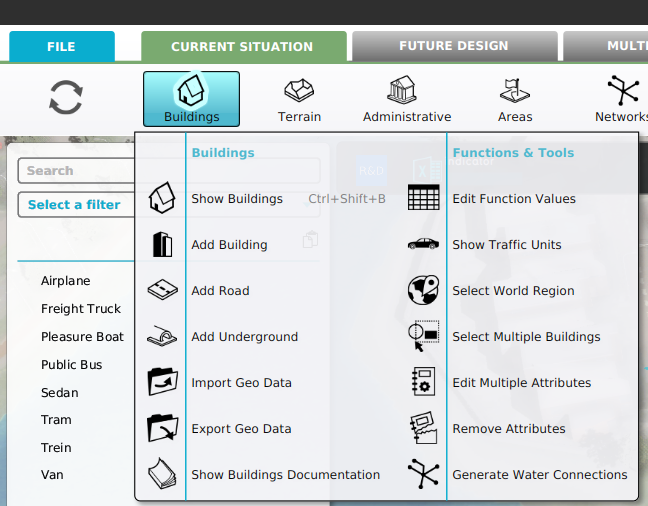
- Select Current Situation.
- Hover Buildings on the ribbon bar.
- Select Show Traffic Units in the popup.
- In the left panel, search for the unit to be changed in the list of unit data overrides.
- Edit the given options on the right panel if desired
-
-
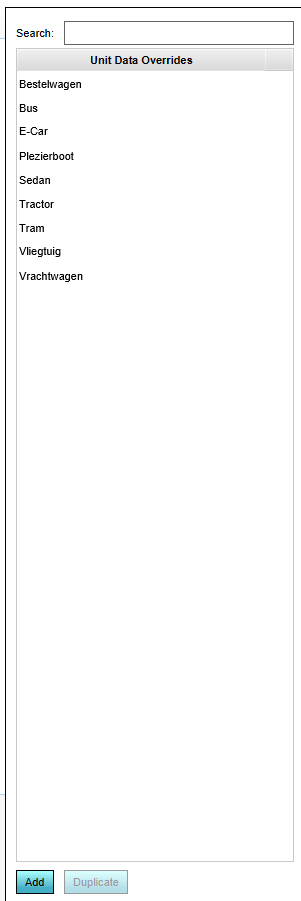 Units panel
 -
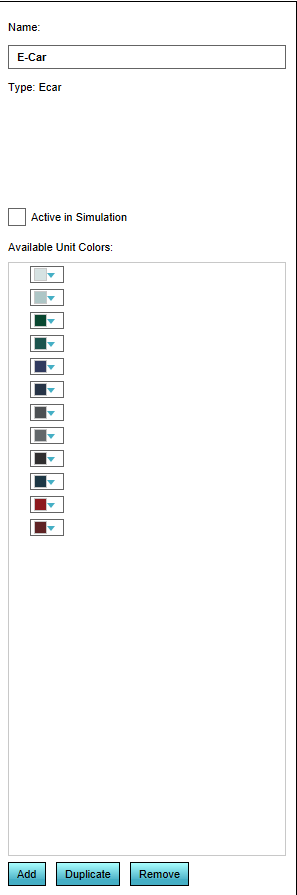 Right side detail panel


Name

In the "Name" field, a specific name for the unit can be entered, replacing the default naming. Please note that the default name of a unit often refers to the actual type of the unit.
Active in Simulation

Checking or unchecking this box determines whether the selected unit is visible in the 3D Visualization.
Available Unit Colors

Units of this type are displayed in the 3D Visualization using these colors.