How to use the Water Connection Generator to generate Buildings
Jump to navigation
Jump to search
With the Water Connection Generator it's possible to automatically generate additional Buildings for the water system in a Project.
Editor → Current Situation (Ribbon tab) → Buildings (Ribbon bar) → Generate Water Connections (Dropdown)
How to use the Water Connection Generator to generate Buildings:
- In the "function" drop-down, select the Function for the Buildings which you want to generate.
- In the "applied on" drop-down, select whether to generate Buildings on the entire map, only near the current viewpoint, or in a specific Neighborhood.
- For the width, enter the width the Building should have for use in calculation models such as the Water Overlay.
- If water bodies should have connections generated for them as well (rather than just waterways), select "include water bodies".
- Select "OK" to generate the Buildings.
-
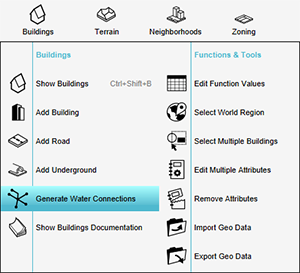 1. Go to Buildings -> Generate Water Connections
 -
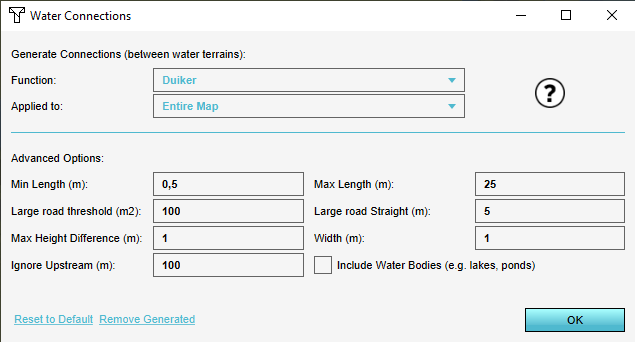 2. Water Connections dialogue
 -
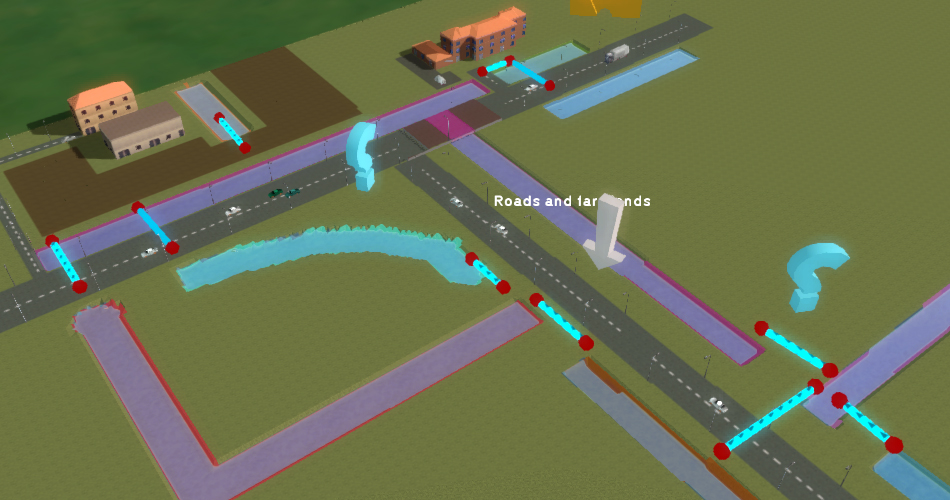 3. Generated Buildings (Culverts in this example)


Notes
- Generated Buildings will have their respective width Attribute set to the value configured. This applies only to Functions with an associated width-like Attribute used in calculation models. For example, a Culvert has a CULVERT_DIAMETER Attribute to set.
- Defaults provide acceptable results in most cases; use advanced options to fine-tune the algorithm for specific project needs.
See also
- How to use the Water Connection Generator with advanced options to generate Buildings
- How to remove Buildings generated by the Water Connection Generator