How to convert a GeoJSON to GeoPackage using QGIS
For large vector data files, GeoPackage is more efficient and performant than a GeoJSON, especially when exposed using a [[Viewer on the GeoShare.
How to convert a GeoJSON to GeoPackage using QGIS:
- Open QGIS
- Click on Layer in the ribbon bar and select Data Source Manager
- Set source type to file
- Under Source, click on the Browse button (indicated by ...), navigate to your file and select it.
- Click on the Add button to add it to QGIS. The view should zoom in to your features. (unless more layers are active in your QGIS session)
- Right click on the added layer, hover over Export and select Save Features As.
- In the Save Vector Layer As panel, adjust the format to GeoPackage
- Click on the Browse button (indicated by ...), select a destination file and click on OK.
-
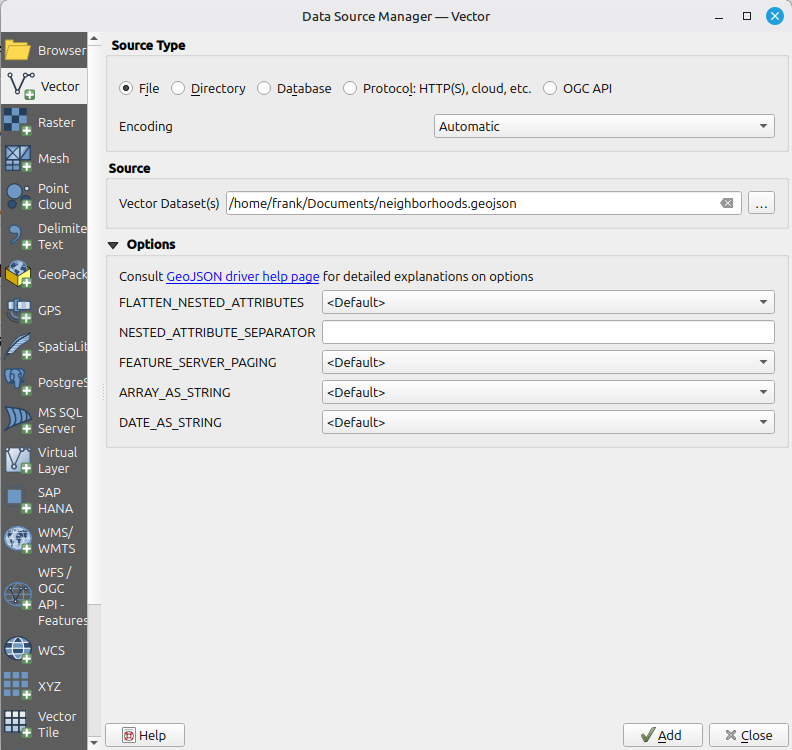 Select a GeoJSON file in Data Source Manager.
 -
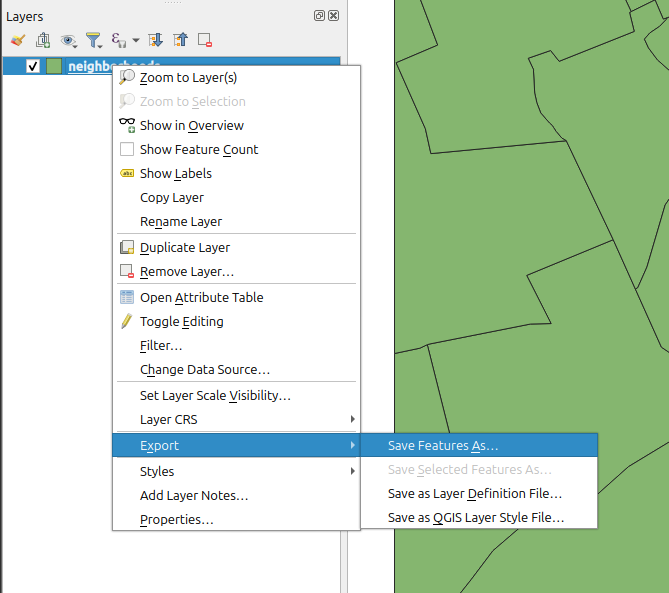 Right click on the layer and select Save Features As.
 -
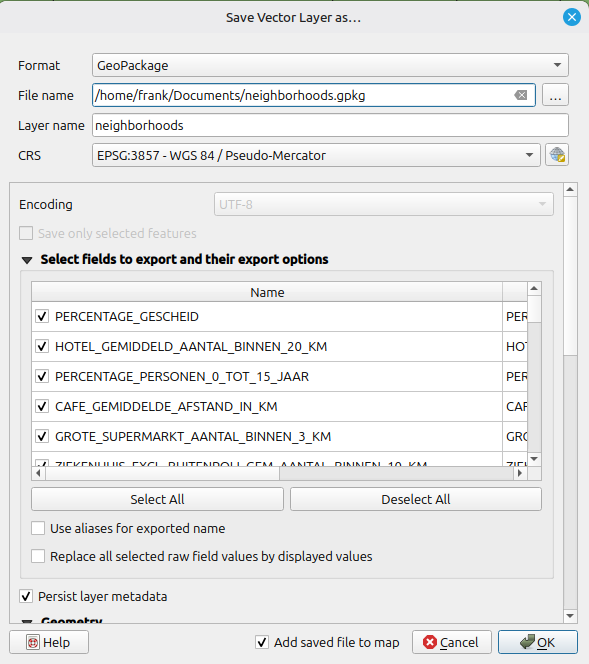 Export layer as GeoPackage.


See also