How to create a Rain area
When using the Water Overlay, you can add one or more Rain areas to define specific amounts of rainfall for different regions of the Project area. Reason: Highly repetitive and verbose phrasing.
How to create a Rain area for the Water Overlay:
- Either draw a new Area, or import an area.
- Ensure the new Area has a RAIN_M Attribute. Its value is not yet important.
- Open the Water Overlay Wizard.
- Ensure in the step regarding Weather, that the rain mode is set to allow Areas to override the Weather's Rain.
- In the step to override rain with areas, select the Area you created or imported.
- To set a constant amount of rainfall for the entire simulation period, select "Fixed" and enter the total value for the Rain area.
Reason: Extremely repetitive use of "amount of rainfall" and "Rain area".
- To set varying rainfall intensity over time, select "dynamic" and import a CSV to define the values.
-
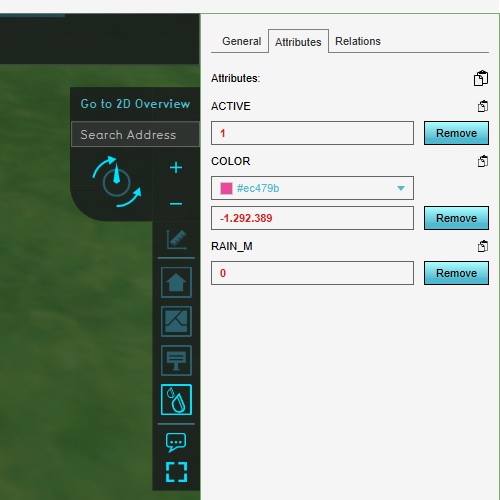 Add an area with a RAIN_M attribute. Its value is not yet relevant.
 -
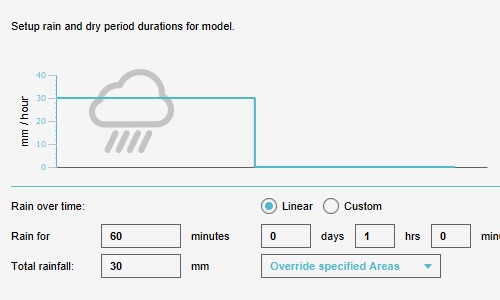 Set the Water Overlay to allow Rain areas.
 -
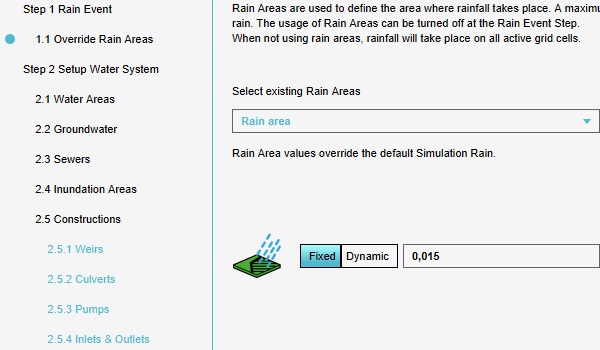 It's possible to configure a single value for rain.
 -
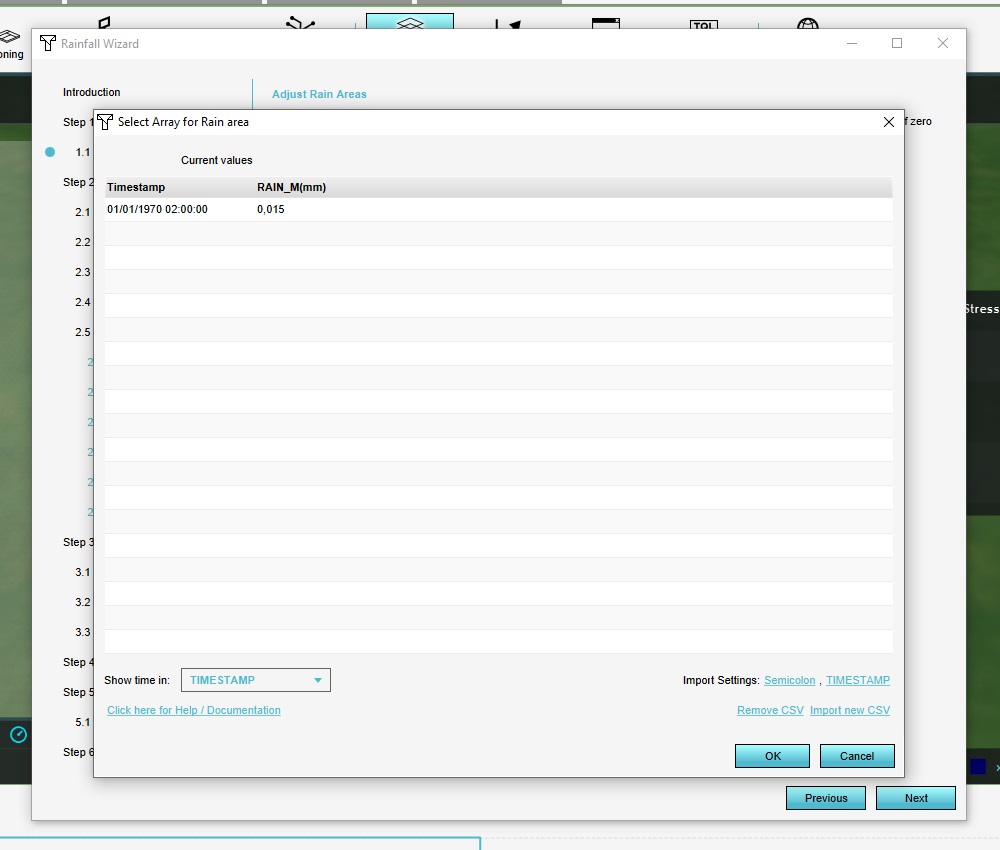 It's possible to upload a time sequence to define the amount of rain over time.


Notes
- When importing one or more Areas, the imported data can have RAIN_M Attributes predefined, skipping the need to configure or load in individual time sequences per Area afterwards. The array should consist of a time sequence(end-time), and should be pairs of values indicating times in seconds and amounts of rainfall in meters.
- The RAIN_M Attribute can be configured manually via the Editor, but this is discouraged due to cumbersome value magnitudes and the need to configure areas individually.
Reason: Severely awkward, overly long sentence with clumsy phrasing.
- A CSV for dynamic rainfall defines a time sequence(end-time), and should be structured as follows:
time, rain
3600, 0.03
7200, 0
9000, 0.03
10800, 0.06
The first number indicates time, the second number the amount of rain in mm. During import, you are prompted to specify the unit of time (seconds, minutes, days), and whether the separator is a comma or a semicolon.
- It is possible to eventually create a dynamic rainfall situation using multiple rain areas:
