Buy land
Buy land is a Special Option allowing Stakeholders to select one or more plots to purchase from another Stakeholder.
After drawing the selection, a Land buy panel opens where the buying Stakeholder provides the price per square meter, which in combination with the selection area leads to a total buy price.
This is turned into a request for the Stakeholder that owns the plot. This request is visible in the 3D Visualization as a popup. Clicking on it opens the popup panel with the buy land request. The receiving Stakeholder can opt to:
- Accept to sell.
- Decline the proposal
- Give the land away for free
- Closing the panel ignores the proposal, but the request remains active and visible in the 3D Visualization.
When plots of land are sold, plots are either split or transferred fully to the new owner, including the Building's that are on top of it.
-
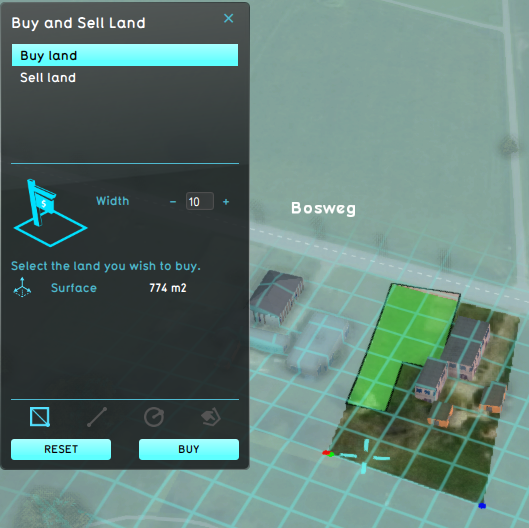 A Stakeholder selecting the area they wish to purchase.
 -
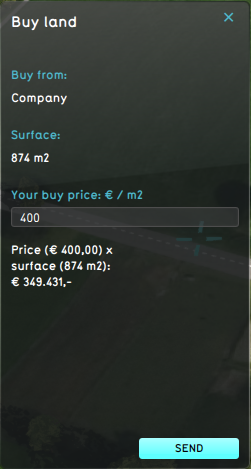 A Stakeholder entering the price per square meter for the desired land.


 Future Design
- Test Run • Actions • Action Menus • Measures • Parametric • Attributes • Levee Types • Upgrade Types • Event Bundles • Active Stakeholders
- Actions
- Building • TerrainSpatial • GridSpatial • TiffSpatial • LeveeSpatial • UpgradeSpatial
- Special Option