How to visualize the year of construction using an overlay
Jump to navigation
Jump to search
How to visualize the year of construction using an overlay:
- Open your project in the editor
- Hover over Overlays, Grid Calculation under Add New and select Combo.
- With the Combo Overlay selected, select the Input Tab
- Make sure Select input is configured with Attribute:Specific Layer and BUILDINGS as its layer.
- Click on the select button next to Attribute A and select the attribute named CONSTRUCTION_FINISH_DATE
- Select the general tab
- Click on the enlarge link above the formula field to open the Edit Formula panel.
- Write the following formula: ADD(1970, FLOOR(DIV(@A, MULT(1000, 60, 60, 24, 365.25))))
- Close the panel to save the formula.
- Click on the Update Now link to calculate the overlay.
-
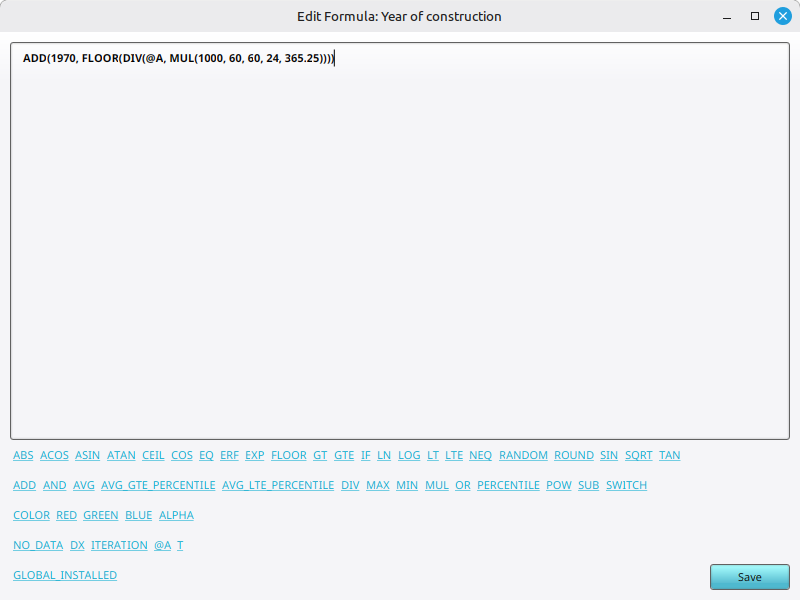 Year of construction formula in the Edit Formula panel
 -
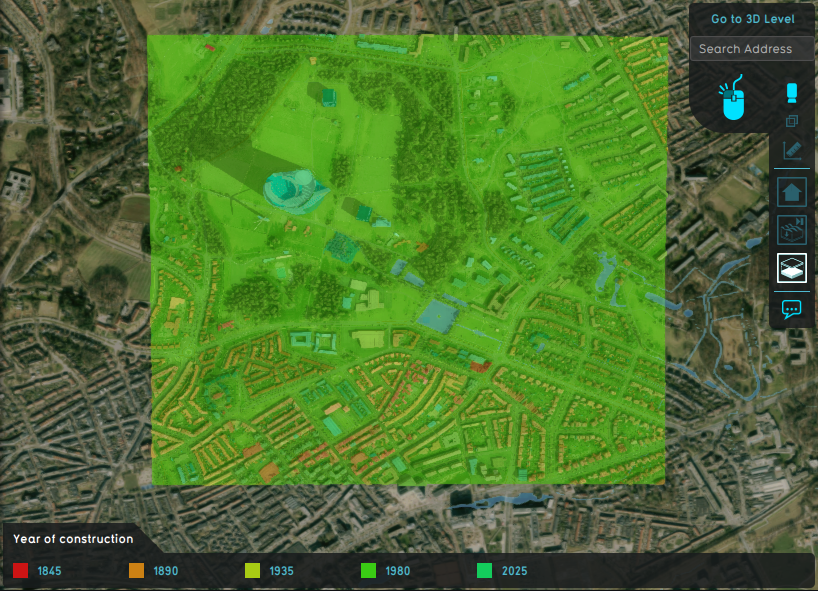 Resulting overlay
 -
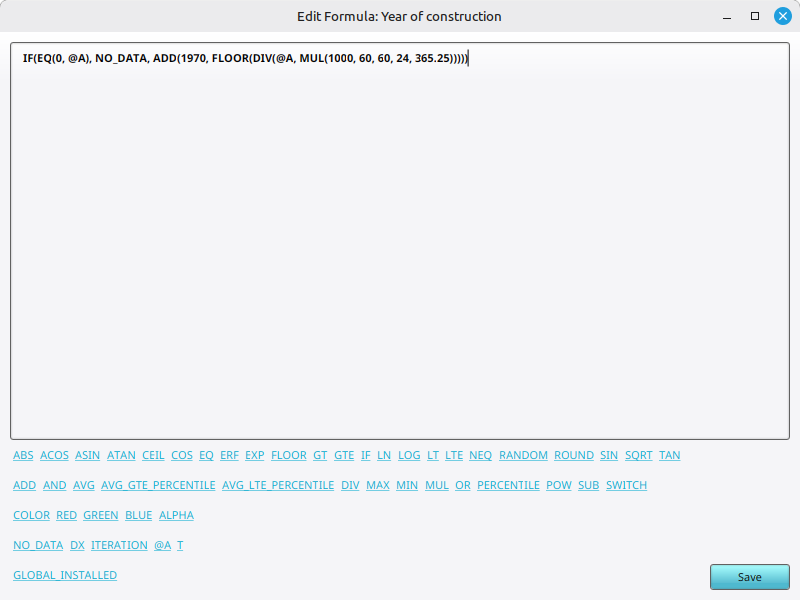 Adjusted year of construction formula to convert the default value of 0 to NO DATA.
 -
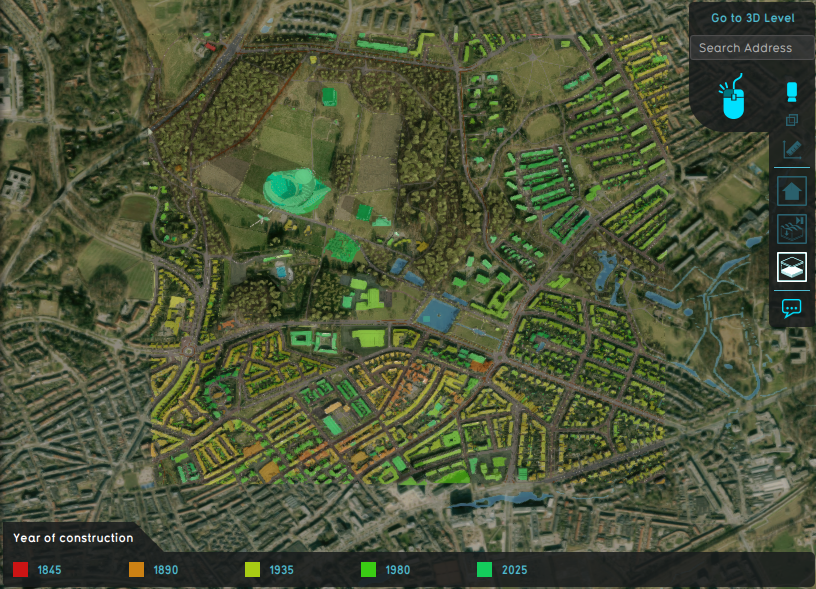 Resulting overlay of formula with NO_DATA.
 -
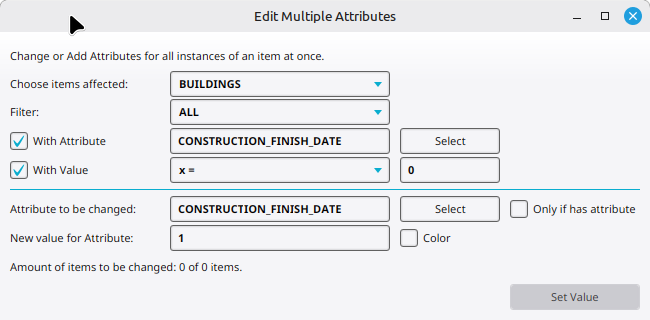 Verifying the construction finish date is never exactly 0, and change it to 1 millisecond if necessary.


Notes
- The CONSTRUCTION FINISH DATE represents the number of milliseconds after the epoch UTC date 01-01-1970 00:00:00.
- The formula is an approximation, but will suffice for year of construction for buildings.
- The multiplication is: number of milliseconds times seconds times minutes times hours times number of days in a year (on average). The multiplication can also be replaced by its resulting value: 31557600000.
- Instead of flooring the year of construction, you can also round it.
- To make buildings without a CONSTRUCTION_FINISH_DATE transparent, change the formula to:The attribute is rarely 0 when set. If necessary, see the image above of the Edit multiple attributes' panel configuration to verify it.
IF(EQ(@A, 0), NO_DATA, ADD(1970, FLOOR(DIV(@A, MULT(1000, 60, 60, 24, 365.25)))))