How to export objects in a Project to a GeoPackage
Jump to navigation
Jump to search
Geo Data in a Project can be exported as a GeoPackage for use in applications like QGIS and ArcGIS Pro, or shared via GeoShare.
How to export objects in a Project to a GeoPackage:
- Hover over the desired menu you want to export objects from and click on Export Geo Data.
- In the new panel that pops up, select the GeoPackage format.
- Click on the Export File button.
-
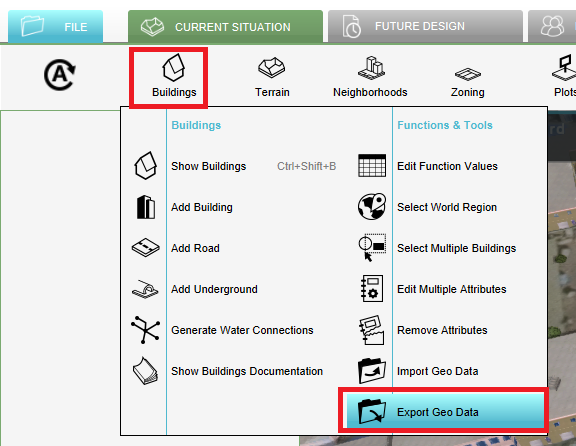 Export data option in the dropdown
 -
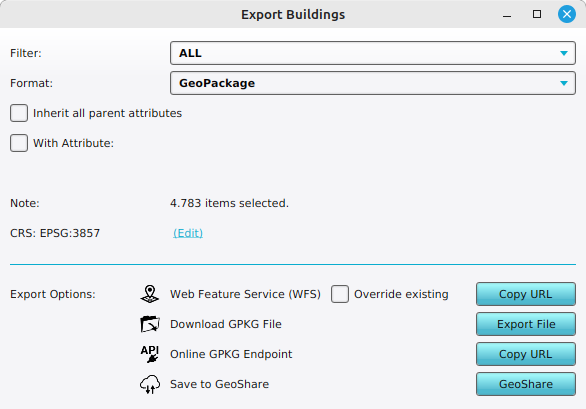 GeoPackage selected as export option


Notes
- Buildings, Terrains, Neighborhoods, Zoning, Plots, Areas and Measurements can be exported as a GeoPackage.