When calculating spatial effects for residential objects, you may need to test building exteriors instead of the entire object. This is especially relevant for calculations which deal with direct lines of sight, such as being able to see or hear certain spatial effects.
To properly calculate such spatial effects, it is necessary to first calculate the presence of walls of residential objects. This requires calculating the locations of (the outsides of) walls, the locations of residences, and then the combination of the two.
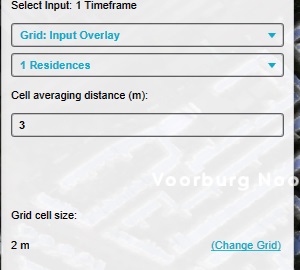
Add an Average Overlay configured so that: Its name is "Near residences". The input is the Grid Overlay of residences. The averaging distance is slightly more than the grid cell size.
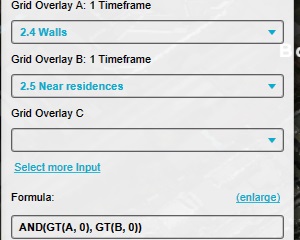
Add a Combo Overlay, configured so that: Its name is "Residence walls". Input A: The Grid Overlay of walls. Input B: The "near residences" Overlay. Formula: AND(GT(A, 0), GT(B, 0))
Configure the legend of the Combo Overlay to have a distinct entry for the value "0" and the value "1".
Notes
Averaging residence locations highlights their surroundings; combining this with exterior wall data identifies walls adjacent to residential objects.