How to change Attributes for a Function: Difference between revisions
Jump to navigation
Jump to search
No edit summary |
No edit summary |
||
| Line 13: | Line 13: | ||
File:function-values-add-function.jpg|Click on "Add" to open the Function selector. | File:function-values-add-function.jpg|Click on "Add" to open the Function selector. | ||
File:Function_group_custom.jpg|Set the group filter to ''Custom'' or ''Attributes''. | File:Function_group_custom.jpg|Set the group filter to ''Custom'' or ''Attributes''. | ||
File:Function_attribute_custom.jpg|Attribute column has been added and several functions have been given a value for the custom attribute. | |||
</gallery> | </gallery> | ||
Revision as of 13:58, 1 February 2024
When a Function is added to the list of Functions, and Attributes have been defined for it, its Attributes' values can be modified.
-
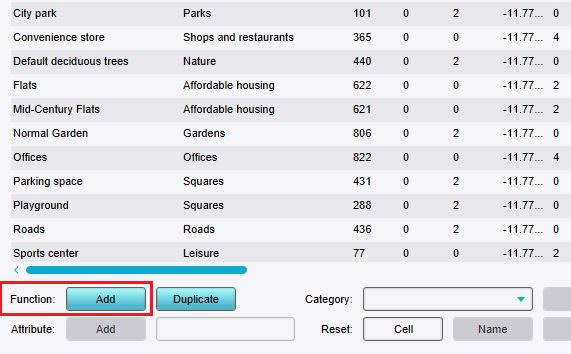 Click on "Add" to open the Function selector.
-
 Set the group filter to Custom or Attributes.
-
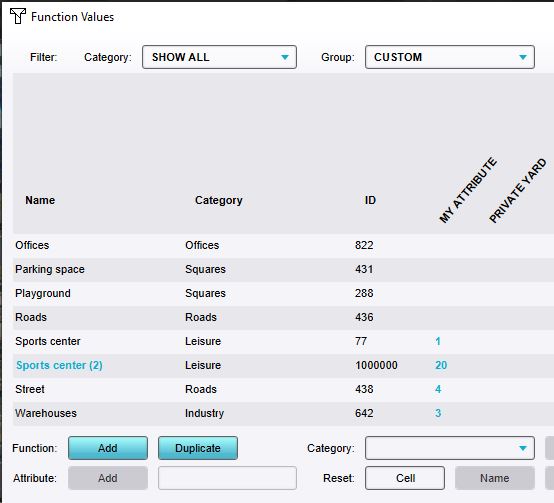 Attribute column has been added and several functions have been given a value for the custom attribute.


