How to change Attributes for a Function: Difference between revisions
Jump to navigation
Jump to search
No edit summary |
No edit summary |
||
| Line 1: | Line 1: | ||
When a [[Function]] is [[How to add Functions for editing|added to the list of Function]]s, and [[How to add an Attribute to a Function|Attributes have been defined for it]], its [[Attribute]] | When a [[Function]] is [[How to add Functions for editing|added to the list of Function]]s, and [[How to add an Attribute to a Function|Attributes have been defined for it]], its [[Attribute]] values can be modified. | ||
{{editor location|function values}} | {{editor location|function values}} | ||
Latest revision as of 11:39, 2 July 2026
When a Function is added to the list of Functions, and Attributes have been defined for it, its Attribute values can be modified.
How to change Attributes of a Function:
- If the desired Function is not yet present in the list, add the Function to the list.
- Set the group filter to Custom or Attributes.
- If the desired Attribute is not yet present in the list, add the Attribute to the list.
- Find the column with the Attribute you wish to change.
- Change the value in the row of the Function and the column of the Attribute.
-
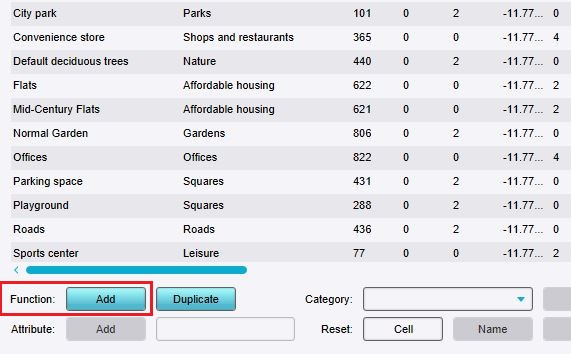 Click on "Add" to open the Function selector.
 -
 Set the group filter to Custom or Attributes.
 -
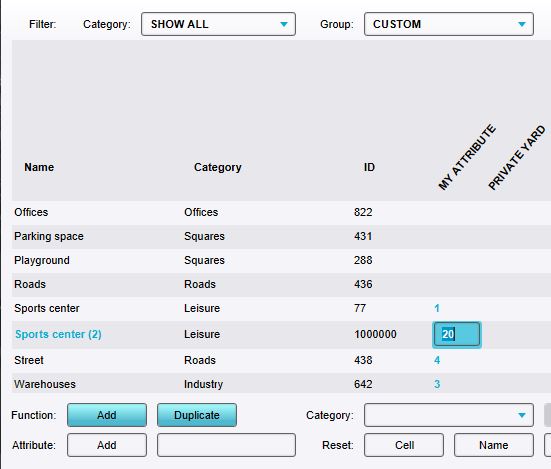 Editing an added Attribute by double-clicking on the field and typing a value.


