How to add a Chat Channel: Difference between revisions
Jump to navigation
Jump to search
No edit summary |
No edit summary |
||
| (4 intermediate revisions by the same user not shown) | |||
| Line 2: | Line 2: | ||
|Open a [[project]] in the [[editor]]. | |Open a [[project]] in the [[editor]]. | ||
|Select the [[Community]] tab in the [[ribbon]]. | |Select the [[Community]] tab in the [[ribbon]]. | ||
|Click on [[Chat]]s. This opens the Chat | |Click on [[Chat]]s. This opens the [[Chat panel]]. | ||
|In the Chat | |In the Chat panel, click on the add button. | ||
}} | }} | ||
< | <gallery> | ||
File:Community_chats.png|Hover over [[Chat]]s in the [[Community]] Tab of the [[ribbon]]. | |||
File:Community_chats_project_agent.png|Selecting the Project Agent in the Chats Popup. | |||
File:Chat_panel_add.png|Clicking on the ''Add'' button to add a new [[Chat Channel]]. | |||
</gallery> | </gallery> | ||
| Line 17: | Line 17: | ||
*[[Api session event editor chat add]] | *[[Api session event editor chat add]] | ||
|howtos=* [[How to duplicate a Chat Channel]] | |howtos=* [[How to duplicate a Chat Channel]] | ||
*[[How to remove a Chat Channel]] | |||
* [[How to configure a Chat Channel]] | * [[How to configure a Chat Channel]] | ||
*[[How to set the instructions of a Chat Channel]] | *[[How to set the instructions of a Chat Channel]] | ||
*[[How to change the LLM of a Chat Channel]] | *[[How to change the LLM of a Chat Channel]] | ||
*[[How to allow a Chat Channel to edit a project]] | |||
*[[How to toggle the thinking section of a Chat Channel]] | |||
}} | }} | ||
Latest revision as of 14:32, 9 October 2026
How to add a Chat Channel:
-

-
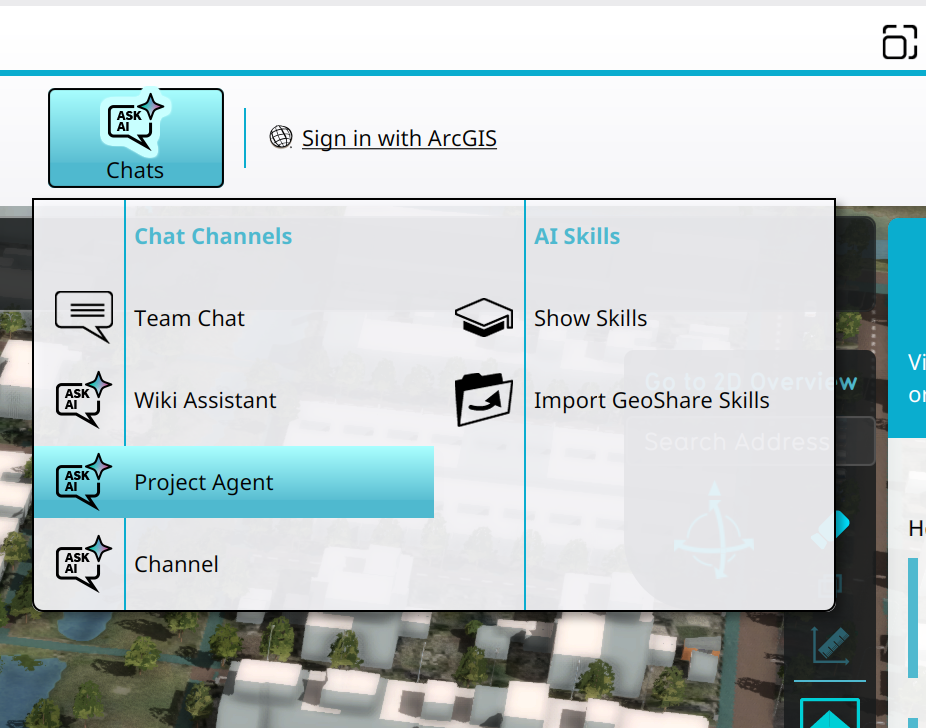 Selecting the Project Agent in the Chats Popup.
 -
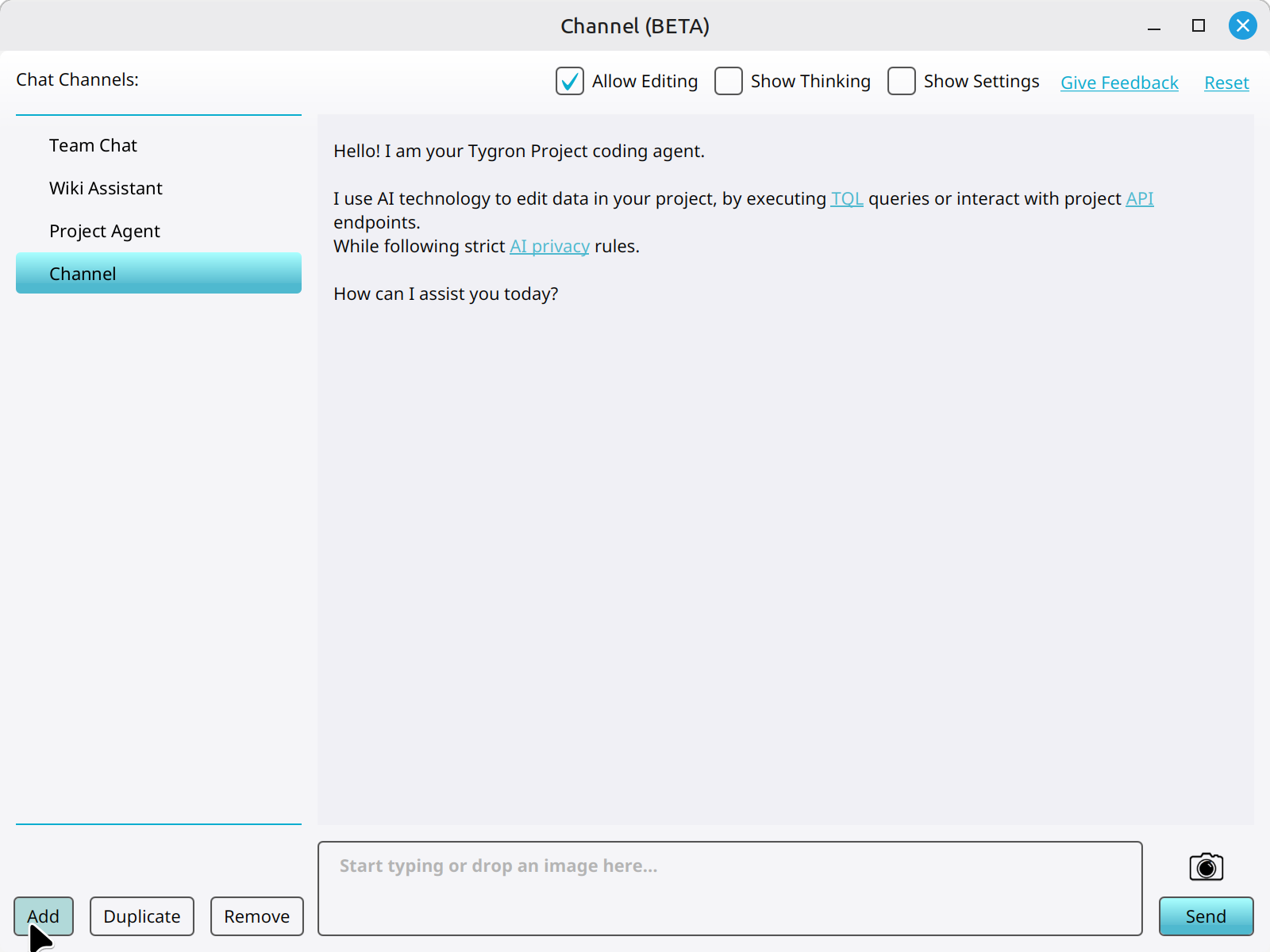 Clicking on the Add button to add a new Chat Channel.


How-to's
- How to duplicate a Chat Channel
- How to remove a Chat Channel
- How to configure a Chat Channel
- How to set the instructions of a Chat Channel
- How to change the LLM of a Chat Channel
- How to allow a Chat Channel to edit a project
- How to toggle the thinking section of a Chat Channel