How to change Attributes for a Function: Difference between revisions
Jump to navigation
Jump to search
No edit summary |
No edit summary |
||
| Line 3: | Line 3: | ||
{{editor location|function values}} | {{editor location|function values}} | ||
{{ | {{howto|title=change Attributes of a Function | ||
|If the desired [[Function]] is not yet present in the list, [[How to add Functions for editing|add the Function]] to the list. | |If the desired [[Function]] is not yet present in the list, [[How to add Functions for editing|add the Function]] to the list. | ||
|Set the group filter to ''Custom'' or ''Attributes''. | |Set the group filter to ''Custom'' or ''Attributes''. | ||
Latest revision as of 09:55, 18 November 2026
When a Function is added to the list of Functions, and Attributes have been defined for it, its Attribute values can be modified.
How to change Attributes of a Function:
- If the desired Function is not yet present in the list, add the Function to the list.
- Set the group filter to Custom or Attributes.
- If the desired Attribute is not yet present in the list, add the Attribute to the list.
- Find the column with the Attribute you wish to change.
- Change the value in the row of the Function and the column of the Attribute.
-
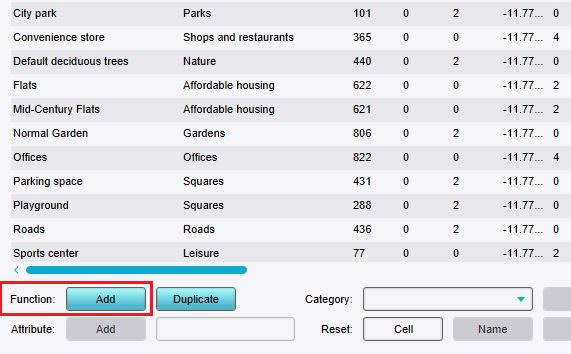 Click on "Add" to open the Function selector.
-
 Set the group filter to Custom or Attributes.
-
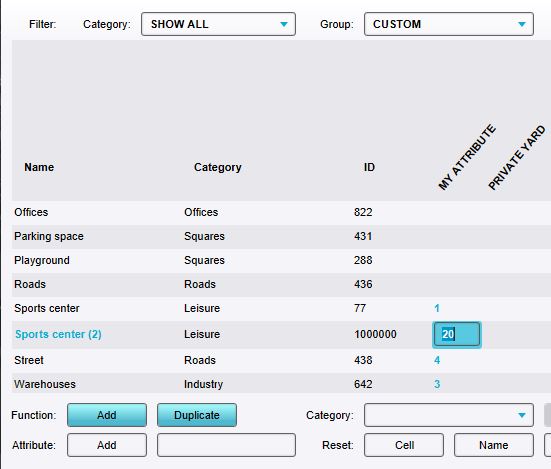 Editing an added Attribute by double-clicking on the field and typing a value.


How-to's
- How to add Functions for editing
- How to create Functions
- How to add an Attribute to a Function
- How to change the Category of a Function