How to add an Area: Difference between revisions
Jump to navigation
Jump to search
m Reverted edits by Maxim@tygron.com (talk) to last revision by Frank@tygron.nl Tag: Rollback |
No edit summary |
||
| Line 1: | Line 1: | ||
{{Editor location|Areas}} | {{Editor location|Areas}} | ||
To add an [[area]] to the world select "Add" at the bottom of the [[Left Panel]]. A new area will be added. | To add an [[area]] to the world select "Add" at the bottom of the [[Left Panel]]. A new area will be added. | ||
{{ | {{howto|title=add an area|Select "Areas" in the ribbon bar.|Select "Add" in the [[left panel]].}} | ||
<gallery> | <gallery> | ||
Latest revision as of 09:53, 18 November 2026
To add an area to the world select "Add" at the bottom of the Left Panel. A new area will be added.
How to add an area:
- Select "Areas" in the ribbon bar.
- Select "Add" in the left panel.
-
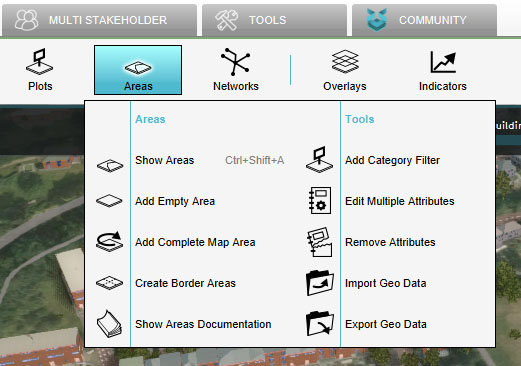 Select "Areas"
-
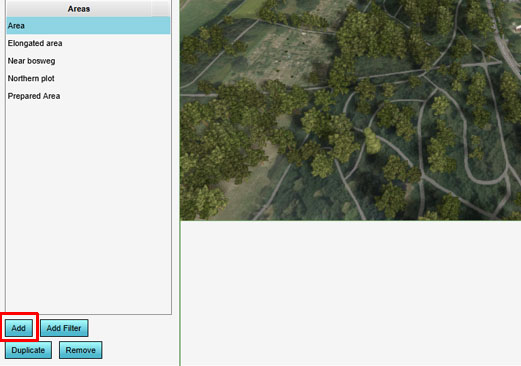 Select "Add"

