How to change land ownership
Jump to navigation
Jump to search
How to change area ownership per stakeholder:
- Select Multi Scenario > Stakeholders > Show Stakeholders
- Select on the left panel the stakeholder to which ownership of an area will be assigned
- Click "Draw Ownership" at the bottom of the stakeholder property panel to open the Ownership Overlay.
- Use the Brush Panel to draw the area in the 3D Visualization and Apply the selection
-
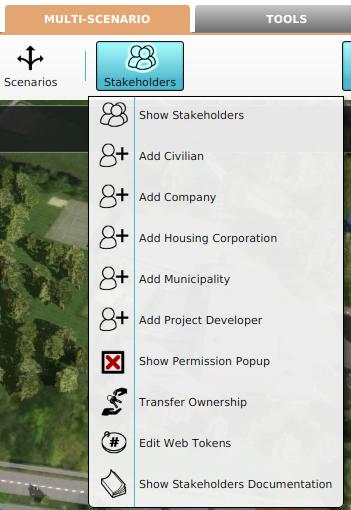 1. Select to Edit Stakeholders
 -
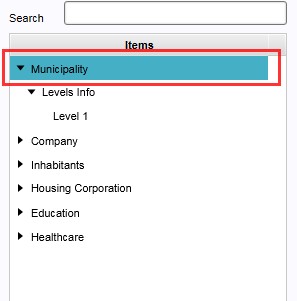 2. Select the stakeholder from the list on the left panel
 -
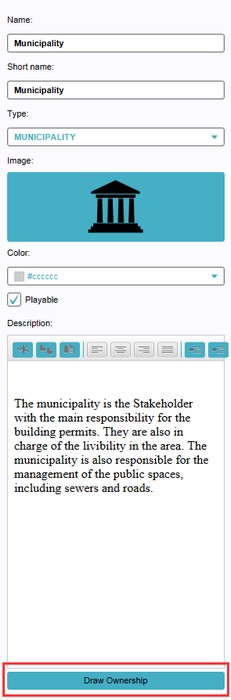 3. Select 'Draw Ownership' from the bottom of the right panel
 -
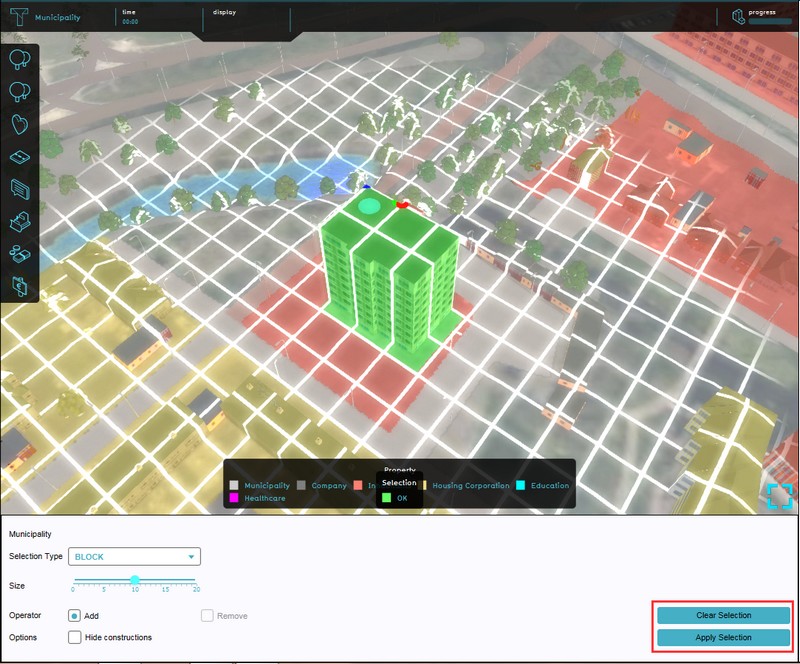 4. Use the brush to draw the area and confirm with 'Apply Selection'


