How to configure the Distance Overlay to count features
How to Select the Count Hits instead of Distance option:
- Select in the editor 'GEO DATA' from the ribbon
- Select 'Overlays' from the ribbon bar
- Select the Distance Zone Overlay from the drop down menu on the bottom of the left panel
- Select the General tab in the right panel
- Check-mark the "Count Hits instead of Distance" option in the right panel
-
1. Select GEO DATA
-
2. Select Overlays
-
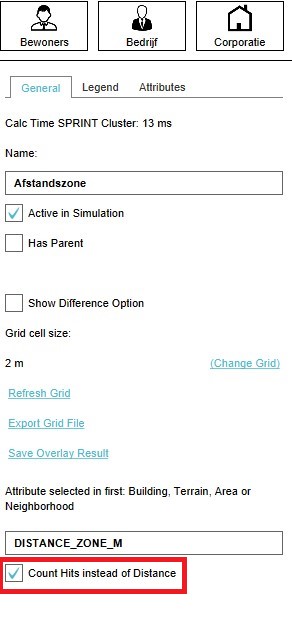 5. Select Count Hits instead of Distance option


