How to improve the estimated foliage overlay: Difference between revisions
Jump to navigation
Jump to search
No edit summary |
No edit summary |
||
| Line 7: | Line 7: | ||
{{editor steps|title= improve the estimated foliage overlay | {{editor steps|title= improve the estimated foliage overlay | ||
| Hover over Overlays in the ribbon bar, and under Grid Calculation select ''' | | Hover over Overlays in the ribbon bar, and under Grid Calculation select '''Avg & Interpolation'''. | ||
| In the Average Overlay's detail panel, click on the ''Configuration Wizard'' button. | | In the Average Overlay's detail panel, click on the ''Configuration Wizard'' button. | ||
| In the ''Operator'' step of the wizard, select the ''MAX'' option. | | In the ''Operator'' step of the wizard, select the ''MAX'' option. | ||
| Line 19: | Line 19: | ||
| Select the combo box for ''Grid Input A'' and select the ''Custom Foliage Height'' Overlay. | | Select the combo box for ''Grid Input A'' and select the ''Custom Foliage Height'' Overlay. | ||
| Select the combo box for ''Grid Input B'' and select the ''Average Value'' Overlay. | | Select the combo box for ''Grid Input B'' and select the ''Average Value'' Overlay. | ||
| Select the formula field and type the following formula: <code>IF(GT (A, 0) , B , 0)</code>. | | Select the formula field and type the following formula: <code>IF(GT(A, 0), B, 0)</code>. | ||
| Select the update now link to calculate the ''Improved Foliage Height''. | | Select the update now link to calculate the ''Improved Foliage Height''. | ||
}} | }} | ||
Latest revision as of 13:18, 12 October 2026
This how-to assumes you have followed the previous how-to on how to estimate foliage height using an Infrared WMS Overlay. The how-to ends with a combo overlay that estimates the foliage height based on infrared images, a color filtering overlay and the subtraction of the surface and terrain height overlays. The resulting overlay provides an estimate for tree trunk height; this how-to describes how to further refine the estimation for foliage.
How to improve the estimated foliage overlay:
- Hover over Overlays in the ribbon bar, and under Grid Calculation select Avg & Interpolation.
- In the Average Overlay's detail panel, click on the Configuration Wizard button.
- In the Operator step of the wizard, select the MAX option.
- In the Type step select Input based on an other Grid Overlay.
- In the Overlay step select the Custom Foliage Height overlay that we created using the previous how-to.
- Select finish to close the wizard.
- In the Average Overlay's detail panel, select the Cell averaging distance field and provide the value '12'.
- Click on the update now button to calculate the Average Overlay.
- Hover over Overlays in the ribbon bar, and under Grid Calculation, select Combo.
- In the combo Overlay's detail panel, select the name field and name it Improved Foliage Height.
- Select the combo box for Grid Input A and select the Custom Foliage Height Overlay.
- Select the combo box for Grid Input B and select the Average Value Overlay.
- Select the formula field and type the following formula:
IF(GT(A, 0), B, 0). - Select the update now link to calculate the Improved Foliage Height.
-
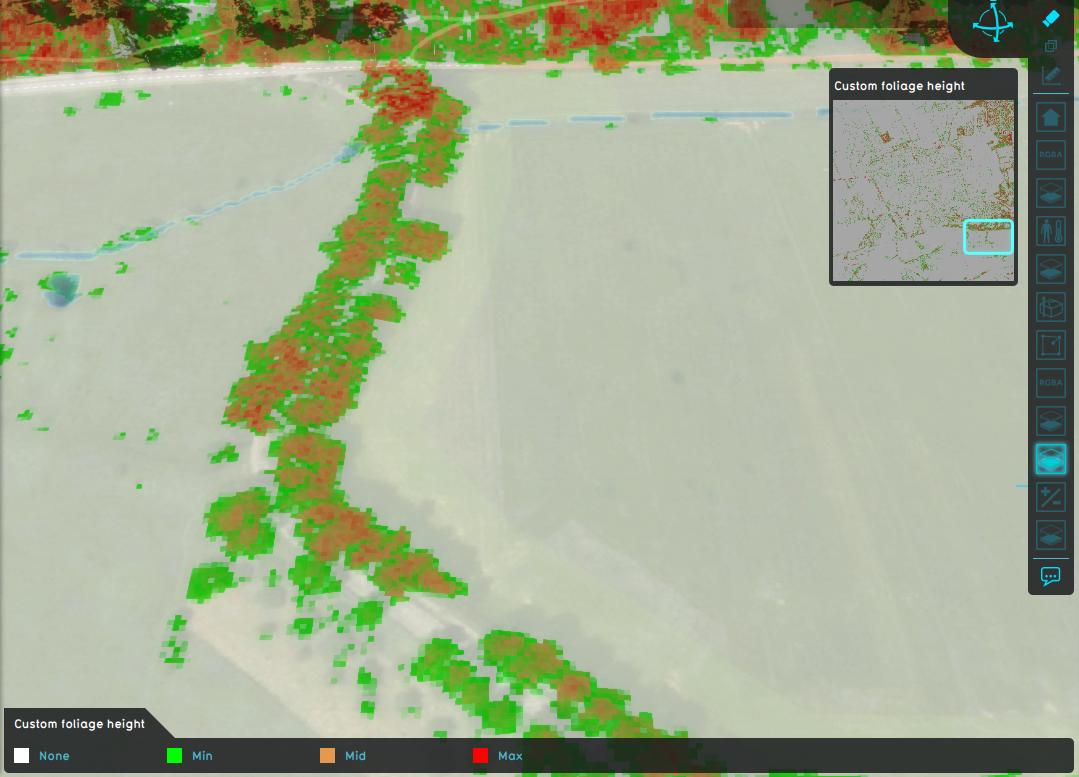 Estimated foliage height.
 -
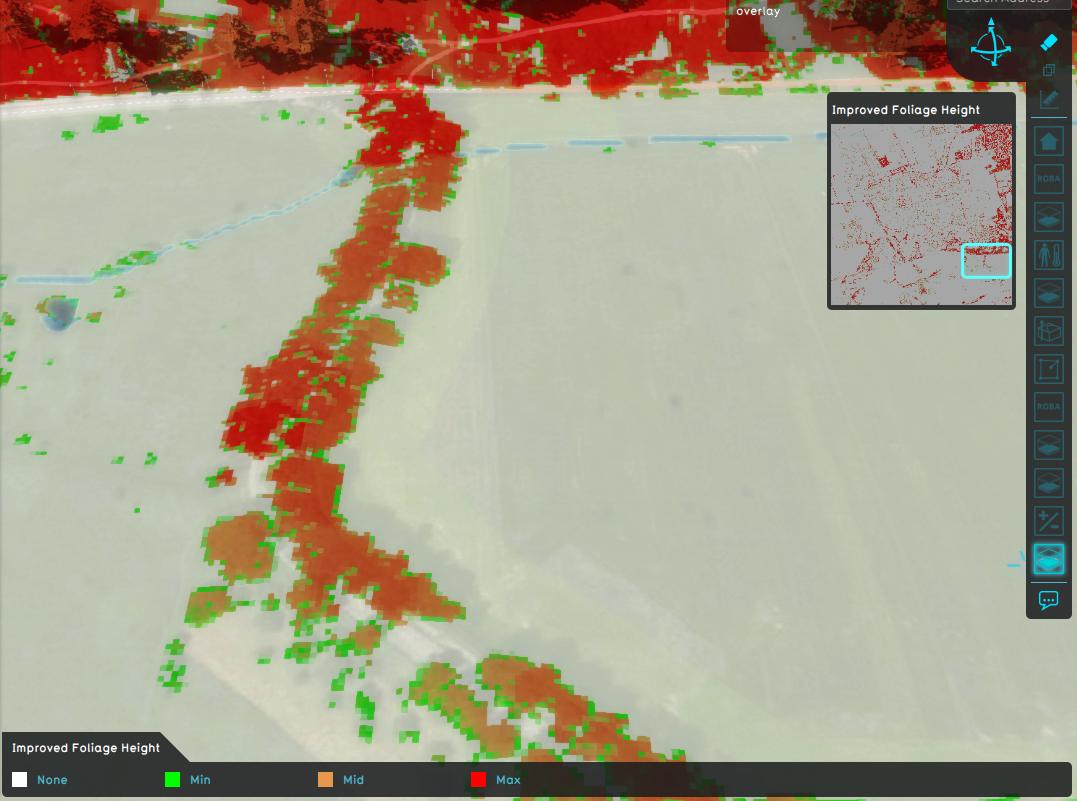 Improved estimated foliage height.


Notes
- The average distance of 12 meters is not set in stone, alternative average distances can be used.
How-to's
See also
API Endpoints
- Api session event editor overlay add
- Api session event editor overlay set rasterization
- Api session event editor overlay set name
- Api session event editor overlay set avg distance
- Api session event editor overlay set combo formula
- Api session event editor overlay set prequel
- Api session event editor update