How to add an Area: Difference between revisions
Jump to navigation
Jump to search
m Rudolf@tygron.nl moved page How to add area to How to add an Area |
No edit summary |
||
| Line 11: | Line 11: | ||
|seealso= | |seealso= | ||
* [[Area]] | * [[Area]] | ||
|api=*[[Api session event editor area add]] | |||
}} | }} | ||
[[Category:How-to's]][[Category:Area]] | [[Category:How-to's]][[Category:Area]] | ||
Revision as of 13:44, 29 May 2026
To add an area to the world select "Add" at the bottom of the Left Panel. A new area will be added.
How to add an area:
- Select "Areas" in the ribbon bar.
- Select "Add" in the left panel.
-
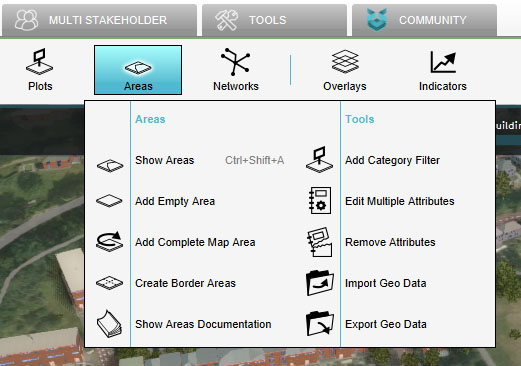 Select "Areas"
 -
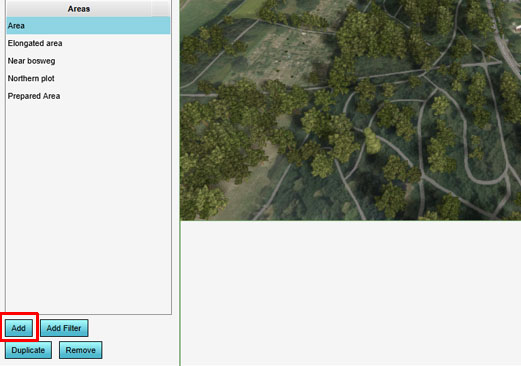 Select "Add"

