How to add Functions for editing: Difference between revisions
Jump to navigation
Jump to search
No edit summary |
No edit summary |
||
| Line 24: | Line 24: | ||
* [[How to create Functions]] | * [[How to create Functions]] | ||
* [[How to change Function Values for a Function]] | * [[How to change Function Values for a Function]] | ||
|api=*[[Api session event editor functionoverride add]] | |api=*[[Api session items functions]] | ||
*[[Api session event editor functionoverride add]] | |||
}} | }} | ||
[[Category:How-to's]] | [[Category:How-to's]] | ||
Latest revision as of 12:46, 3 September 2026
Because there are hundreds of Functions available in the Tygron Platform, the Function Values window does not display all Functions automatically. It is possible to add additional Functions to the overview of editable Functions. When they are added, their properties can be altered as desired.
How to add a Function for editing:
-
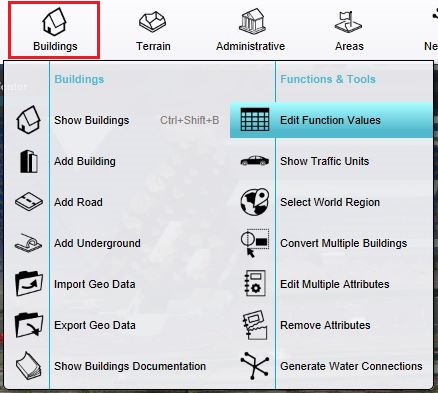 The Function Values Table can be opened here.
 -
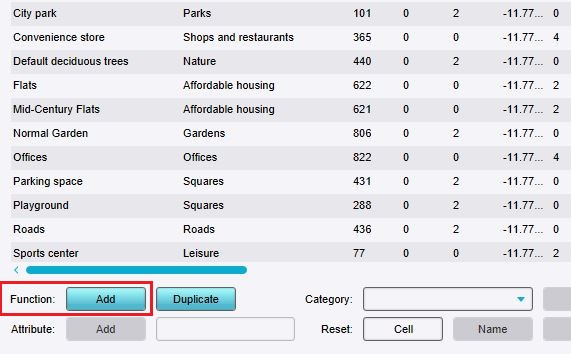 Click on "Add" to open the Function selector.
 -
 Use the Function selector to select the desired Function.


Notes
- These steps only add an existing Function to the overview; they do not create a new one.