How to find the Object output attribute related to a specific Overlay
Jump to navigation
Jump to search
In a project with multiple Water Overlays, any hydraulic structure can have an OBJECT_FLOW_OUTPUT attribute written to it. However, in a project with multiple such overlays, it is necessary to determine which attribute relates to which specific overlay.
Editor → Current Situation (Ribbon tab) → Buildings (Ribbon bar) → The Building to edit (Left panel) → Attributes (Right panel)
How to find the OBJECT_FLOW_OUTPUT related to a specific Water Overlay:
- Select the Water Overlay
- Select the Keys Tab
- Scroll down to Object Flow Output (m3/s)
- The attribute configured for the key is shown in the Choice Box.
-
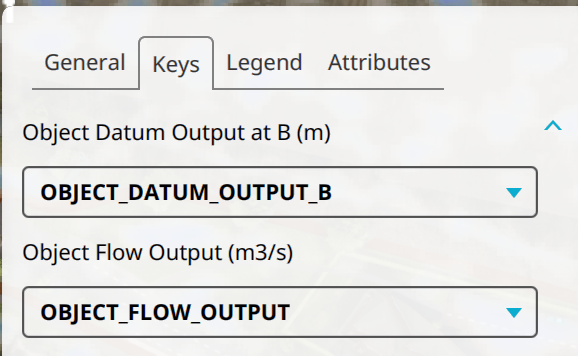 The Attribute configured for the Key OBJECT_FLOW_OUTPUT, titled Object Flow Output (m3/s) in the detail panel.
