How to remove a Chat Channel
From Tygron Support wiki
Revision as of 13:09, 9 October 2026 by
Frank@tygron.nl
(
talk
|
contribs
)
(
diff
)
← Older revision
|
Latest revision
(
diff
) |
Newer revision →
(
diff
)
Jump to navigation
Jump to search
How to remove a Chat Channel:
Open a
project
in the
editor
.
Select the
Community
tab in the
ribbon
.
Click on
Chats
. This opens the
Chat panel
.
In the Chat panel, select a Chat Channel in the left overview panel.
Click on the remove button.
Hover over
Chats
in the
Community
Tab of the
ribbon
.
Selecting the Project Agent in the Chats Popup.
Clicking on the
Duplicate
button to duplicate a new
Chat Channel
.
Notes
Default Chat Channels cannot be removed or edited.
How-to's
How to add a Chat Channel
How to duplicate a Chat Channel
How to configure a Chat Channel
How to set the instructions of a Chat Channel
How to change the LLM of a Chat Channel
Categories
:
Pages using duplicate arguments in template calls
How-to's
Navigation menu
Personal tools
Namespaces
Page
Discussion
English
Views
Read
View source
View history
More
Search
Navigation
Main page
Recent changes
Random page
Upload files
Help
Tools
What links here
Related changes
Printable version
Permanent link
Page information

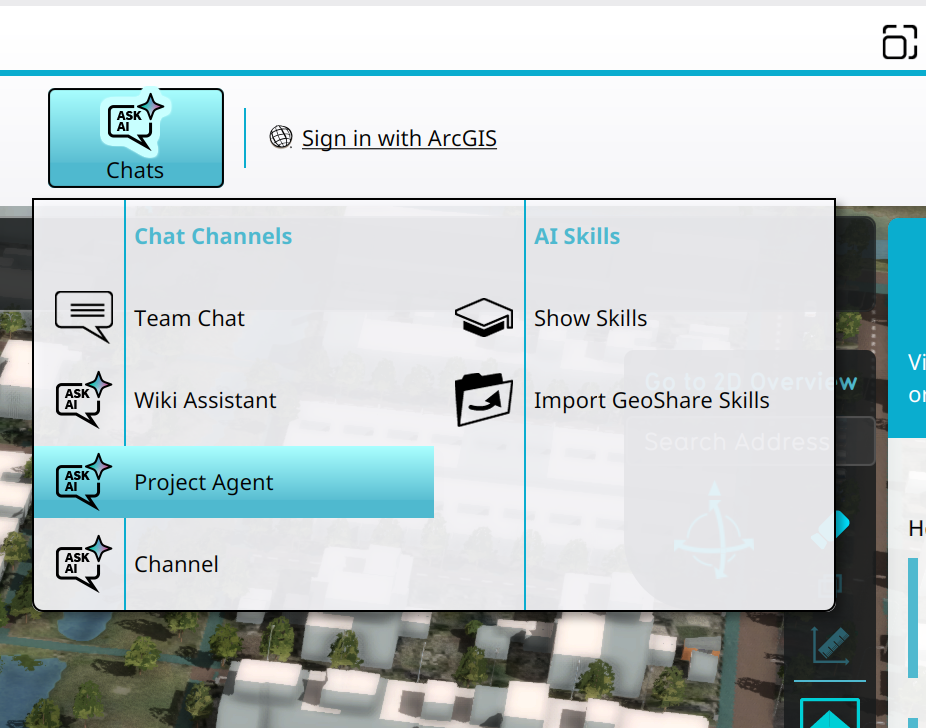 Selecting the Project Agent in the Chats Popup.
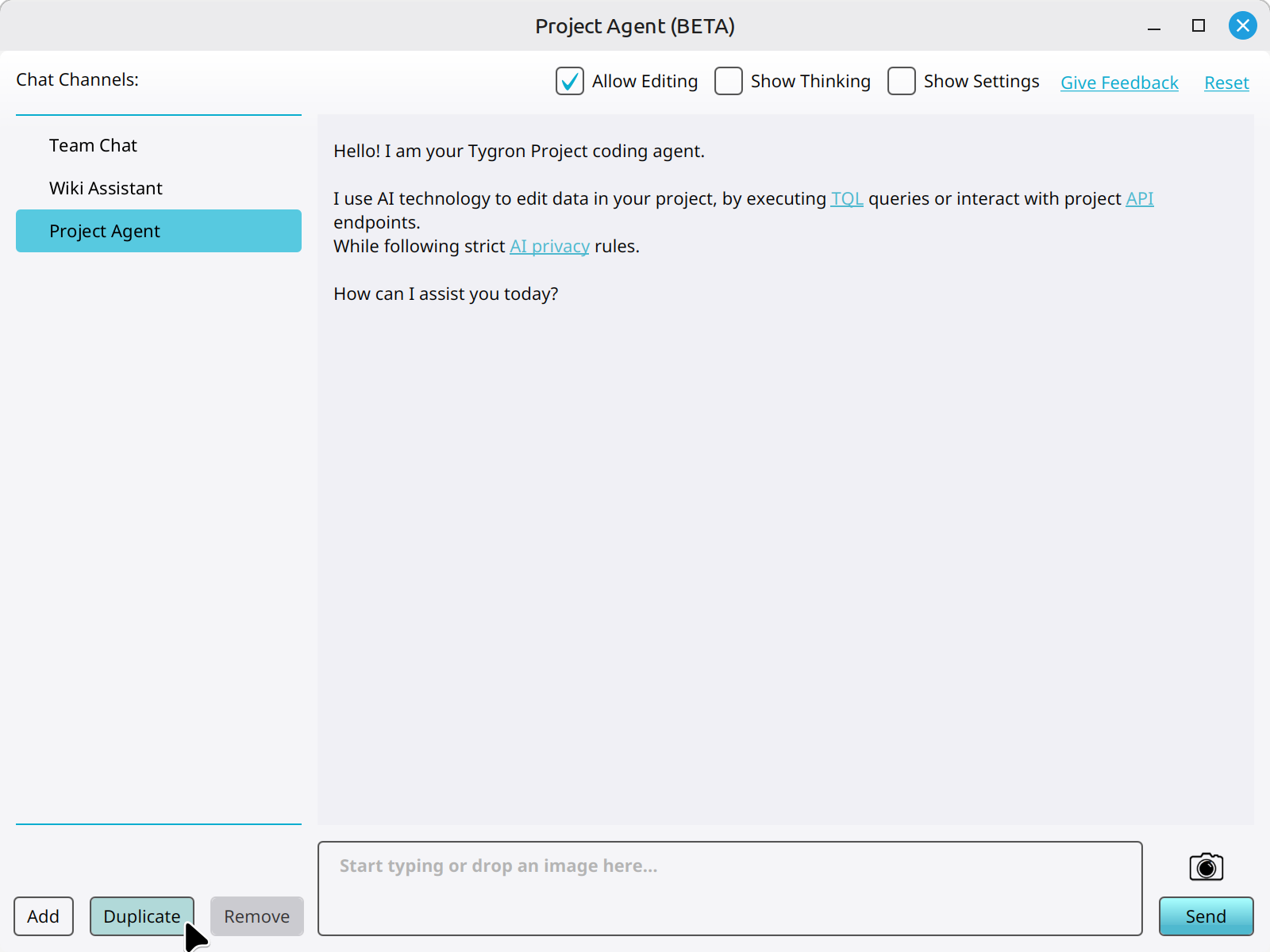 Clicking on the Duplicate button to duplicate a new Chat Channel.

