How to configure a Weather
Editor → Tools (Ribbon tab) → Weather (Ribbon bar) → Show Weather (Dropdown) → The Weather to edit (Left panel)
-
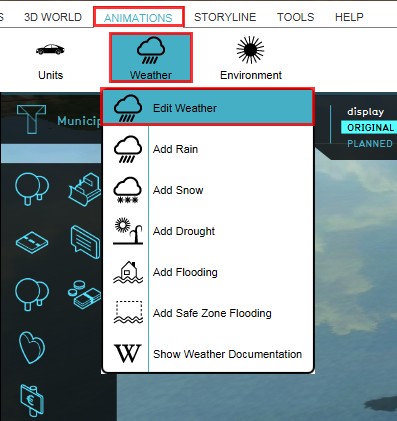 1. Select Tools > Environment > Show Weather
-
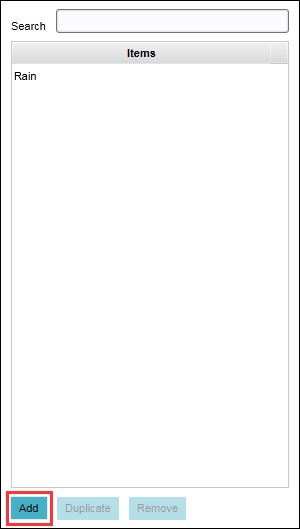 2. Select 'Add' from the bottom of the left panel
-
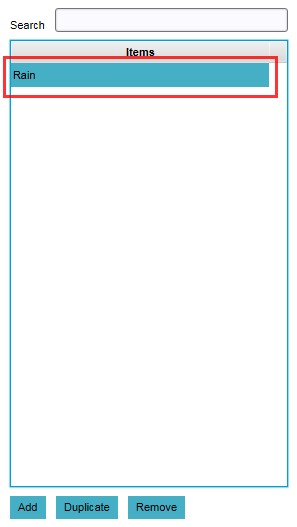 3. Highlight the newly created Weather
-
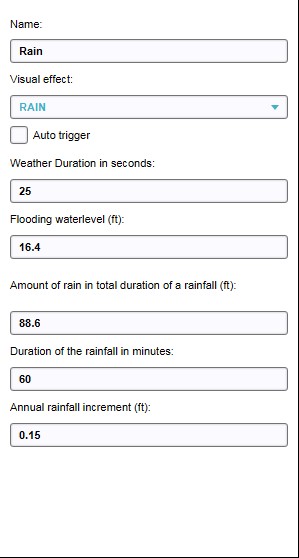 4. Adjust properties of highlighted Weather


Weather properties

Name

Visual effect

Auto trigger

Visual effect period in seconds

Amount of rain in total duration of rainfall

Duration of rainfall in minutes
