How to remove a Chat Channel
How to remove a Chat Channel:
-

-
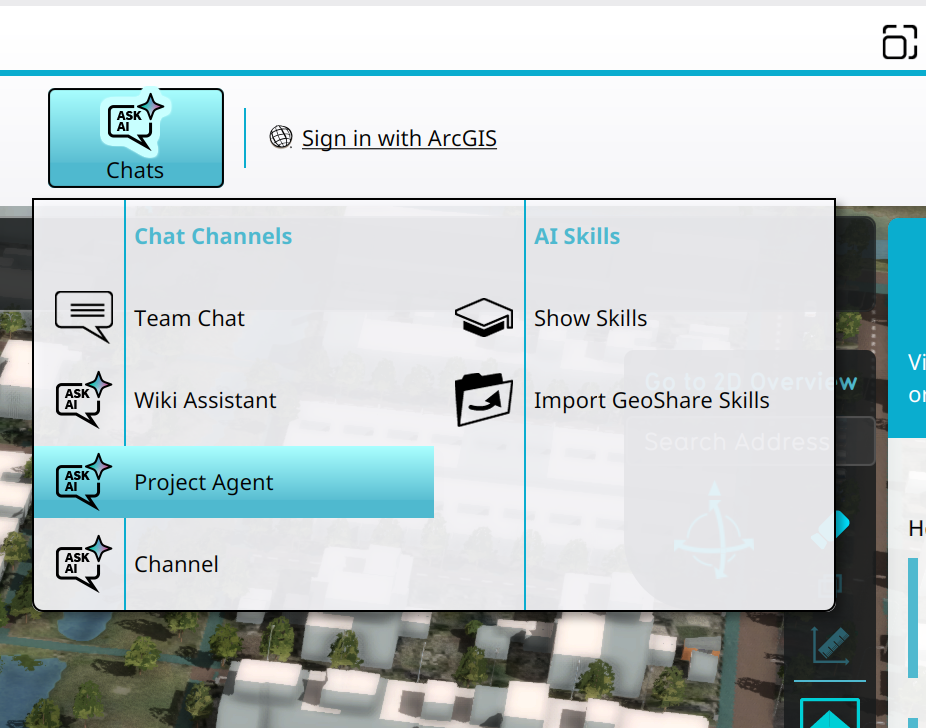 Selecting the Project Agent in the Chats Popup.
 -
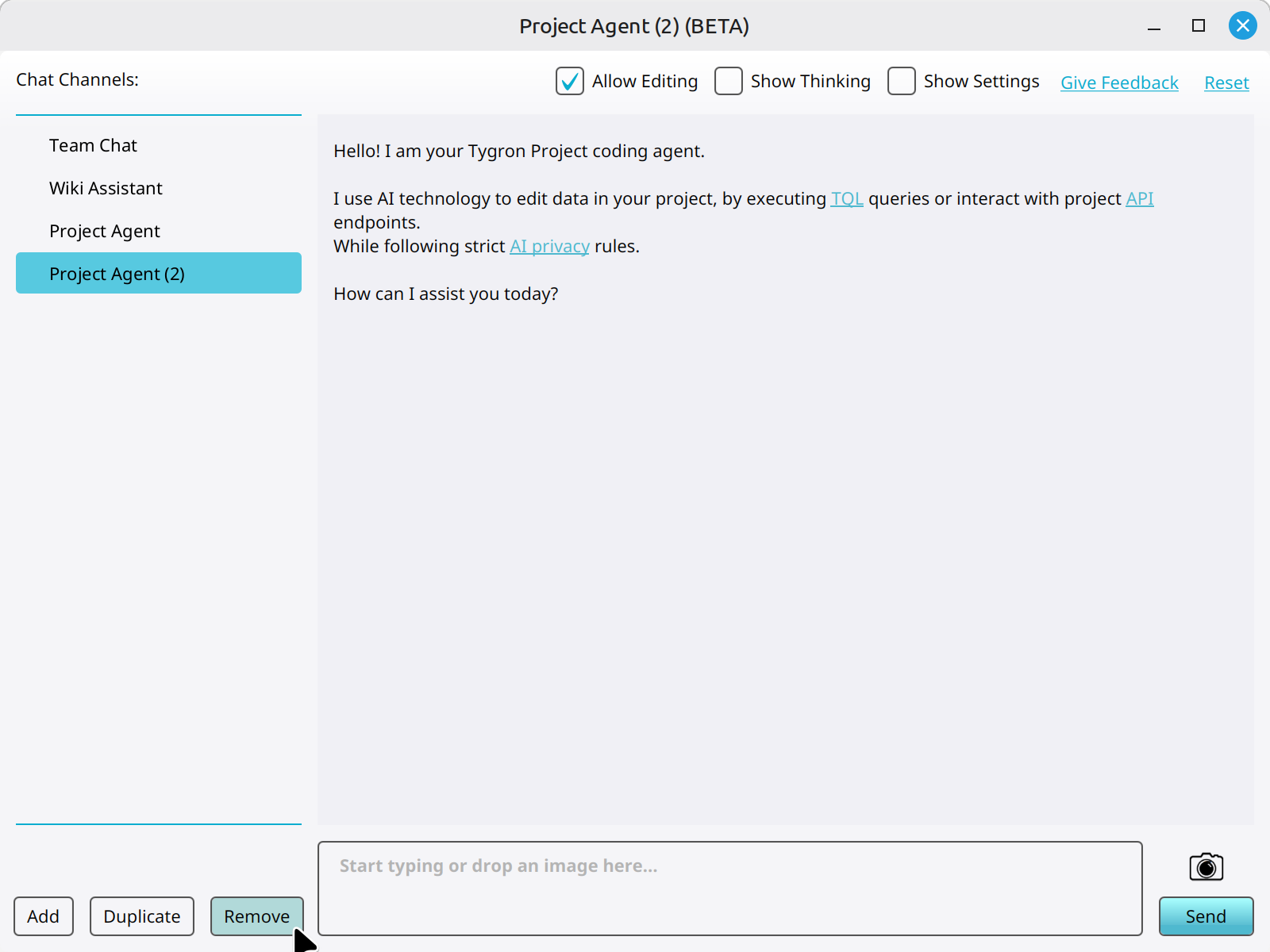 Clicking on the Remove button to remove a new Chat Channel.


Notes
- Default Chat Channels cannot be removed or edited.
How-to's
- How to add a Chat Channel
- How to duplicate a Chat Channel
- How to configure a Chat Channel
- How to set the instructions of a Chat Channel
- How to change the LLM of a Chat Channel