How to add an Area
To add an area to the world select "Add" at the bottom of the Left Panel. A new area will be added. Template:Editor steps
-
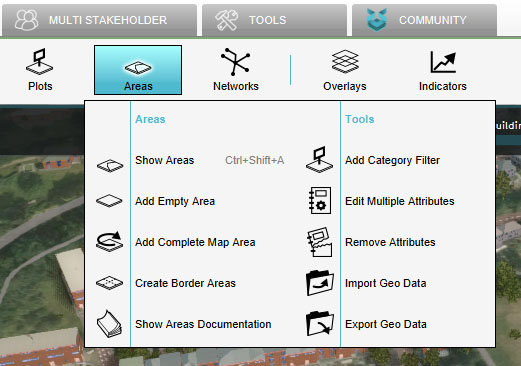 Select "Areas"
-
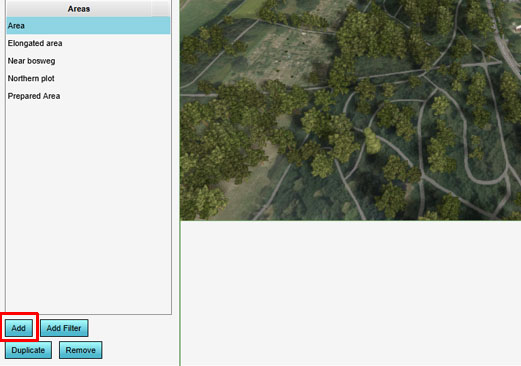 Select "Add"
To add an area to the world select "Add" at the bottom of the Left Panel. A new area will be added. Template:Editor steps

