How to duplicate a Chat Channel: Difference between revisions
Jump to navigation
Jump to search
No edit summary |
No edit summary |
||
| Line 6: | Line 6: | ||
|Click on the duplicate button. | |Click on the duplicate button. | ||
}} | }} | ||
<gallery> | |||
File:Community_chats.png|Hover over [[Chat]]s in the [[Community]] Tab of the [[ribbon]]. | |||
File:Community_chats_project_agent.png|Selecting the Project Agent in the Chats Popup. | |||
File:Chat_panel_duplicate.png|Clicking on the ''Duplicate'' button to duplicate a new [[Chat Channel]]. | |||
</gallery> | |||
{{article end | {{article end | ||
Revision as of 13:07, 9 October 2026
How to duplicate a Chat Channel:
-

-
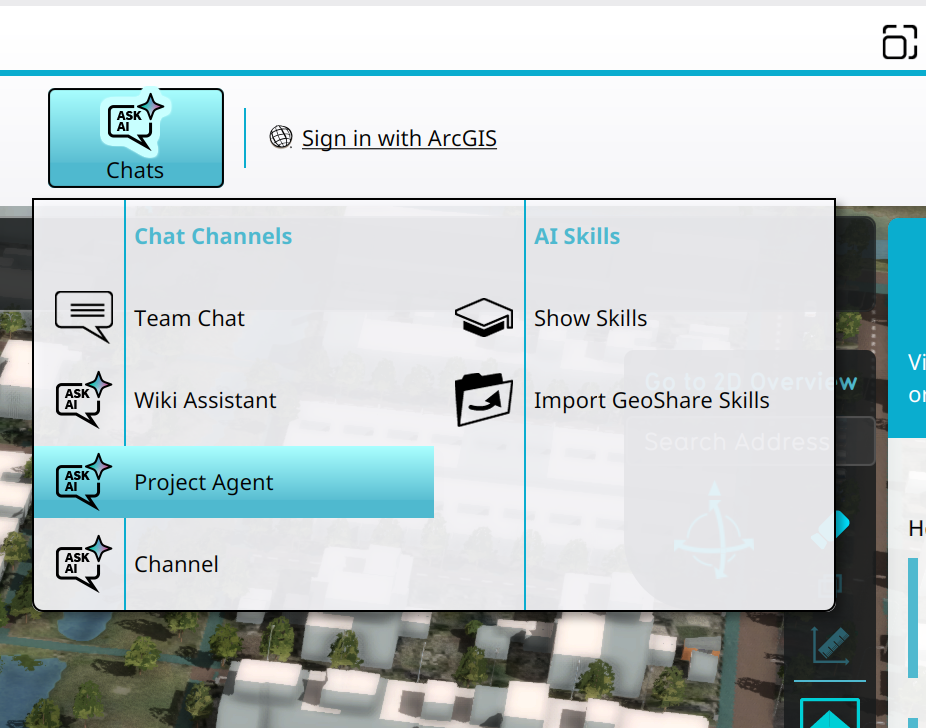 Selecting the Project Agent in the Chats Popup.
 -
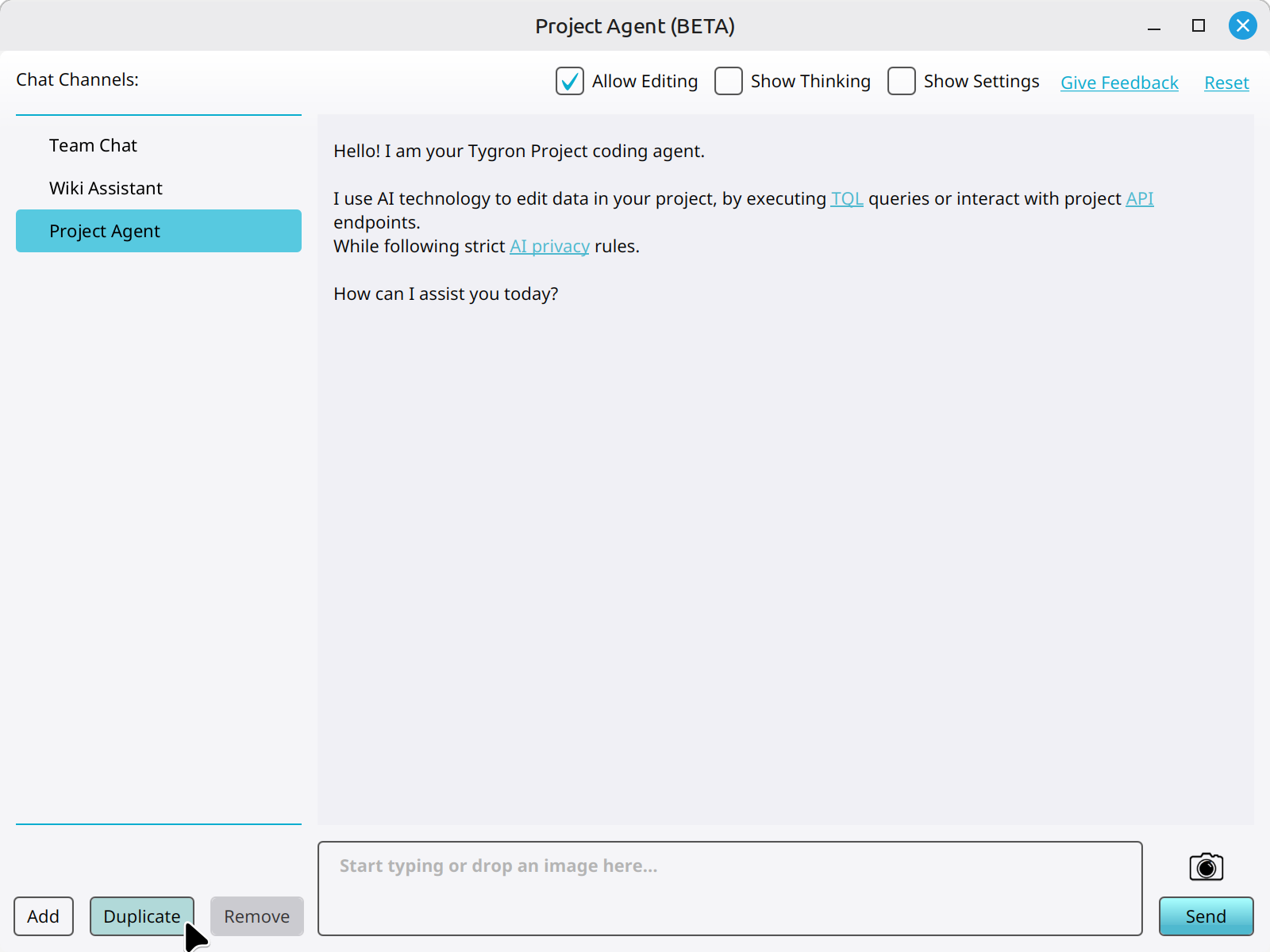 Clicking on the Duplicate button to duplicate a new Chat Channel.


