Combo Overlay with average overlays: Difference between revisions
Jump to navigation
Jump to search
No edit summary |
No edit summary |
||
| Line 3: | Line 3: | ||
==Use Case Description== | ==Use Case Description== | ||
In an area, the locations for a clinic, a school and a sports center are known. Which area | In an area, the locations for a clinic, a school and a sports center are known. Which area contains all three locations within a one-kilometer range? | ||
For this we need to create three [[Average Overlay|average grid overlays]], one for each location. Each location needs to have an identifying attribute assigned to it. Then we need to combine these three overlays in a new combo overlay, linking all three average overlays with a logical formula. | For this we need to create three [[Average Overlay|average grid overlays]], one for each location. Each location needs to have an identifying attribute assigned to it. Then we need to combine these three overlays in a new combo overlay, linking all three average overlays with a logical formula. | ||
| Line 15: | Line 15: | ||
==Formula== | ==Formula== | ||
To identify the area within range of all three buildings, use the following formula from the [[Combo Overlay#Operators|operators table]]: | |||
<code>MIN(A, B, C)</code> | <code>MIN(A, B, C)</code> | ||
Latest revision as of 08:51, 8 July 2026
This page describes a use case for implementing a combo overlay.
Use Case Description
In an area, the locations for a clinic, a school and a sports center are known. Which area contains all three locations within a one-kilometer range?
For this we need to create three average grid overlays, one for each location. Each location needs to have an identifying attribute assigned to it. Then we need to combine these three overlays in a new combo overlay, linking all three average overlays with a logical formula.
-
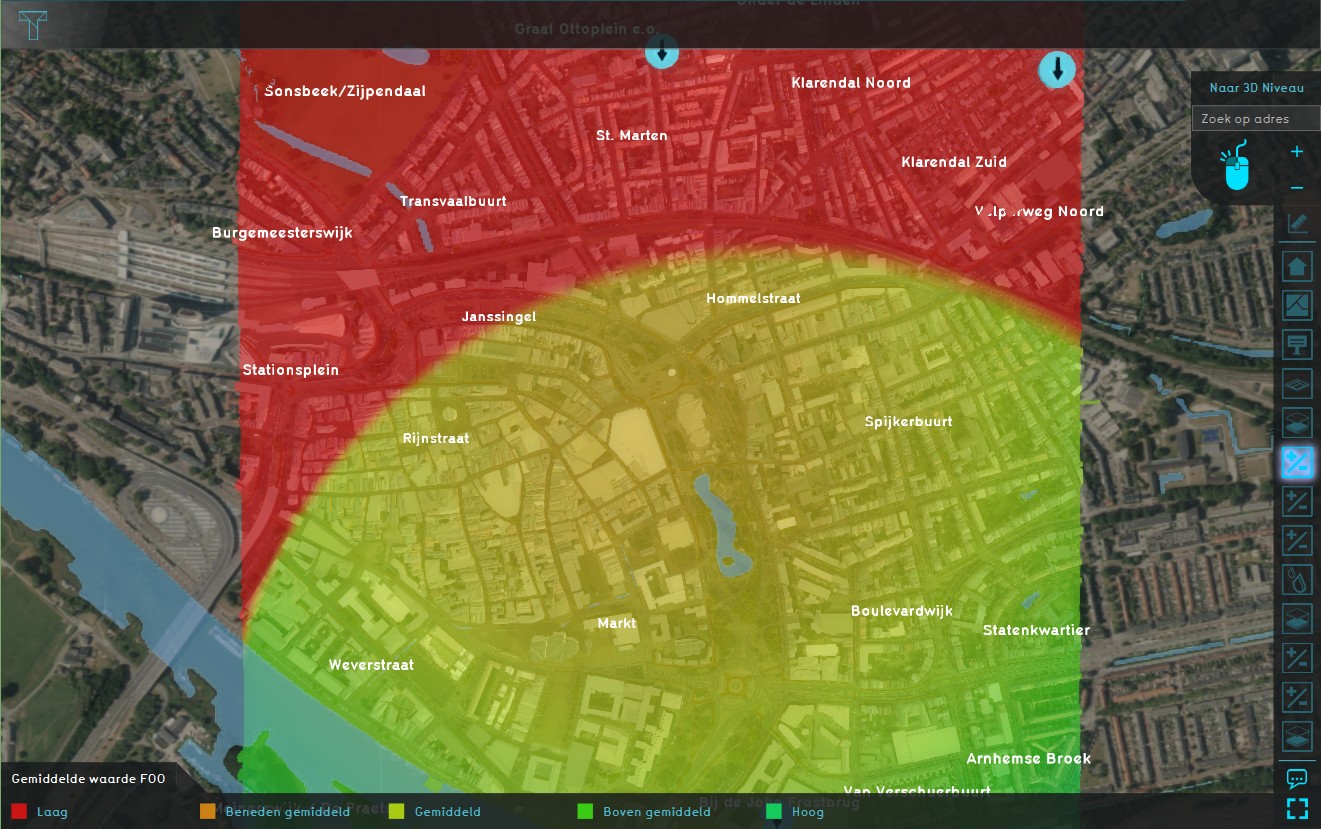 Average Overlay Clinic
 -
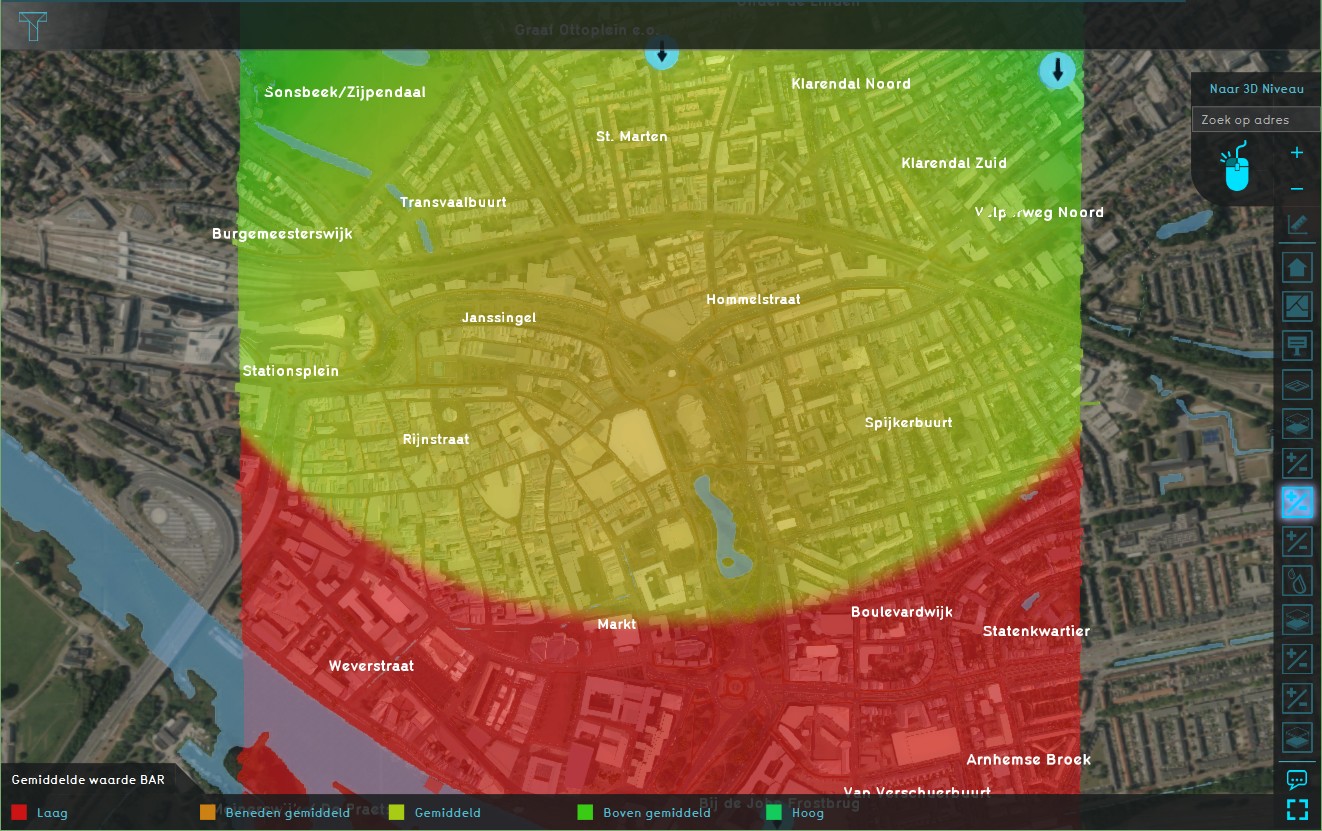 Average Overlay School
 -
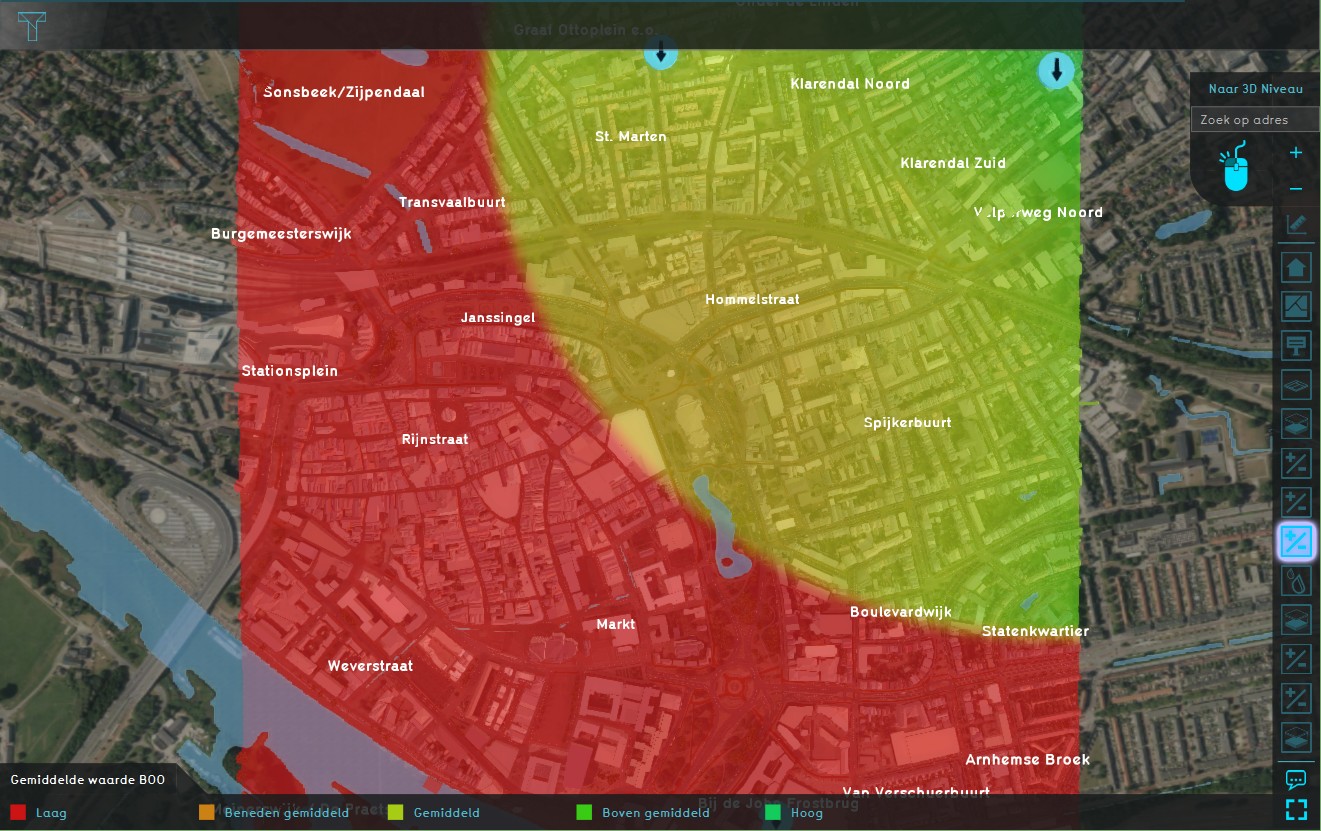 Average Overlay Sports center
 -
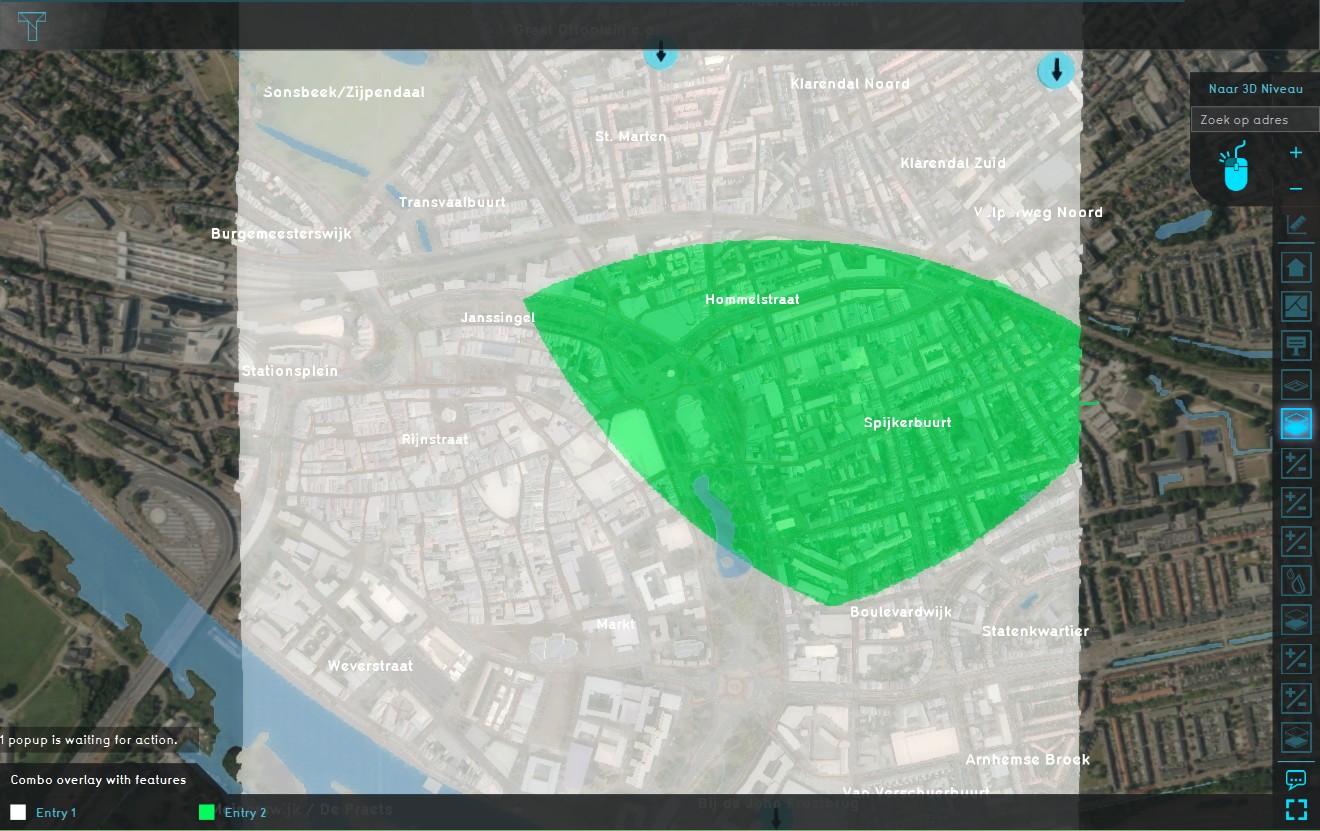 Combo Overlay with average overlays.


Formula
To identify the area within range of all three buildings, use the following formula from the operators table:
MIN(A, B, C)
Where A, B and C are the average grid overlays.
How to
How to add a Combo Overlay with features:
- Give each building or area you want to include a specific attribute (ex: 'FOO', 'BAR', 'BOO',...)
- Create three Average Overlays, set the cell averaging distance to the desired range
- Add a Combo Overlay and select the Average overlays in each slot (A,B and C)
- Enter the formula in the Formula field
- Enable and adjust the custom legend
- Select 'Update Now' in case auto-update was disabled
-
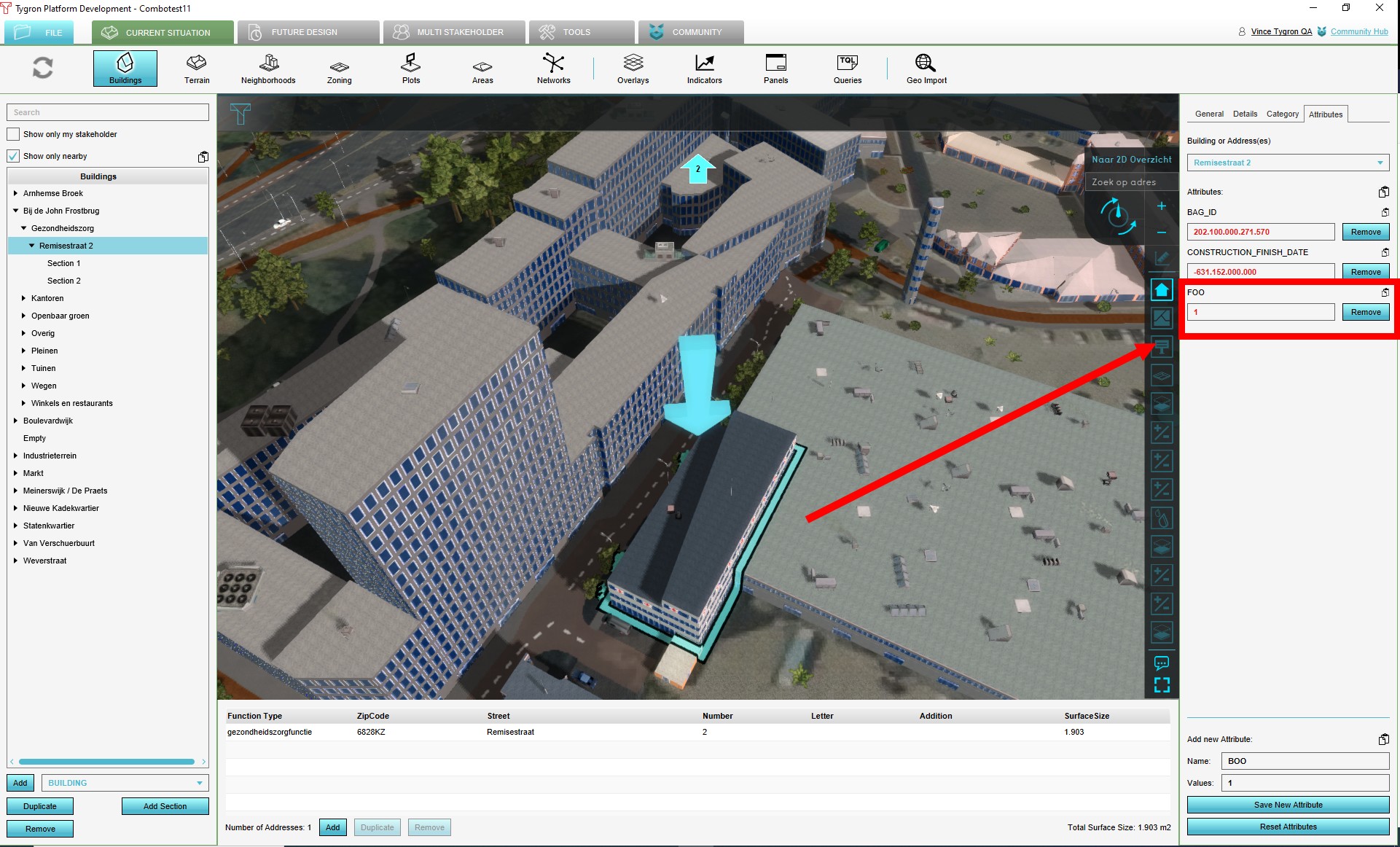 Give each building or area you want to include a specific attribute
 -
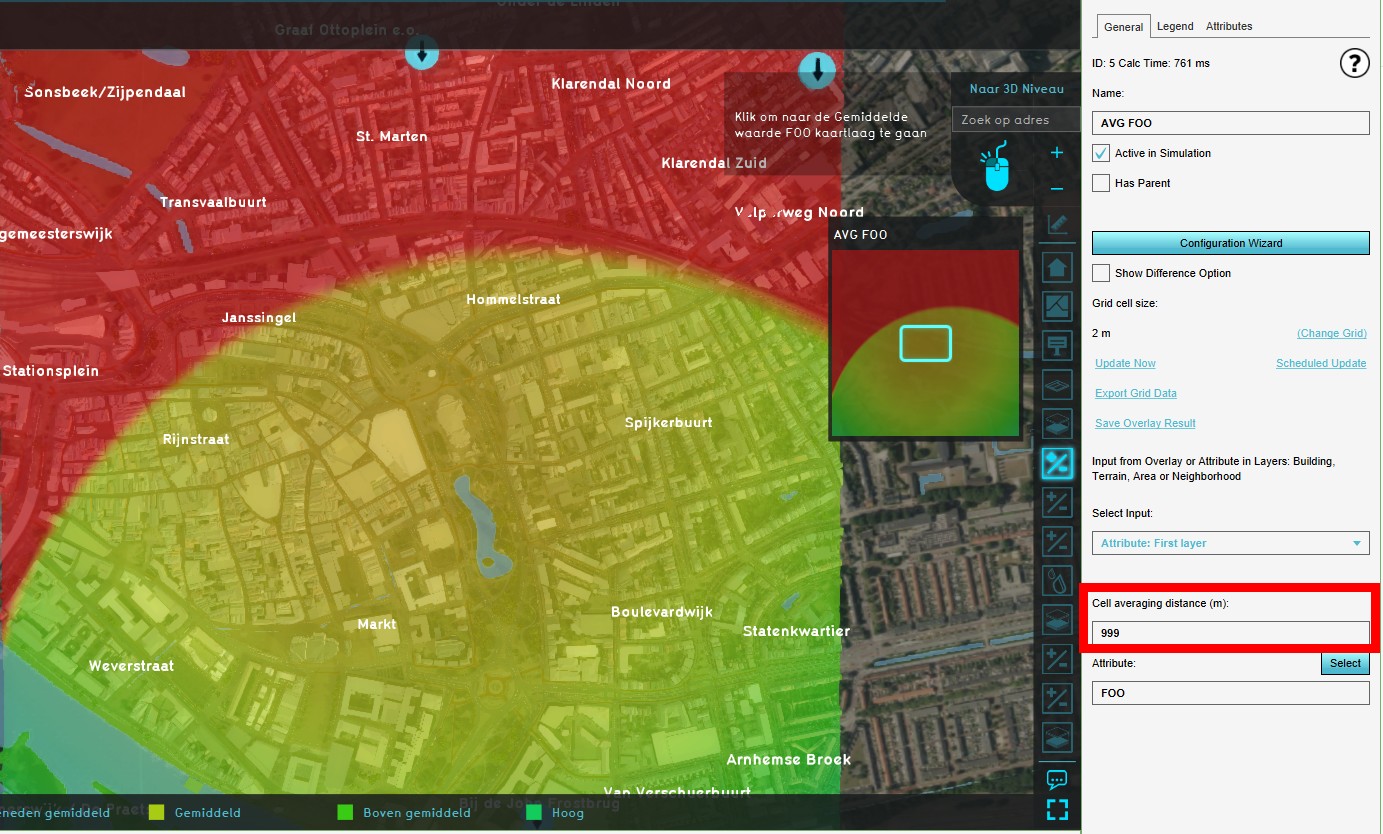 Create three Average Overlays, set the cell averaging distance to the desired range
 -
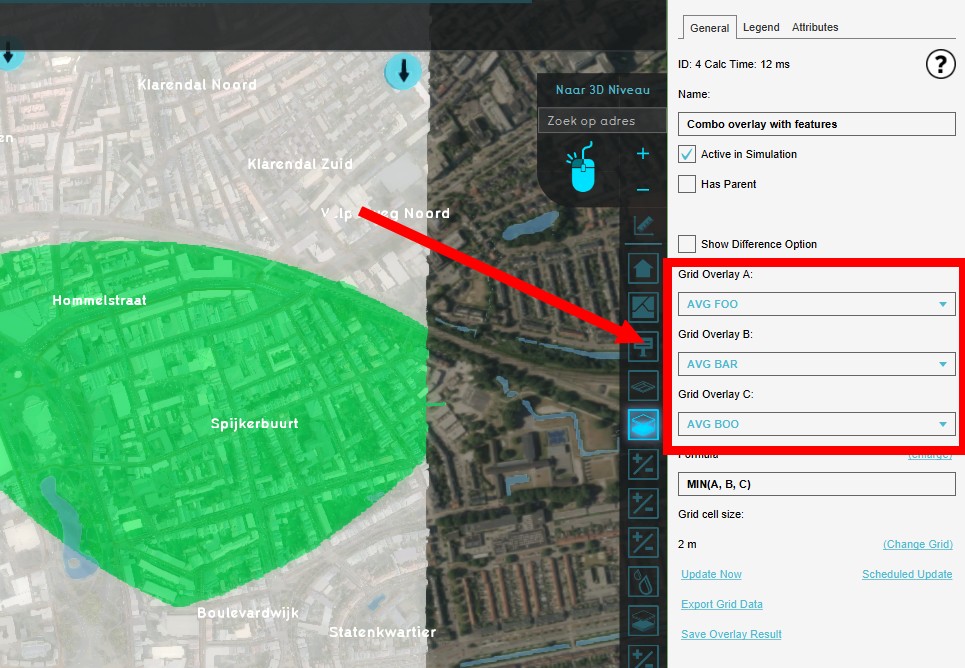 Add a Combo Overlay and select the Average overlays in each slot
 -
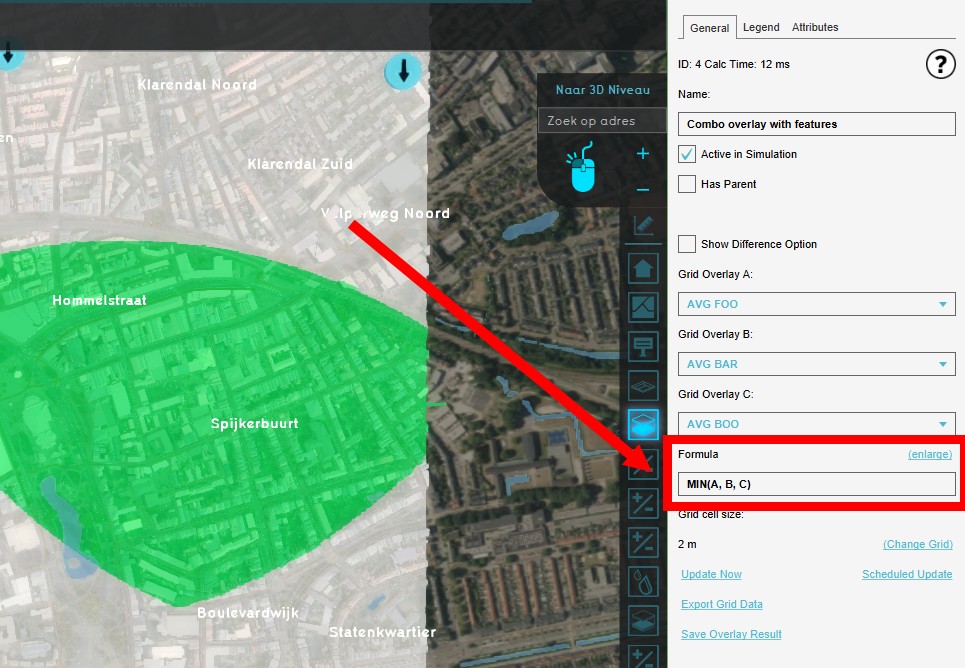 Enter the formula in the Formula field
 -
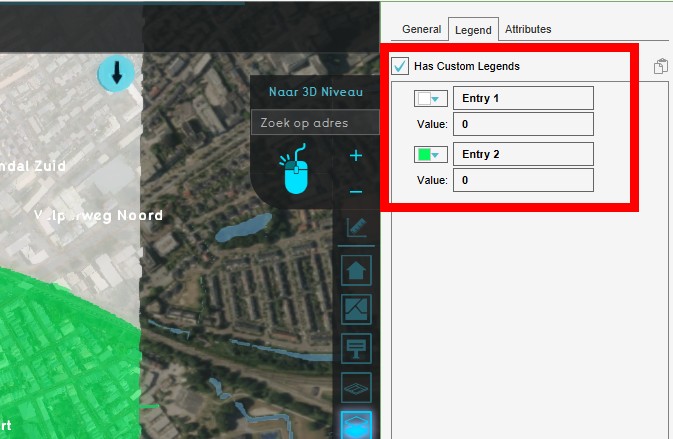 Adjust a custom legend
 -
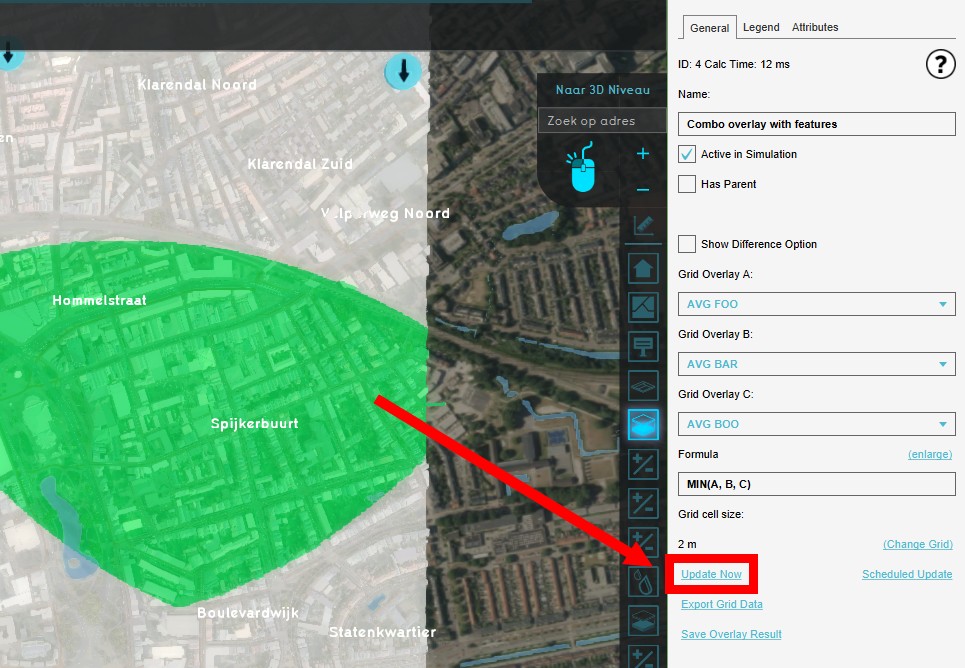 Select 'Update Now'


