How to export Revit models to IFC: Difference between revisions
Jump to navigation
Jump to search
No edit summary |
No edit summary |
||
| Line 4: | Line 4: | ||
| Open Revit and open the model that you wish to export. | | Open Revit and open the model that you wish to export. | ||
| To export go to file -> Export -> IFC. | | To export go to file -> Export -> IFC. | ||
| In the export dialog | | In the export dialog specify the location where the file should be exported. | ||
| In the Export setup dropdown list choose IFC4 Reference view as option. | | In the Export setup dropdown list choose IFC4 Reference view as option. | ||
| Click on export. | | Click on export. | ||
Revision as of 09:46, 8 October 2026
-
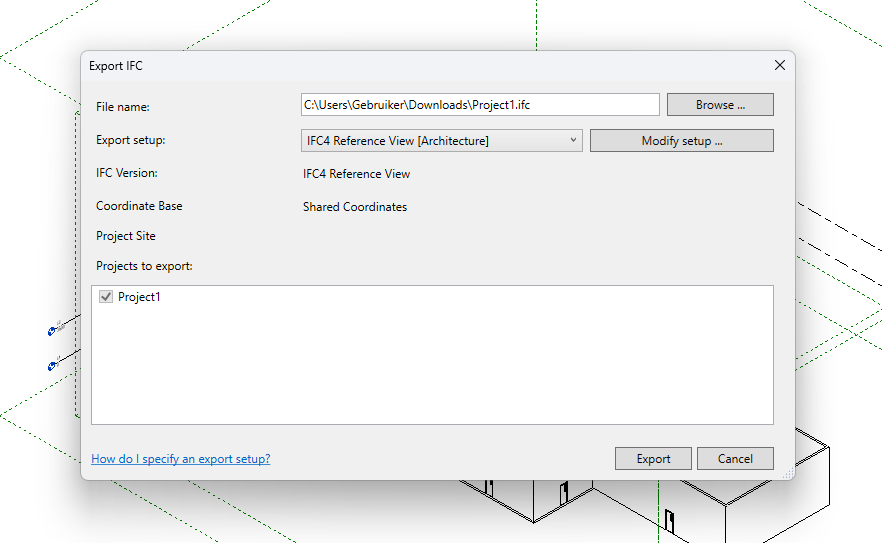 Revit export dialog

Notes
- Avoid unnecessary detail in the model to reduce import time in the Tygron Platform.
How-to's
See also
External links
- https://www.autodesk.com/products/revit/overview - The official Autodesk Revit website