How to export Sketchup models to IFC: Difference between revisions
Jump to navigation
Jump to search
No edit summary |
No edit summary |
||
| Line 21: | Line 21: | ||
{{article end | {{article end | ||
|howtos=*[[How to export Blender models to IFC]] | |||
*[[How to export Revit models to IFC]] | |||
|seealso= | |seealso= | ||
* [[IFC]] | * [[IFC]] | ||
Latest revision as of 09:27, 10 July 2026
3D models can be exported from Sketchup to an IFC format, so that they can be imported in the Tygron Platform.
An IFC File can contain multiple hierarchies of Sites, Buildings, Building Storeys and individual Building parts, such as Structure Elements.
A basic knowledge of how to use the Sketchup software is assumed.
How to export Sketchup models to IFC:
- Open Sketchup and open the model that you wish to export.
- Make sure that the model is not too detailed if not needed because the import time in the Tygron Platform will be increased.
- When ready to export go to file -> Export model.
- In the export dialog choose IFC as export type.
- Wait for the export to finish.
- Import the IFC file in the Tygron Platform.
-
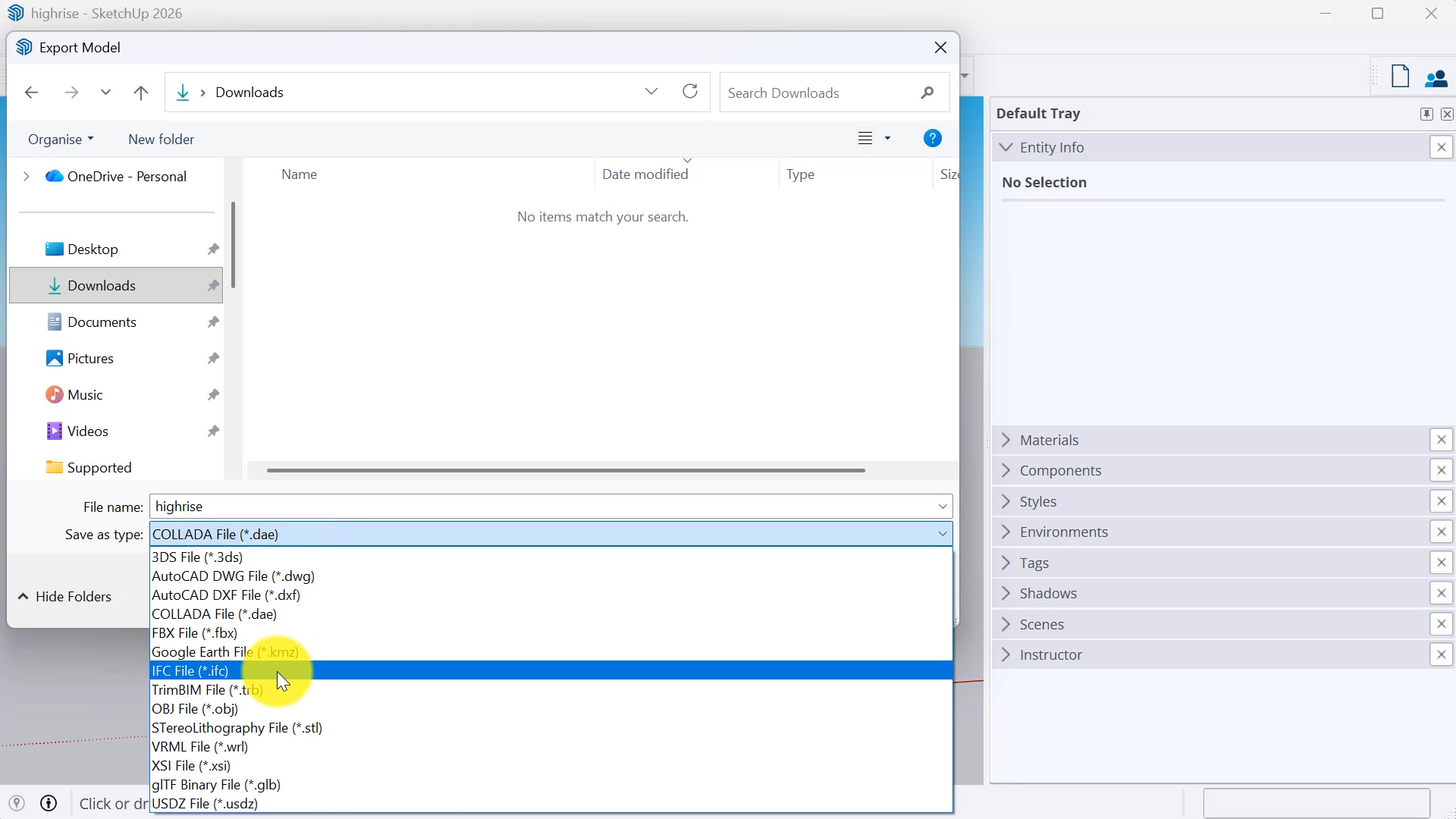 Choose ifc file type
