Combo Overlay with masking
This page describes a use case for implementing a combo overlay.
Use Case Description
How can I 'mask' (filter out) all values of a rainfall overlay that is not of the highest range? In this case we use the default highest range of 50 cm or more.
For this we need to add a rainfall overlay and a formula we can use to mask the values that are too low.
-
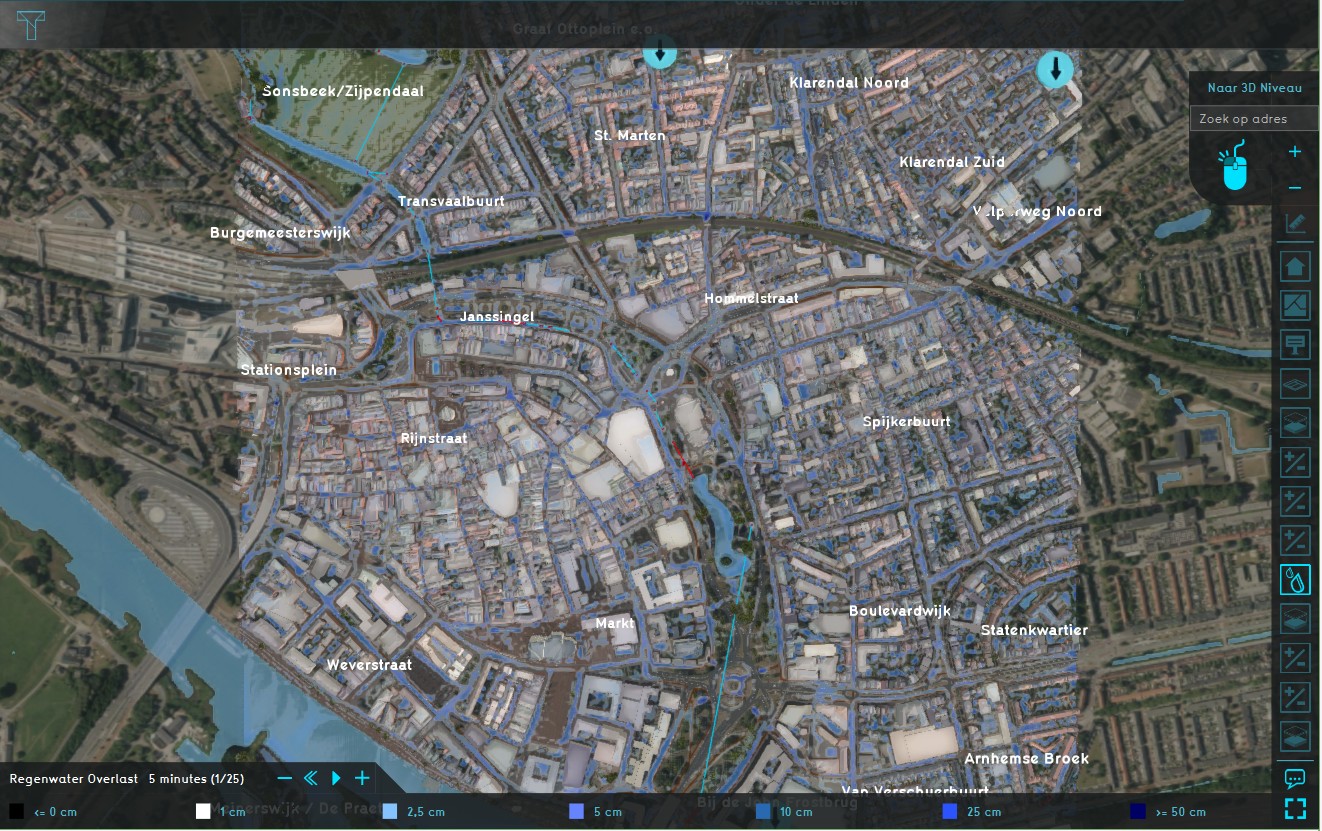 Rainfall overlay
 -
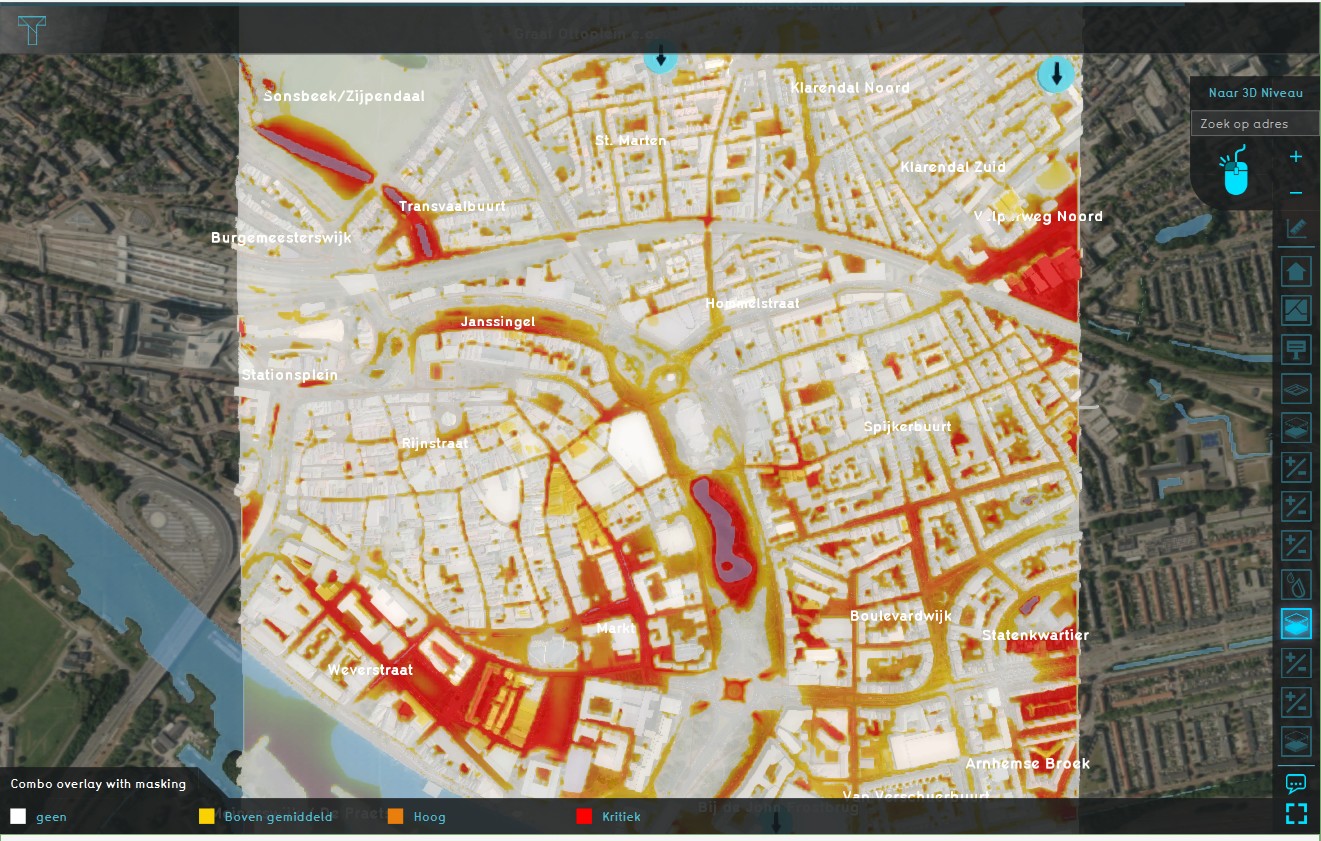 Combo Overlay with masking


Formula
We want to only show the highest rainfall values, so we want to use all values that are greater than 49 cm (0.049m), and only of the last timeframe (index 24 in this case). Using the operators table, this gives us the following formula:
MULT(GTE(A24, 0.049), A24)
Where A24 is the last time frame of the rainfall overlay (timeframes are 0-indexed).
How to
How to add a Combo Overlay with masking:
- Add a Rainfall Overlay (give it a significant rain event).
- Add a Combo Overlay and select the rainfall overlays in Prequel A.
- Enter the formula in the Formula field.
- Enable and adjust a custom legend as desired.
- Select 'Update Now'
-
Add a Rainfall Overlay
-
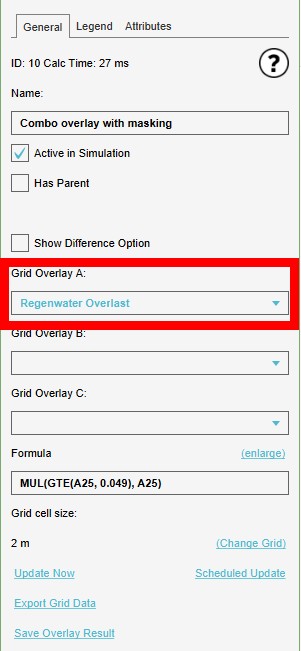 Select the Rainfall Overlay for Prequel A.
 -
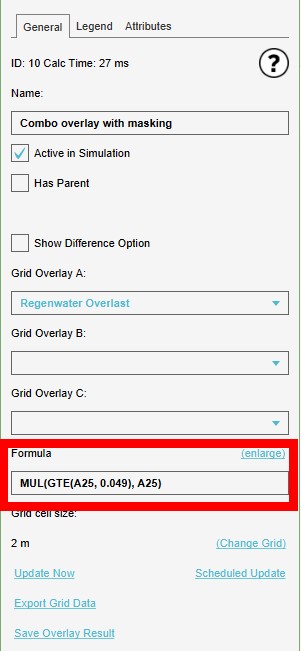 Enter the formula in the Formula field
 -
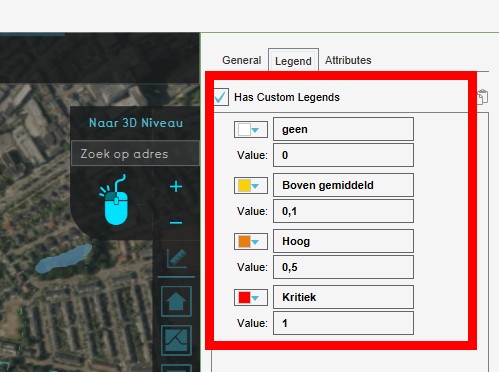 Adjust a custom legend
 -
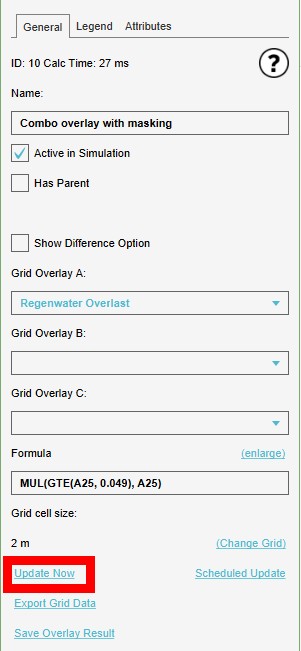 Select 'Update Now'


