How to configure a Query for an Excel Indicator
- When setting up an Excel Indicator, the Query Tool can be used to configure Queries, after which the full Query text string can be copied over to the Excel Indicator file.
- Copy and paste the created query
SELECT_FLOORSIZE_WHERE_TERRAINTYPE_IS_SAFE_ZONEinto the appropriate name field on an Excel Indicator spreadsheet.
How to configure a query for an Excel Indicator spreadsheet:
- Load or create a project with an ArcGIS safe zone
- Select Editor → Tools → Query Tool
- Select
FLOORSIZEas Result Parameter - Add
TERRAINTYPEISSAFE_ZONEas clause - Copy the created Query text string, and paste this in the appropriate name field of the Excel Indicator spreadsheet
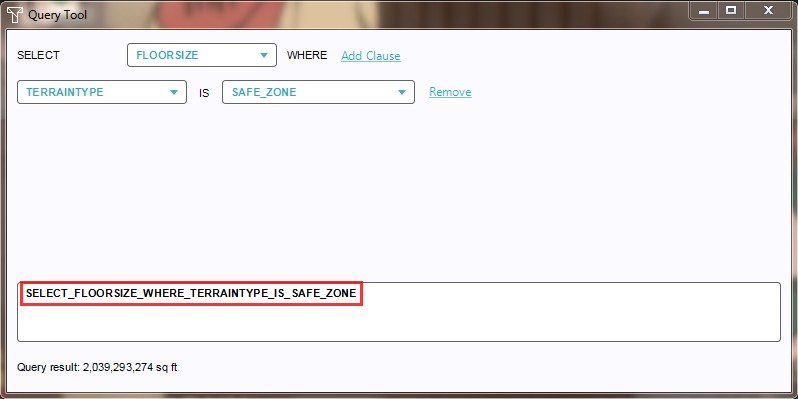
Copy a query for pasting in an Excel Indicator spreadsheet
