How to export Revit models to IFC
How to export Revit models to IFC:
- Open Revit and open the model that you wish to export.
- To export go to file -> Export -> IFC.
- In the export dialog choose specifiy the location where the file should be exported.
- In the Export setup dropdown list choose IFC4 Reference view as option.
- Click on export.
- Import the IFC file in the Tygron Platform.
-
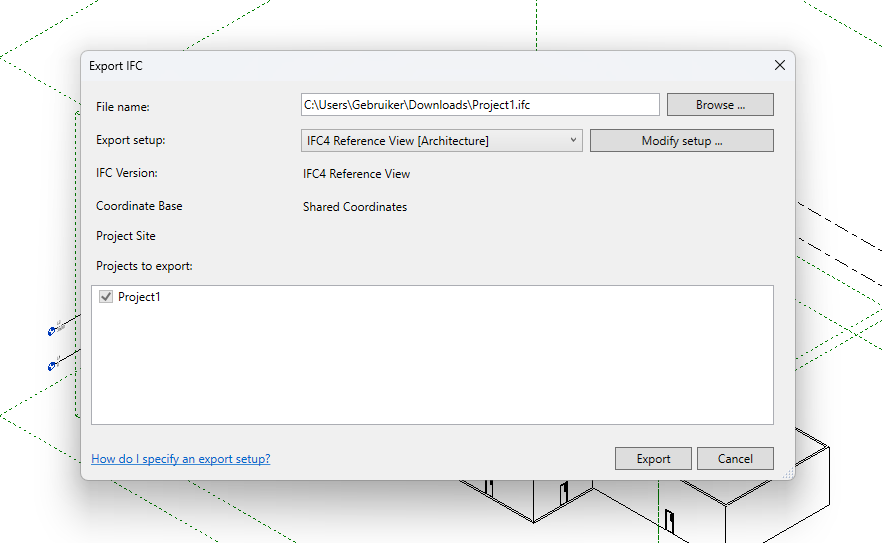 Revit export dialog

Notes
- Avoid unnecessary detail in the model to reduce import time in the Tygron Platform.
See also
External links
- https://www.autodesk.com/products/revit/overview - The official Autodesk Revit website