How to create a WMS of a GeoShare Viewer
A GeoShare Viewer allows for the sharing of geographical data, most notably the results of calculations, without requiring the recipient to have an account for the Tygron Platform. The viewer can also be accessed as a WMS
How to Create a WMS of a GeoShare Viewer:
- Ensure a GeoShare Viewer with the desired data exists.
- On the GeoShare, navigate to the entry of the GeoShare Viewer.
- Click on the edit icon next to the GeoShare Viewer of interest. An edit panel opens.
- Next to the label URL, click on the WMS link.
- The browser should open and show the capabilities of the WMS of the selected GeoShare Viewer.
- Copy the URL to use it in any other application that supports communicating with a WMS.
-
 Edit button in the GeoShare
 -
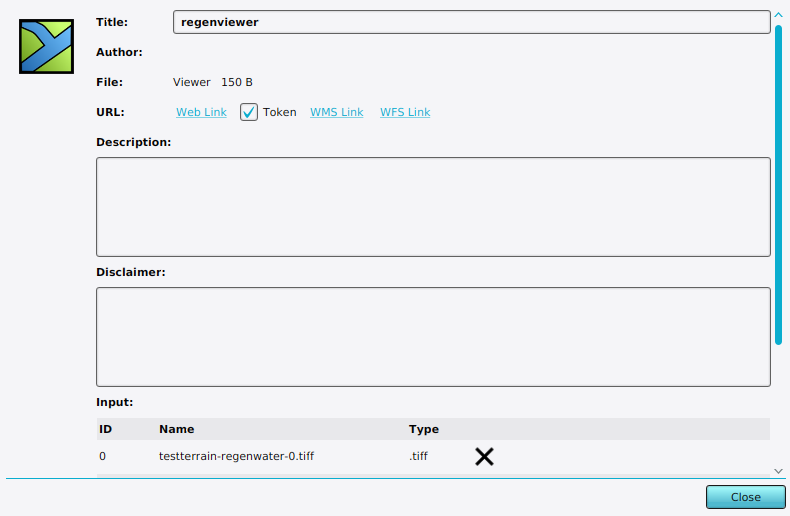 Edit panel of a GeoShare Viewer where you can find the link to its WMS.

