How to configure a Grid Overlay legend
To influence the visualization for the Grid Overlay, first activate the custom overlay option for the overlay. Template:Editor steps
-
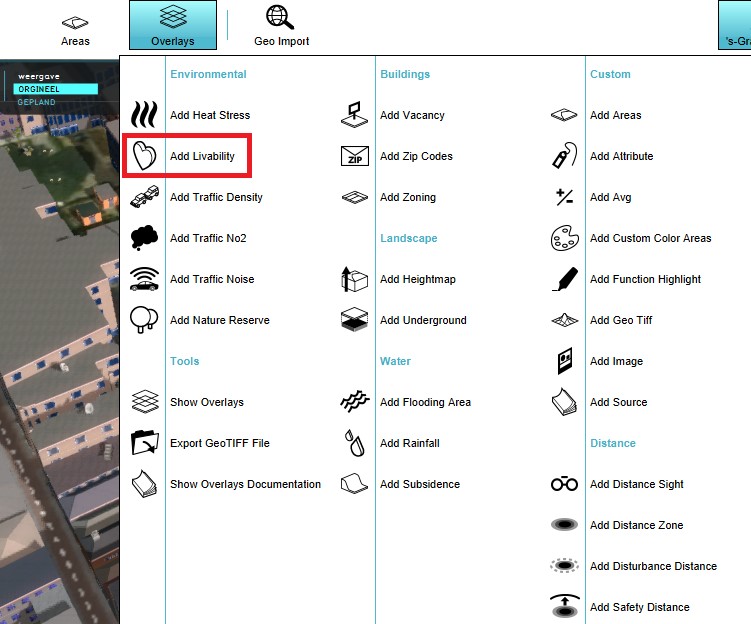 Select a grid overlay
-
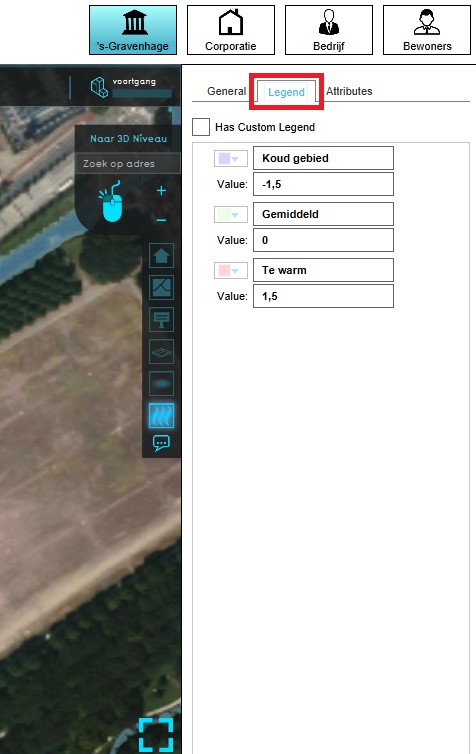 Select Legend in the right panel
-
Select Has Custom Legend


Next, make sure that each color or value you wish to use is defined in the list of legend items. Template:Editor steps
-
Select a grid overlay
-
Select Legend in the right panel
-
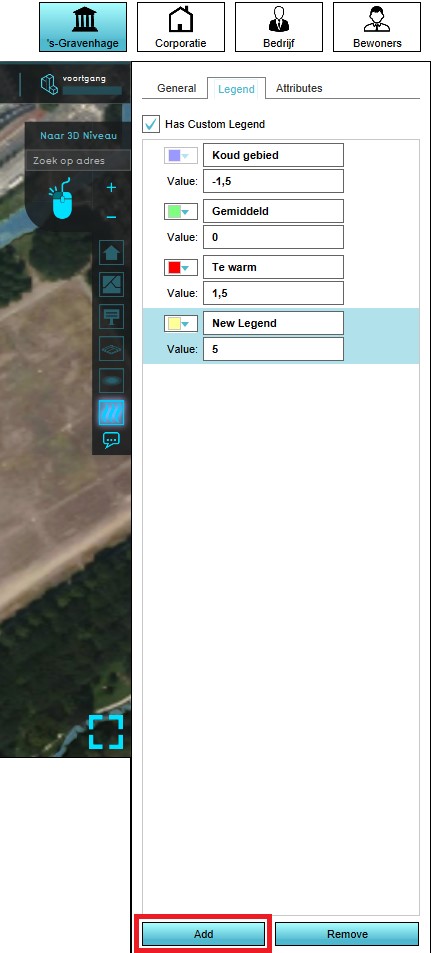 Select Add
-
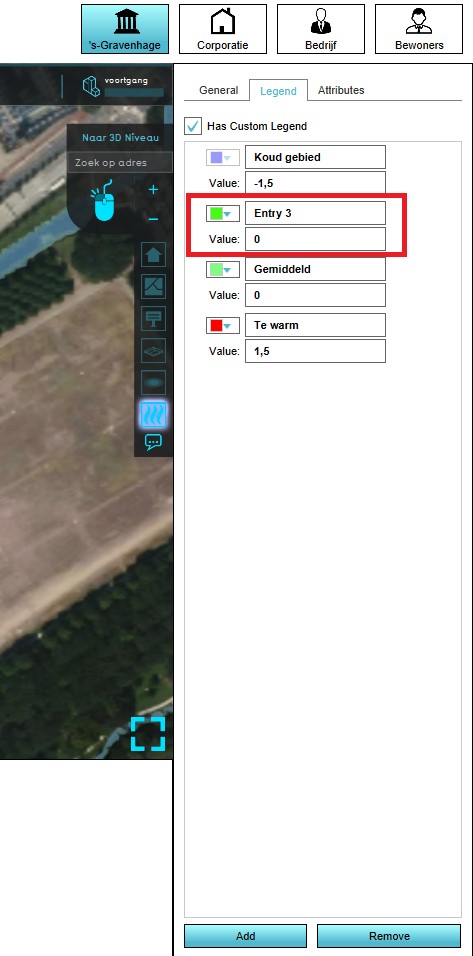 This is the new Legend item


-
Select a grid overlay
-
Select Legend in the right panel
-
This is the new Legend item
-
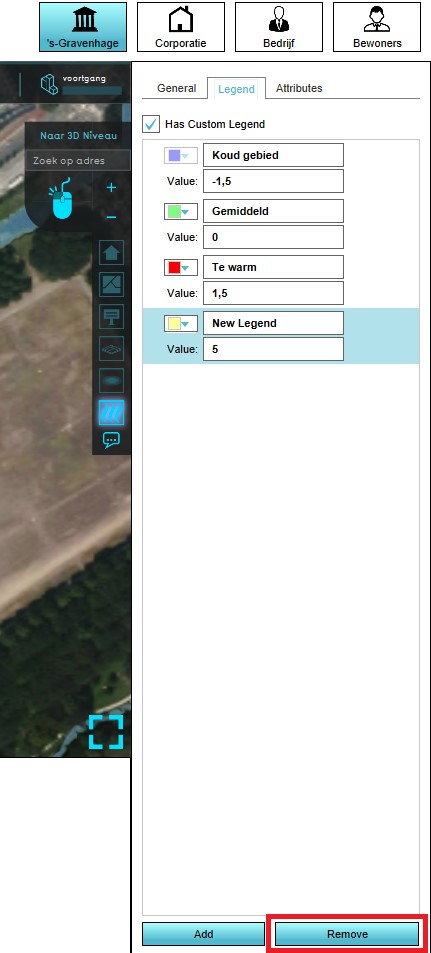 Select Remove

-
Select a grid overlay
-
Select Legend in the right panel
-
This is the new Legend item
-
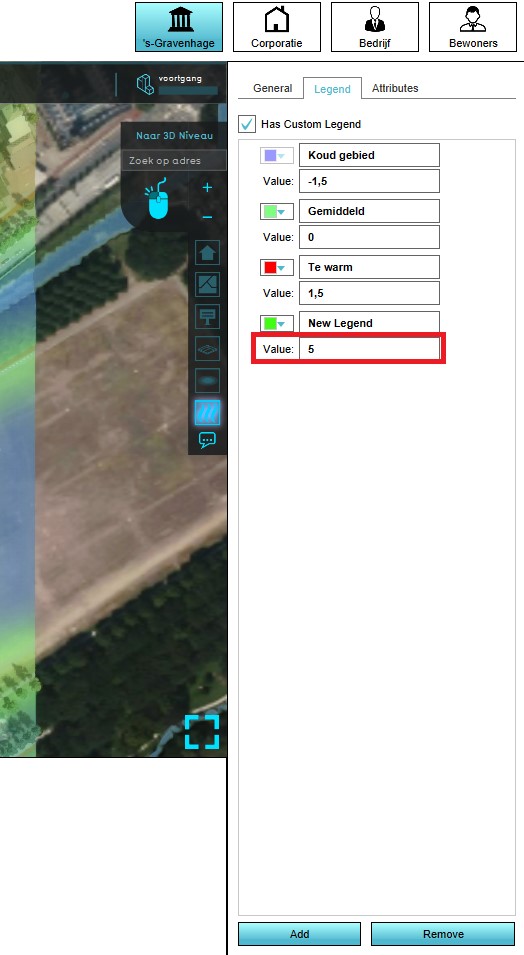 Change the value of the color
-
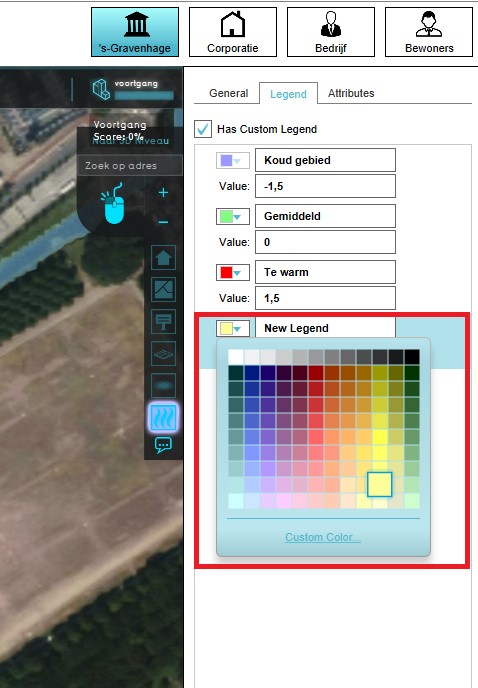 Change the color of the Legend item
-
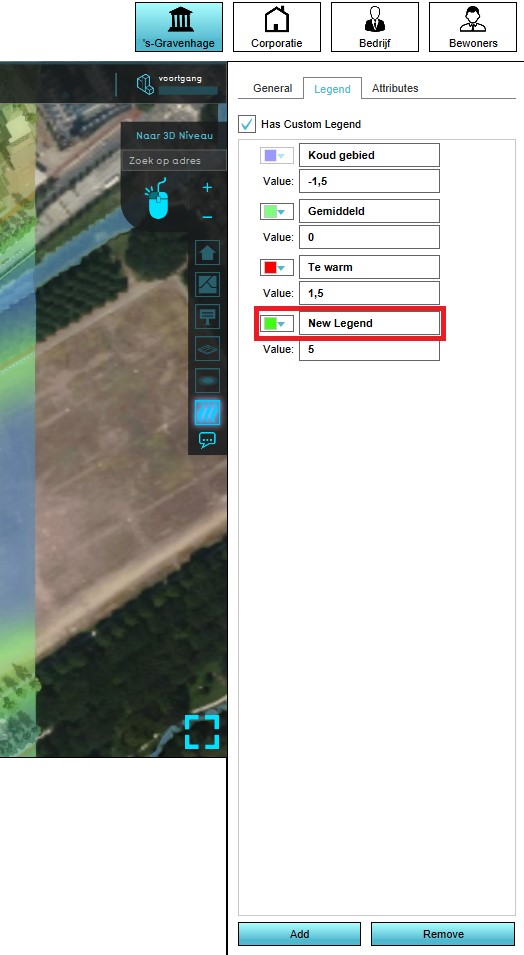 Change the name of the Legend item


