How to create a GIF Overlay Animation: Difference between revisions
Jump to navigation
Jump to search
No edit summary |
No edit summary |
||
| Line 6: | Line 6: | ||
|Select the [[Overlay]] from which you want to create a GIF | |Select the [[Overlay]] from which you want to create a GIF | ||
|Select in the editor ''Tools'' from the ribbon | |Select in the editor ''Tools'' from the ribbon | ||
|Click on the | |Click on the [[Screenshot]] button to open the Screenshot panel. | ||
|Select the option ''Overlay Animation (GIF)'' for the type option. | |Select the option ''Overlay Animation (GIF)'' for the type option. | ||
|Select HD Overlay when taking a screenshot of an overlay and you want a higher resolution (less gritty) overlay. | |Select HD Overlay when taking a screenshot of an overlay and you want a higher resolution (less gritty) overlay. | ||
Revision as of 12:43, 12 November 2026

-
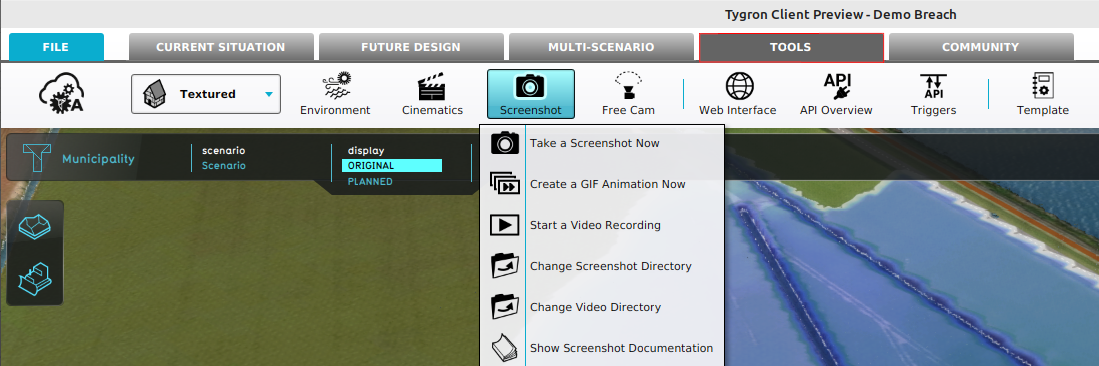 Select the Tools header in the Editor
-
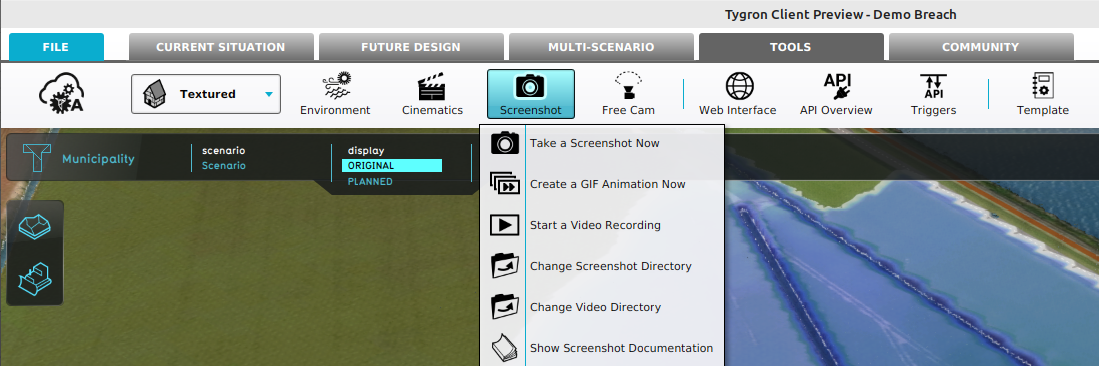 Click on the Screenshot button in the ribbon
-
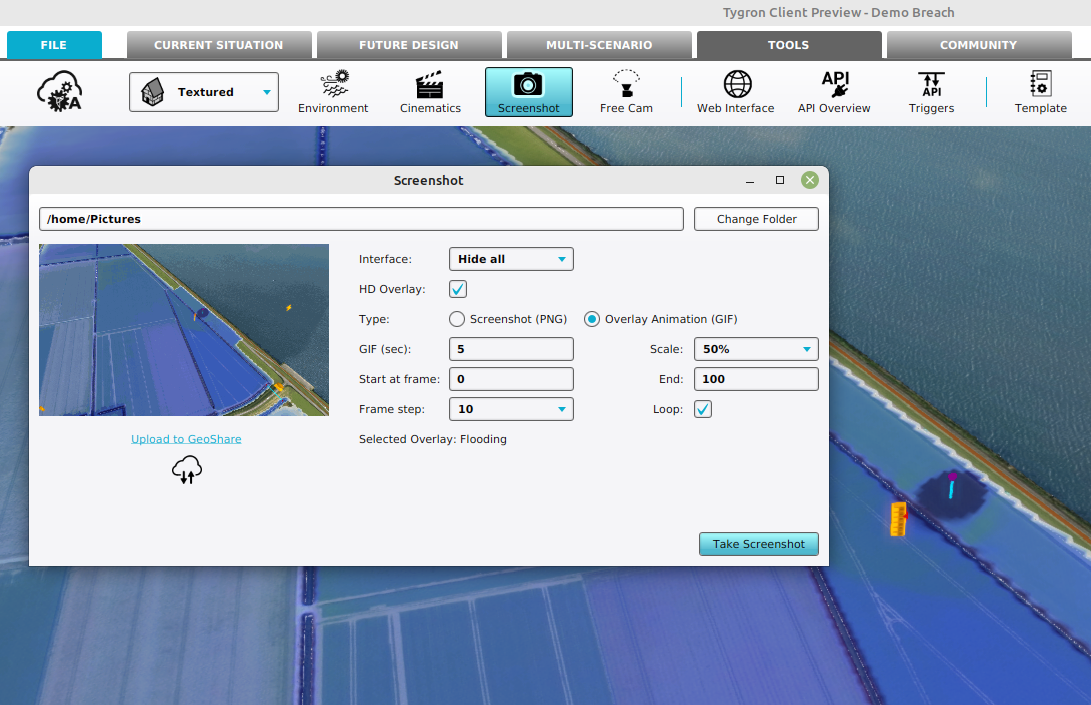 Click on the 'Take Screenshot' option to create the animation


