How to export Blender models to IFC: Difference between revisions
Jump to navigation
Jump to search
No edit summary |
No edit summary |
||
| Line 1: | Line 1: | ||
<youtube>E6Aqbtuy9dk</youtube> | <youtube>E6Aqbtuy9dk</youtube> | ||
3D models can be exported from [[Blender]] to an [[IFC]] format, so that they can be imported in the {{software}}. | |||
An IFC File can contain multiple hierarchies of Sites, Buildings, Building Storeys and individual Building parts, such as Structure Elements. | An IFC File can contain multiple hierarchies of Sites, Buildings, Building Storeys and individual Building parts, such as Structure Elements. | ||
A basic knowledge of how to use the [[Blender]] software is assumed. | |||
{{editor steps|title= | {{editor steps|title= | ||
| Open Blender and make sure that the "Bonsai" add-on is installed. The add-on can be found from the extensions dialog in Blender or you can download it from: https://bonsaibim.org/ | | Open Blender and make sure that the "Bonsai" add-on is installed. The add-on can be found from the extensions dialog in Blender or you can download it from: https://bonsaibim.org/ | ||
| After installing the Blender interface is slightly changed with the Bonsai features. A new tab "BIM" has been added. Click on this tab if it is not yet opened. | | After installing the Blender interface is slightly changed with the Bonsai features. A new tab "BIM" has been added. Click on this tab if it is not yet opened. | ||
| Line 38: | Line 39: | ||
{{article end | {{article end | ||
|seealso= | |seealso= | ||
*[[IFC]] | * [[IFC]] | ||
|external= | |||
* https://www.blender.org/ - The official Blender website | |||
}} | }} | ||
Revision as of 10:21, 22 October 2025
3D models can be exported from Blender to an IFC format, so that they can be imported in the Tygron Platform.
An IFC File can contain multiple hierarchies of Sites, Buildings, Building Storeys and individual Building parts, such as Structure Elements.
A basic knowledge of how to use the Blender software is assumed.
-
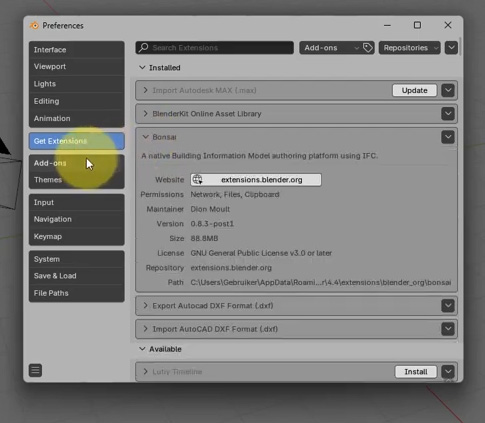 Bonsai plugin
-
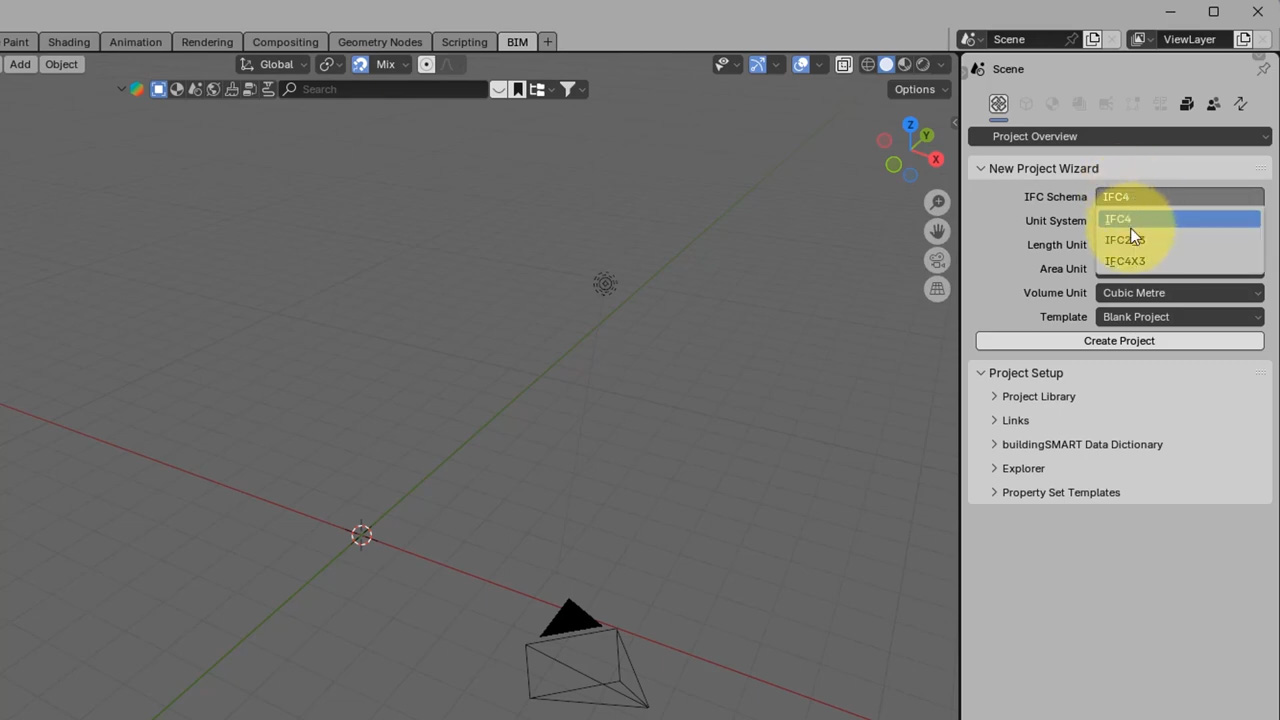 New project wizard
-
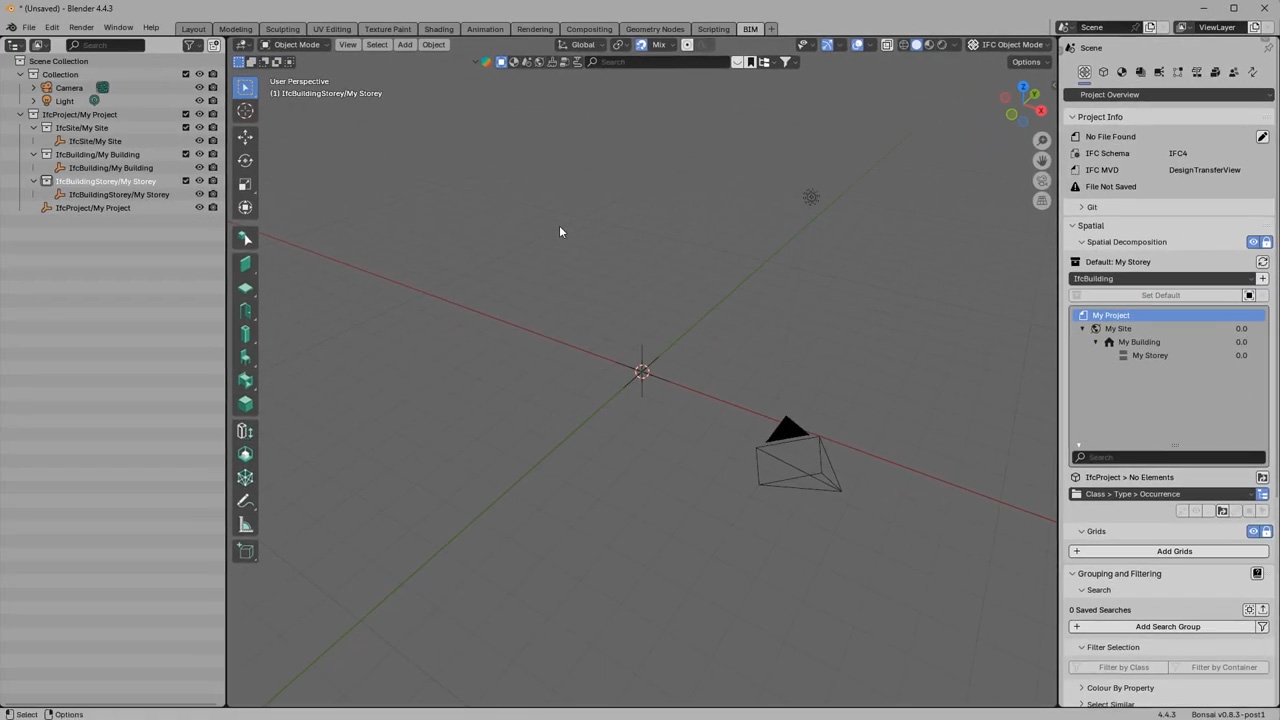 New project created
-
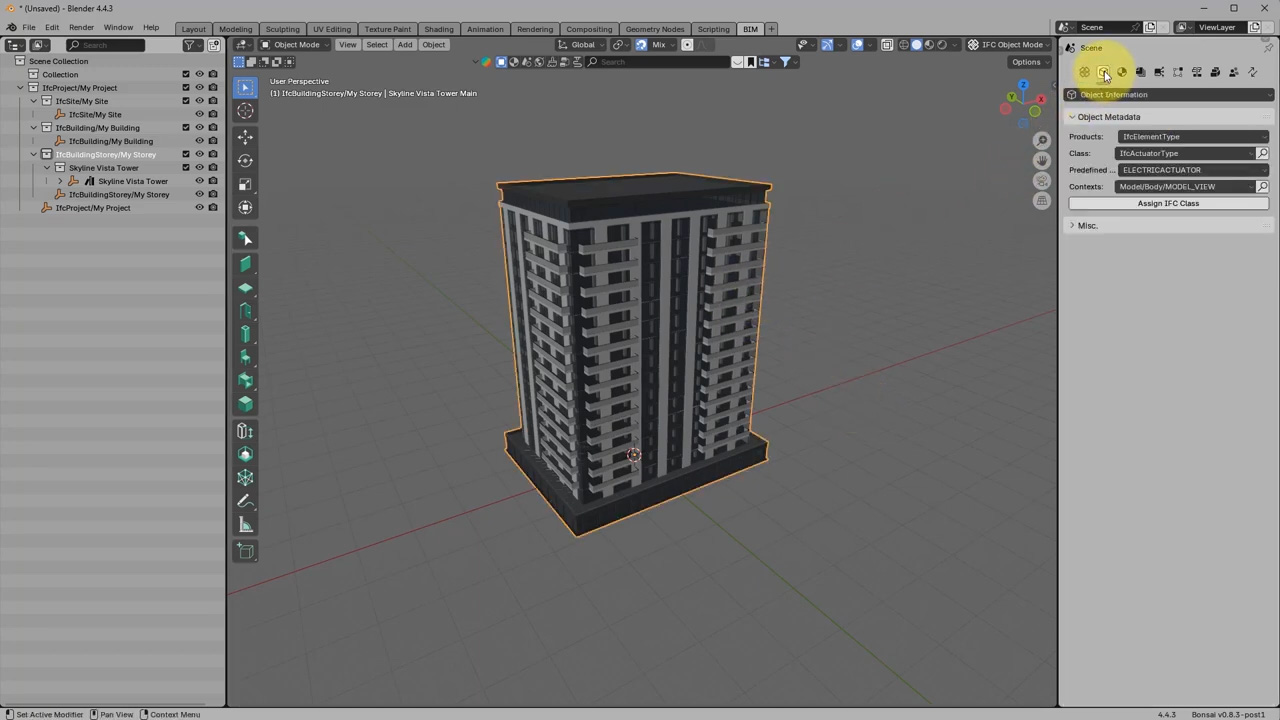 Open building
-
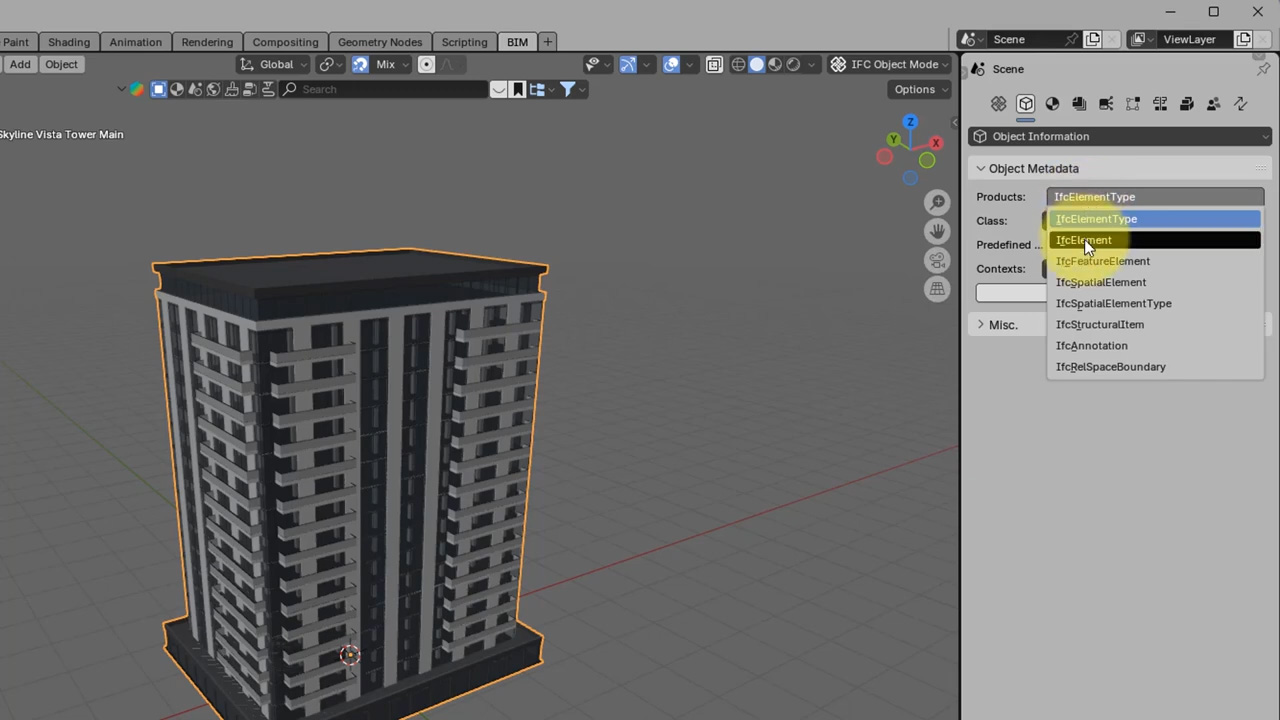 Assign ifc element
-
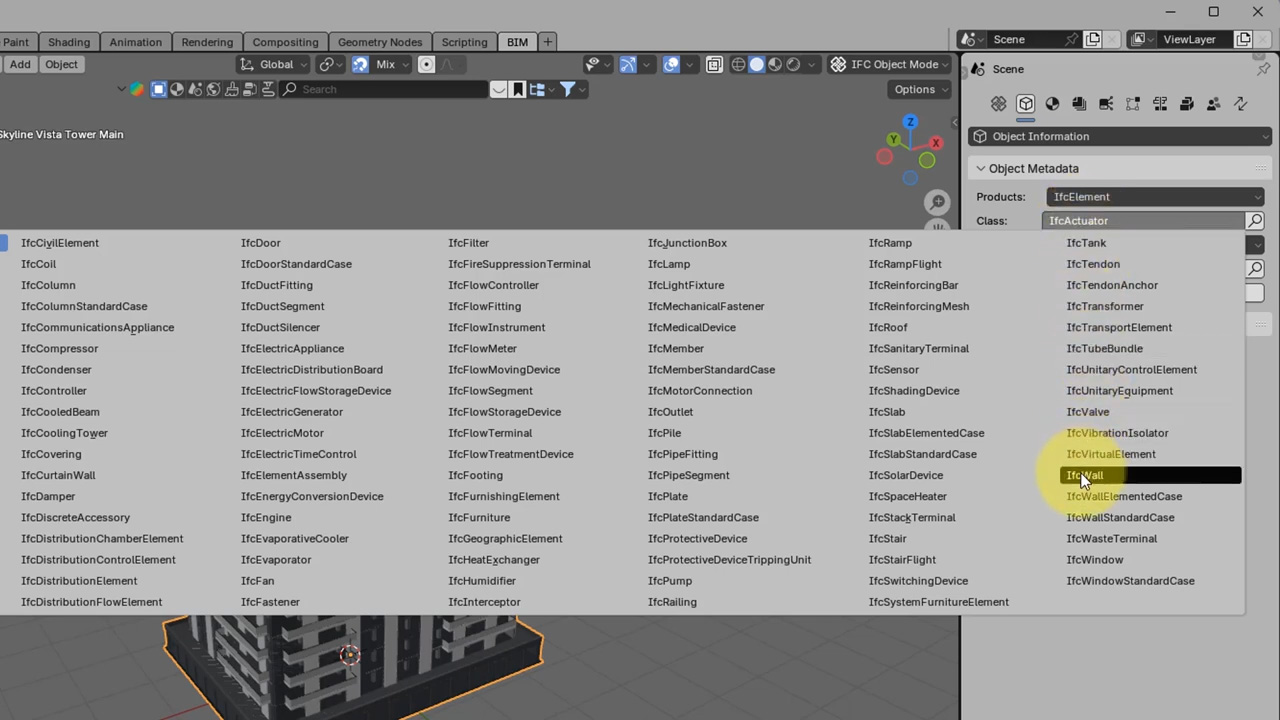 Assign ifc class
-
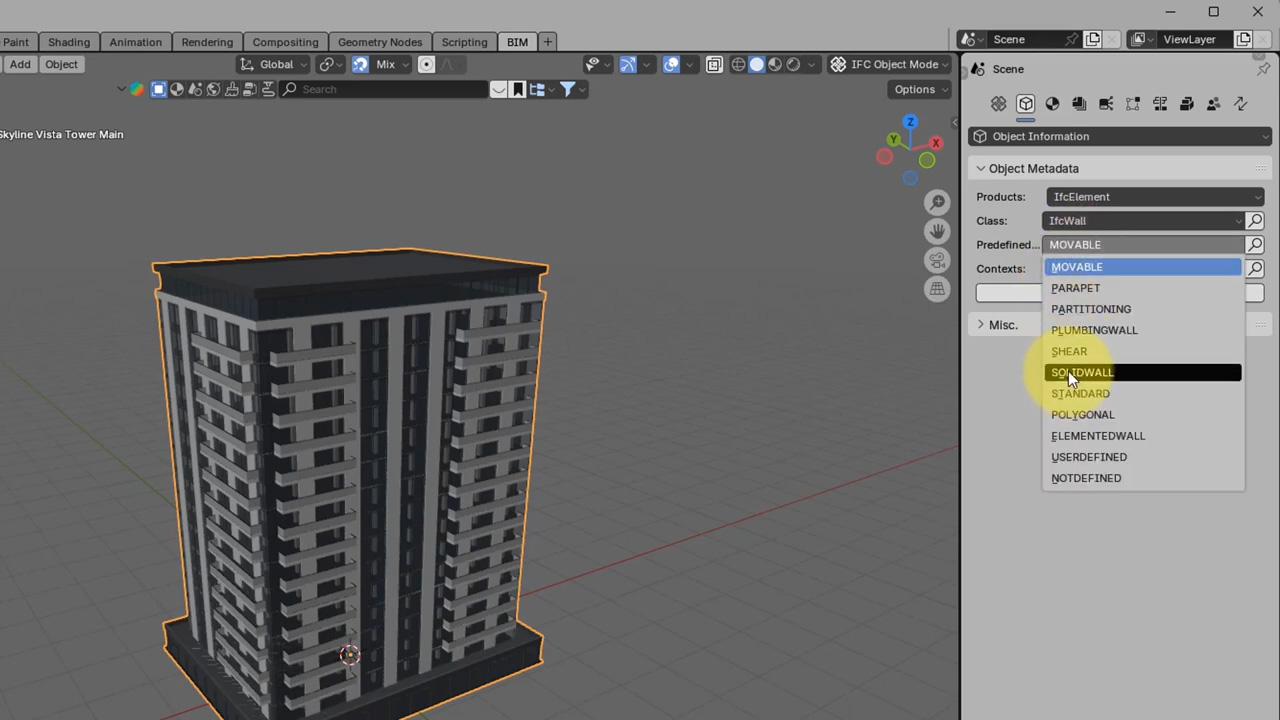 Assign type
-
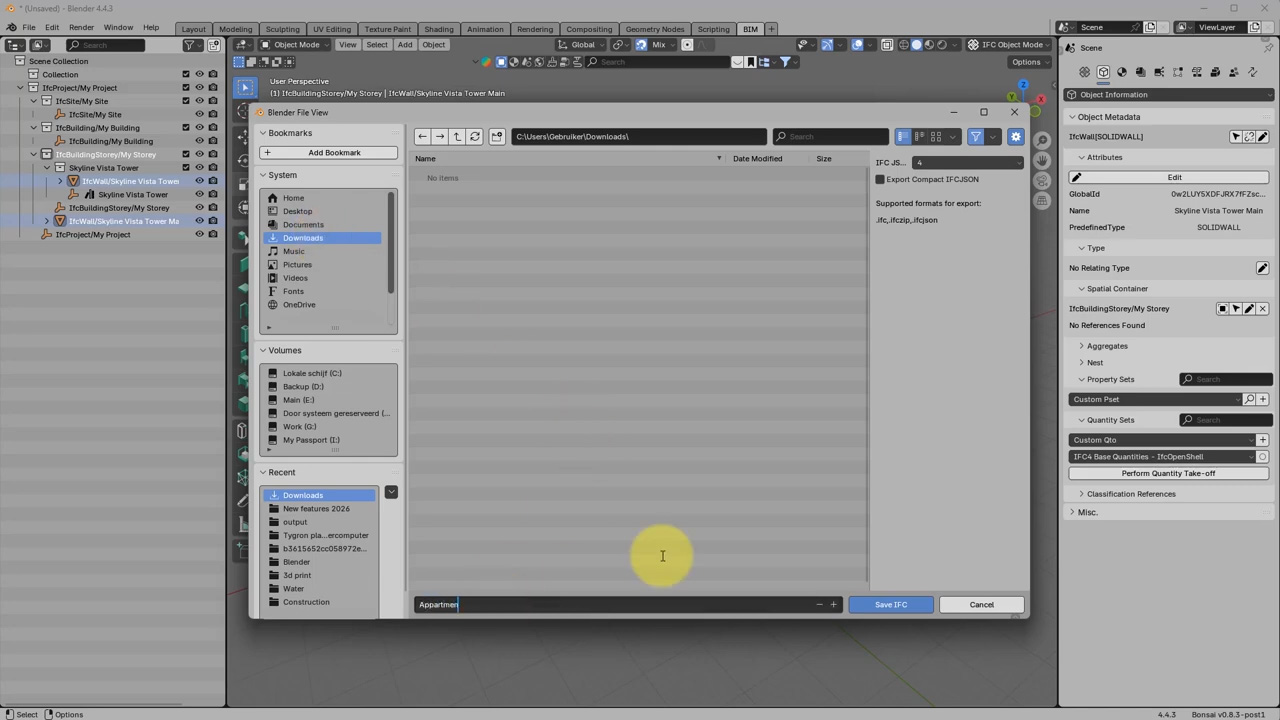 Save project


