Configuration Wizard: Difference between revisions
Jump to navigation
Jump to search
No edit summary |
No edit summary |
||
| Line 1: | Line 1: | ||
A Configuration Wizard is a pop-out panel that guides users through | A Configuration Wizard is a pop-out panel that guides users through configuring an import or a [[Grid Overlay]]. | ||
Overlay configuration wizards are generally opened by clicking on the ''Configuration Wizard'' button of an overlay [[Detail Panel]]. | Overlay configuration wizards are generally opened by clicking on the ''Configuration Wizard'' button of an overlay [[Detail Panel]]. | ||
Latest revision as of 11:39, 7 July 2026
A Configuration Wizard is a pop-out panel that guides users through configuring an import or a Grid Overlay. Overlay configuration wizards are generally opened by clicking on the Configuration Wizard button of an overlay Detail Panel.
Every configuration wizard starts with an introduction step, followed by one or more configuration steps. Some wizards require you to follow the steps until the final step is reached and the Finish button is clicked. Others, such as the Water Overlay Wizard, can be closed at any time.
-
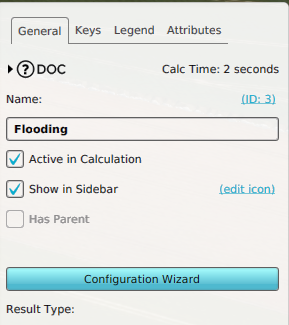 A Configuration Wizard button in a Water Overlay's Right Panel.
 -
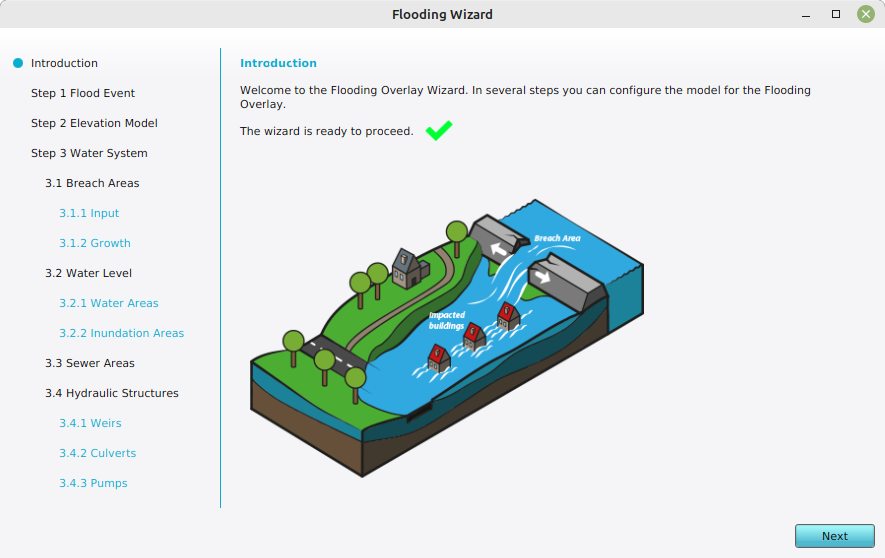 An introduction step of a Flooding Overlay's Configuration Wizard

