How to change individual ownership: Difference between revisions
Jump to navigation
Jump to search
No edit summary |
No edit summary |
||
| Line 16: | Line 16: | ||
File:OwnerDropDownMenuPlot.png|3. Select new owner from drop down menu | File:OwnerDropDownMenuPlot.png|3. Select new owner from drop down menu | ||
</gallery> | </gallery> | ||
[[Category:How-to's]] | |||
Revision as of 13:28, 30 January 2024
-
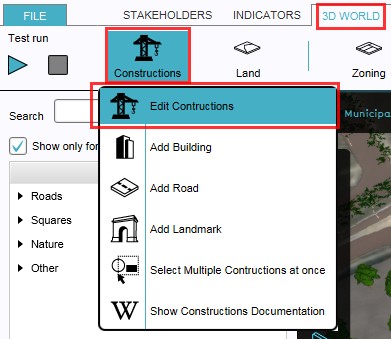 1. Select to edit buildings
-
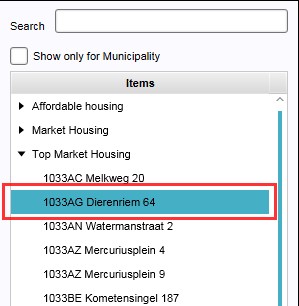 2a. Select from the list the building to be edited
-
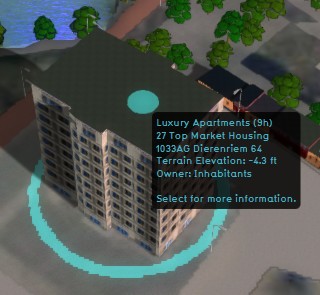 2b. ...or select directly the building to be edited in the 3D Visualization
-
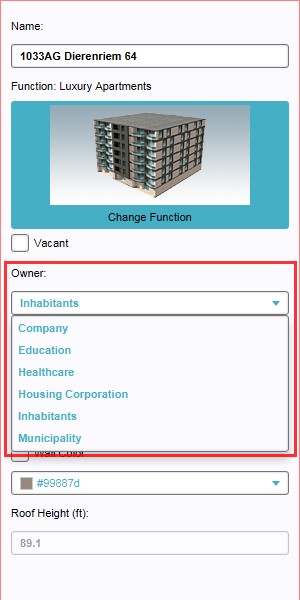 3. Select new owner from drop down menu


-
 1. Select to edit plots
-
 2a. Select from the list the plot to be edited
-
 2b. ...or select directly the plot to be edited in the 3D Visualization
-
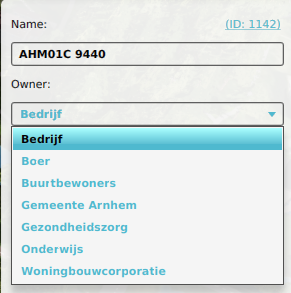 3. Select new owner from drop down menu


