Combo Overlay with masking: Difference between revisions
Jump to navigation
Jump to search
No edit summary |
|||
| (3 intermediate revisions by one other user not shown) | |||
| Line 7: | Line 7: | ||
<gallery> | <gallery> | ||
File:Rainfall_Overlay1.jpg|Rainfall overlay | |||
File:Combo_Overlay_with_masking1a.jpg|Combo Overlay with masking | |||
</gallery> | </gallery> | ||
==Formula== | ==Formula== | ||
We want to only show the | We want to only show the rainfall values above a threshold, so we want to use all values that are greater than 49 cm (0.049m), and only of the middle timeframe (index 12 in this case). Using the [[Combo Overlay#Operators|operators table]], this gives us the following formula: | ||
<code>MULT(GTE(A12, 0.049), A12)</code> | <code>MULT(GTE(A12, 0.049), A12)</code> | ||
Where <code>A12</code> is the | Where <code>A12</code> is the middle timeframe of the rainfall overlay (timeframes are 0-indexed). | ||
==How to== | ==How to== | ||
{{ | {{howto|title=add a Combo Overlay with masking | ||
|Add a [[Rainfall Overlay]] (give it a significant rain event). | |Add a [[Rainfall Overlay]] (give it a significant rain event). | ||
|Add a Combo Overlay and select the rainfall overlays in [[A prequel (Combo Overlay)|Prequel A]]. | |Add a Combo Overlay and select the rainfall overlays in [[A prequel (Combo Overlay)|Prequel A]]. | ||
| Line 28: | Line 28: | ||
|Select 'Update Now'}} | |Select 'Update Now'}} | ||
<gallery> | <gallery> | ||
File:Rainfall_Overlay1.jpg|Add a [[Rainfall Overlay]] | |||
File:Combo_masking_grid_a.png|Select the Rainfall Overlay for [[A prequel (Combo Overlay)|Prequel A]]. | |||
File:Combo_masking_formula.png|Enter the formula in the Formula field | |||
File:Custom_legend_combo_with_features2.jpg|Adjust a custom legend | |||
File:Combo_masking_update_now.png|Select 'Update Now' | |||
</gallery> | </gallery> | ||
Latest revision as of 09:54, 18 November 2026
This page describes a use case for implementing a combo overlay.
Use Case Description
How can I 'mask' (filter out) all values of a rainfall overlay that is not of the highest range? In this case we use the default highest range of 50 cm or more.
For this we need to add a rainfall overlay and a formula we can use to mask the values that are too low.
-
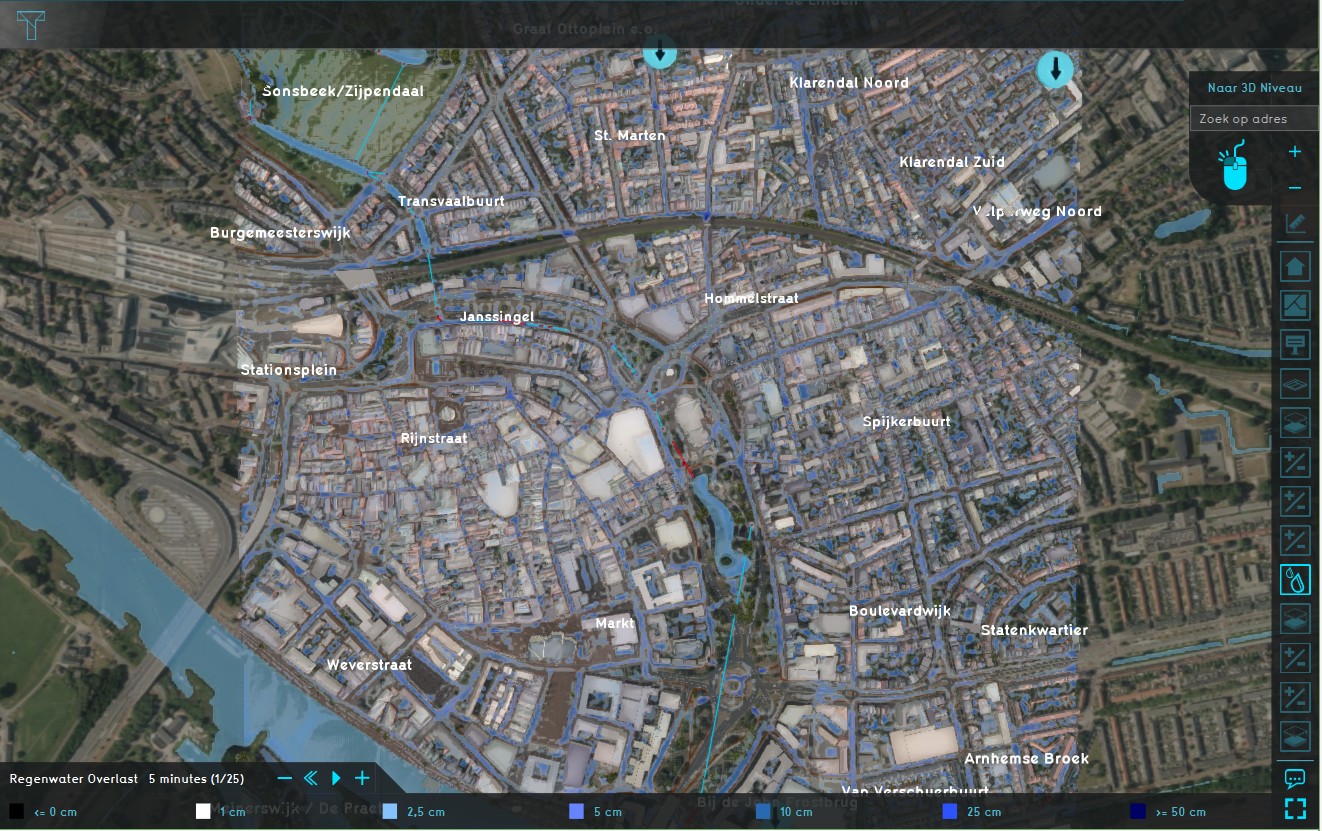 Rainfall overlay
-
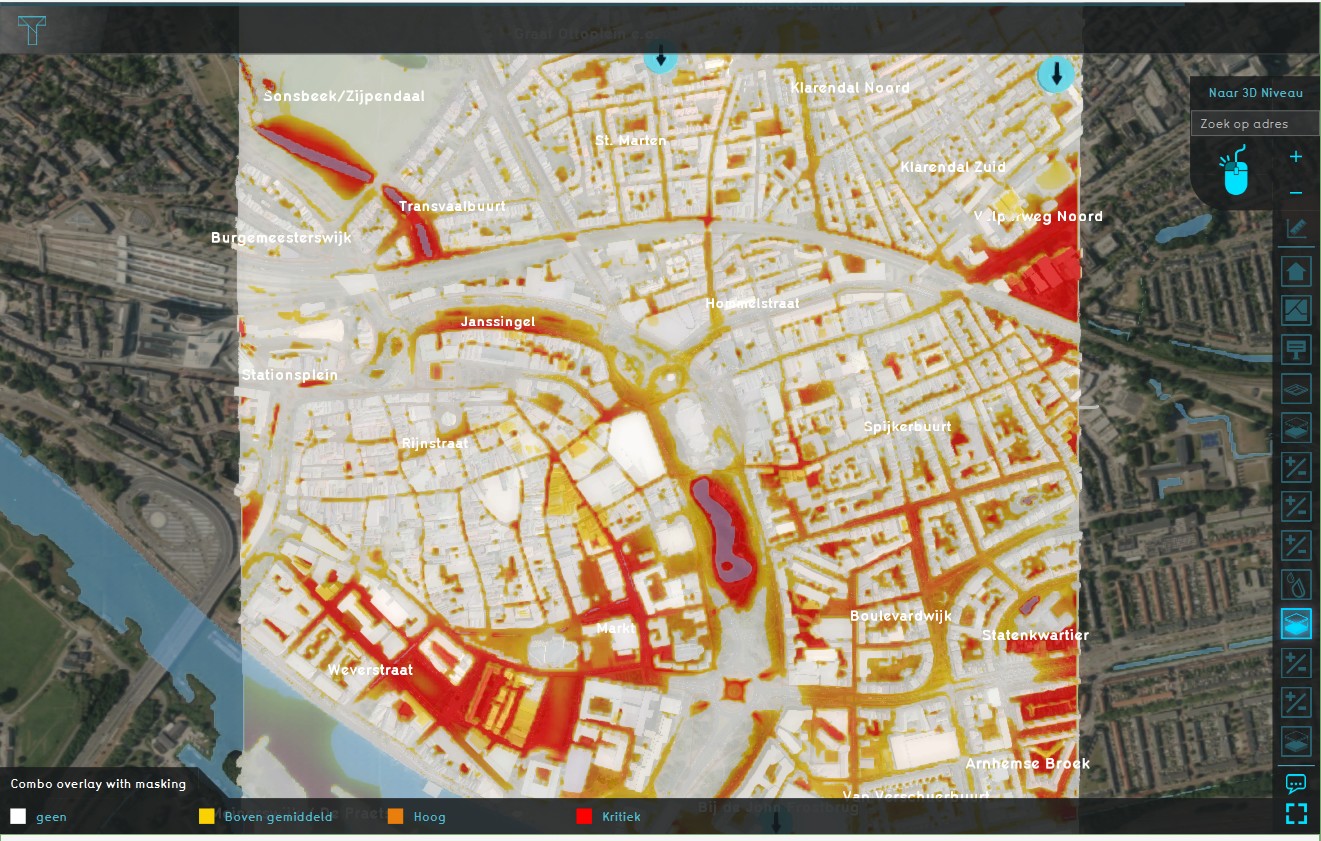 Combo Overlay with masking


Formula
We want to only show the rainfall values above a threshold, so we want to use all values that are greater than 49 cm (0.049m), and only of the middle timeframe (index 12 in this case). Using the operators table, this gives us the following formula:
MULT(GTE(A12, 0.049), A12)
Where A12 is the middle timeframe of the rainfall overlay (timeframes are 0-indexed).
How to
How to add a Combo Overlay with masking:
- Add a Rainfall Overlay (give it a significant rain event).
- Add a Combo Overlay and select the rainfall overlays in Prequel A.
- Enter the formula in the Formula field.
- Enable and adjust a custom legend as desired.
- Select 'Update Now'
-
Add a Rainfall Overlay
-
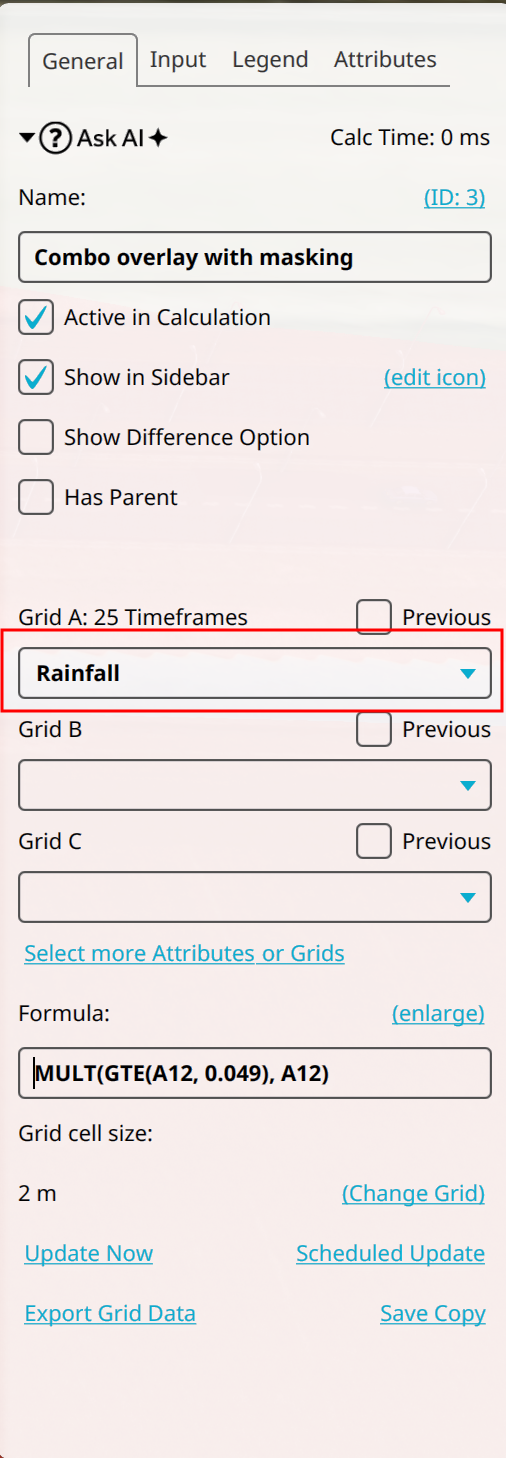 Select the Rainfall Overlay for Prequel A.
-
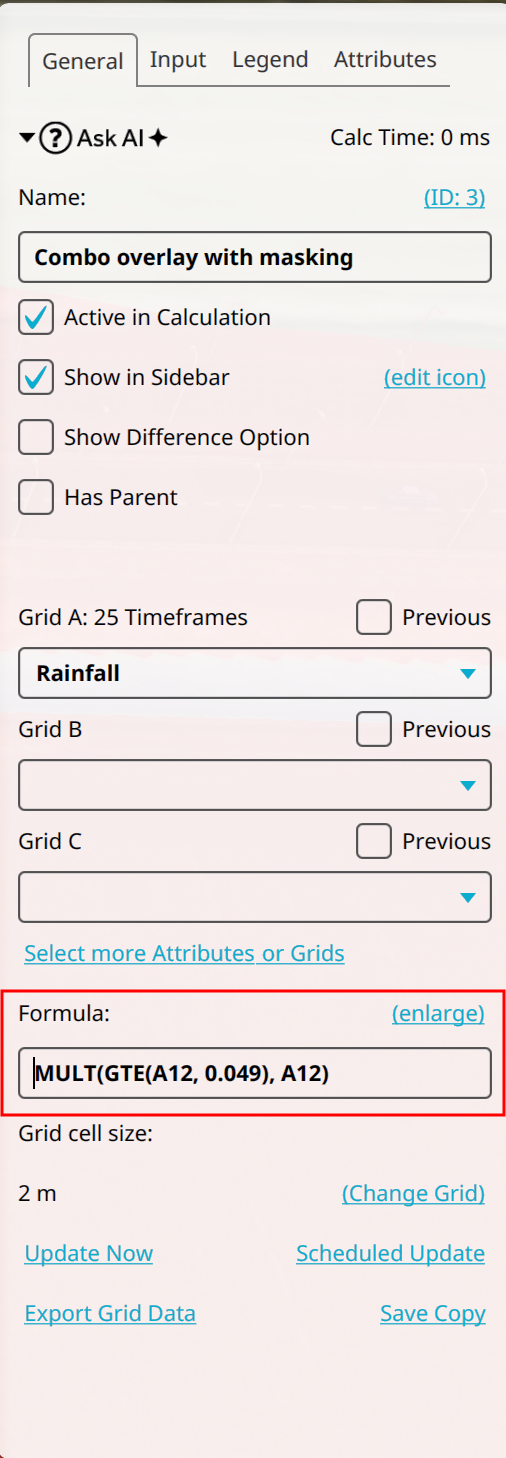 Enter the formula in the Formula field
-
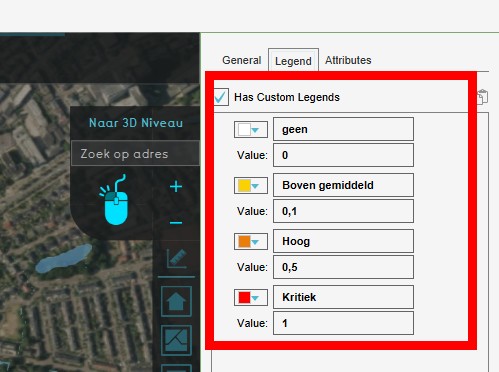 Adjust a custom legend
-
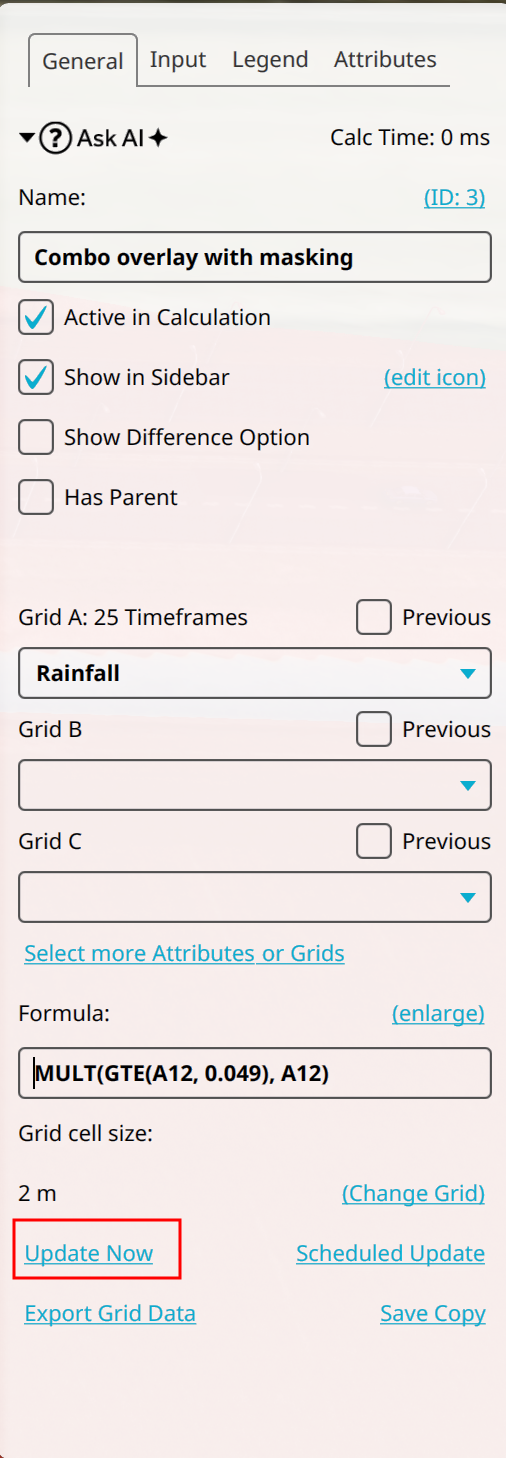 Select 'Update Now'


