How to configure Functions for Pedestrian traffic: Difference between revisions
Jump to navigation
Jump to search
No edit summary |
No edit summary |
||
| (2 intermediate revisions by the same user not shown) | |||
| Line 1: | Line 1: | ||
Functions can be configured to support a particular type of traffic by default, by setting the corresponding [[Function Value#Traffic|traffic Function Value]]. | Functions can be configured to support a particular type of traffic by default, by setting the corresponding [[Function Value#Traffic|traffic Function Value]]. | ||
<onlyinclude>{{howto|title= | <onlyinclude>{{howto|title=configure Functions for Pedestrian traffic | ||
|Select [[Current Situation]] in the ribbon | |Select [[Current Situation]] in the ribbon | ||
|Hover over [[Building]]s and select ''Edit Function Values'' | |Hover over [[Building]]s and select ''Edit Function Values'' | ||
Latest revision as of 10:01, 5 November 2026
Functions can be configured to support a particular type of traffic by default, by setting the corresponding traffic Function Value.
How to configure Functions for Pedestrian traffic:
- Select Current Situation in the ribbon
- Hover over Buildings and select Edit Function Values
- Set Category to Road
- Set Group to OTHER_TRAFFIC
- At the bottom, click on the Add button next to Function.
- For the selected Category, (shift)-select all Roads and click on the Select button to add all to the Table View.
- Select the cells in the Pedestrians/hour column and set the value to 1 (or more) when this Function allows Pedestrians.
- Close the window and recalculate the project.
-
 Edit function values in the Building popup under Current Situation
-
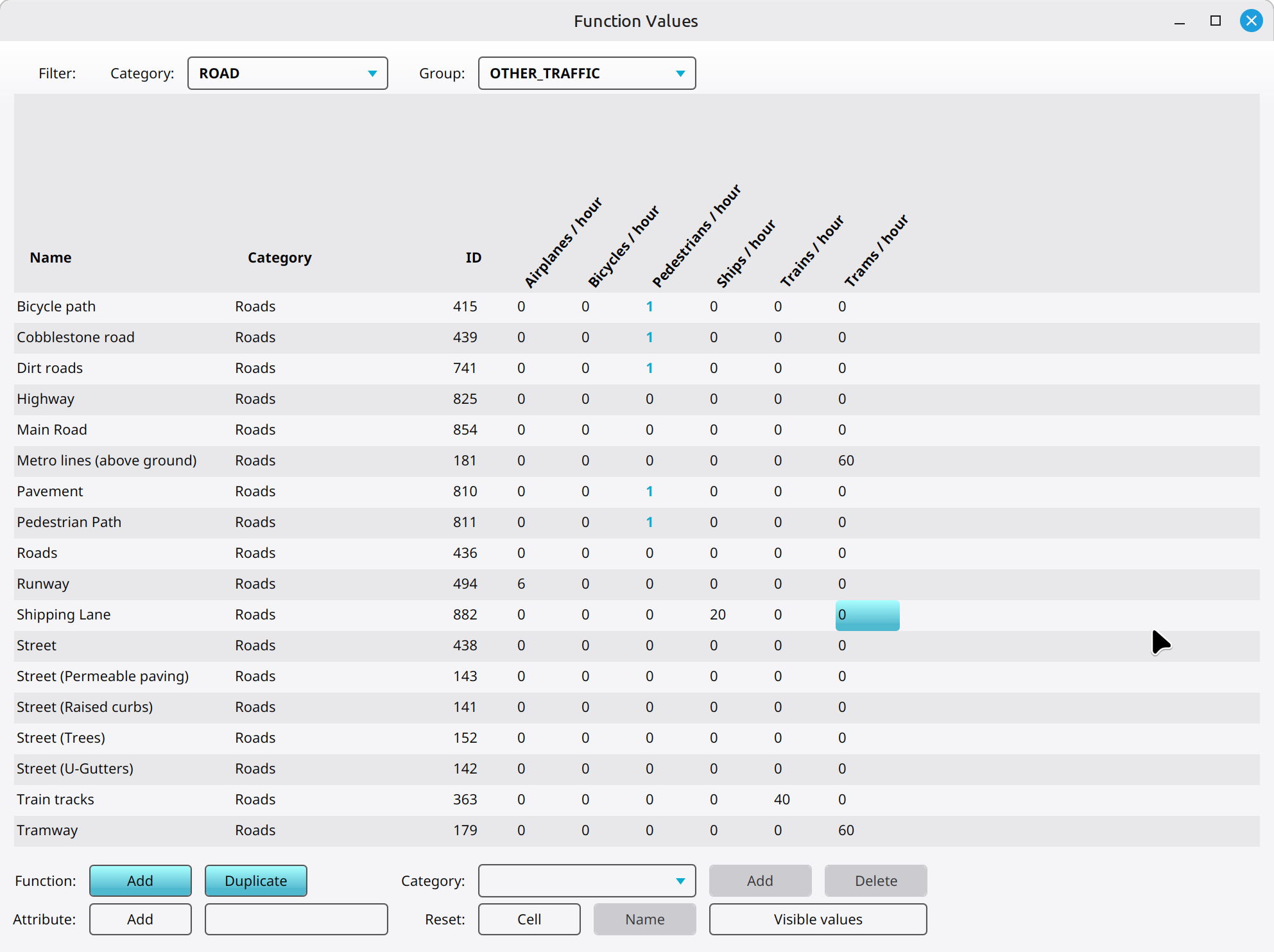 Roads configured for pedestrians.

