How to create a Basic Mode Project: Difference between revisions
Jump to navigation
Jump to search
No edit summary |
No edit summary |
||
| Line 19: | Line 19: | ||
{{article end | {{article end | ||
|notes= | |notes= | ||
* When using a [[Project Template]] to create a new [[Project]], the new [[Project]] will inherit its [[Detail level]] from the [[Project Template]]. | * When using a [[Project Template]] to create a new [[Project]], the new [[Project]] will inherit its [[Detail level]] from the [[Project Template]]. Meaning that the new project also inherits it is in Basic Mode status from it's template. | ||
|seealso= | |seealso= | ||
* [[Basic Mode]] | * [[Basic Mode]] | ||
Revision as of 09:38, 7 July 2026
For some Projects, especially at broader regional levels, the Basic Mode may provide more appropriate performance while still being well-suited for a broad range of use-cases and calculations. However, the choice for the creation of a Basic Mode Project must be made at the time of Project creation.
Main menu → New Project
How to create a Basic Mode Project:
- In the main menu, opt to create a new Project.
- Enter the name for the Project as usual.
- Select a language and unit system as usual.
- For the Detail level, select Basic.
- Click on "Create new Project", and progress through the rest of the Project creation process as usual.
-
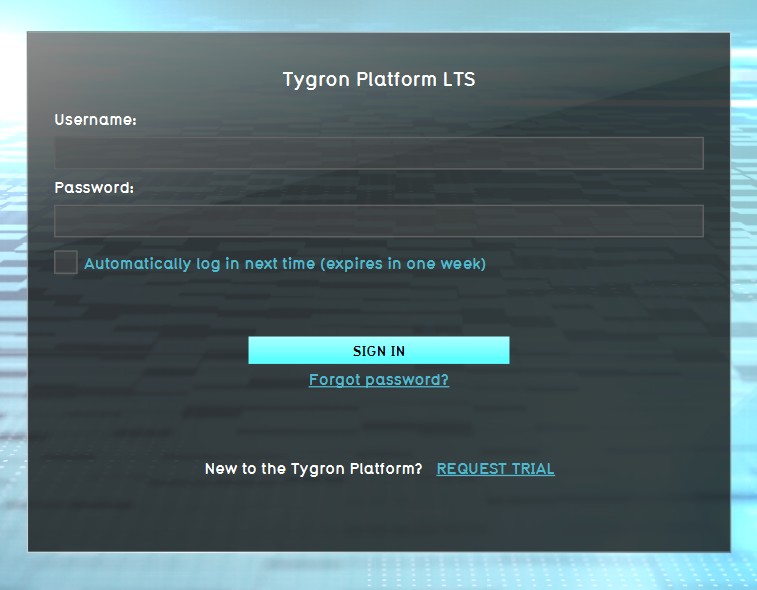 1. Log in to client.
 -
 2. Select new project in the Main Menu.
 -
 3. After naming your project, select Basic for Detail Level.
 -
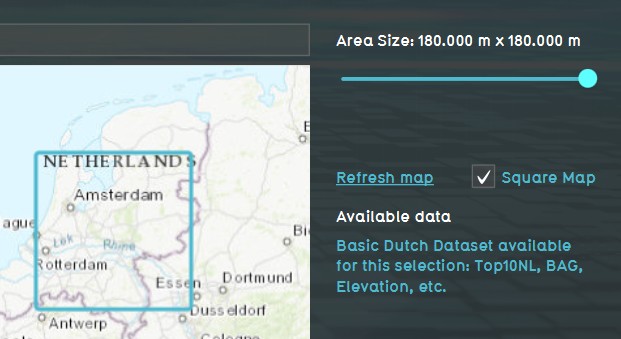 4. Use the Map Wizard to select the Basic Mode map size and location of your project.


Notes
- When using a Project Template to create a new Project, the new Project will inherit its Detail level from the Project Template. Meaning that the new project also inherits it is in Basic Mode status from it's template.